Your Stream Deck can still
control Microsoft Teams.
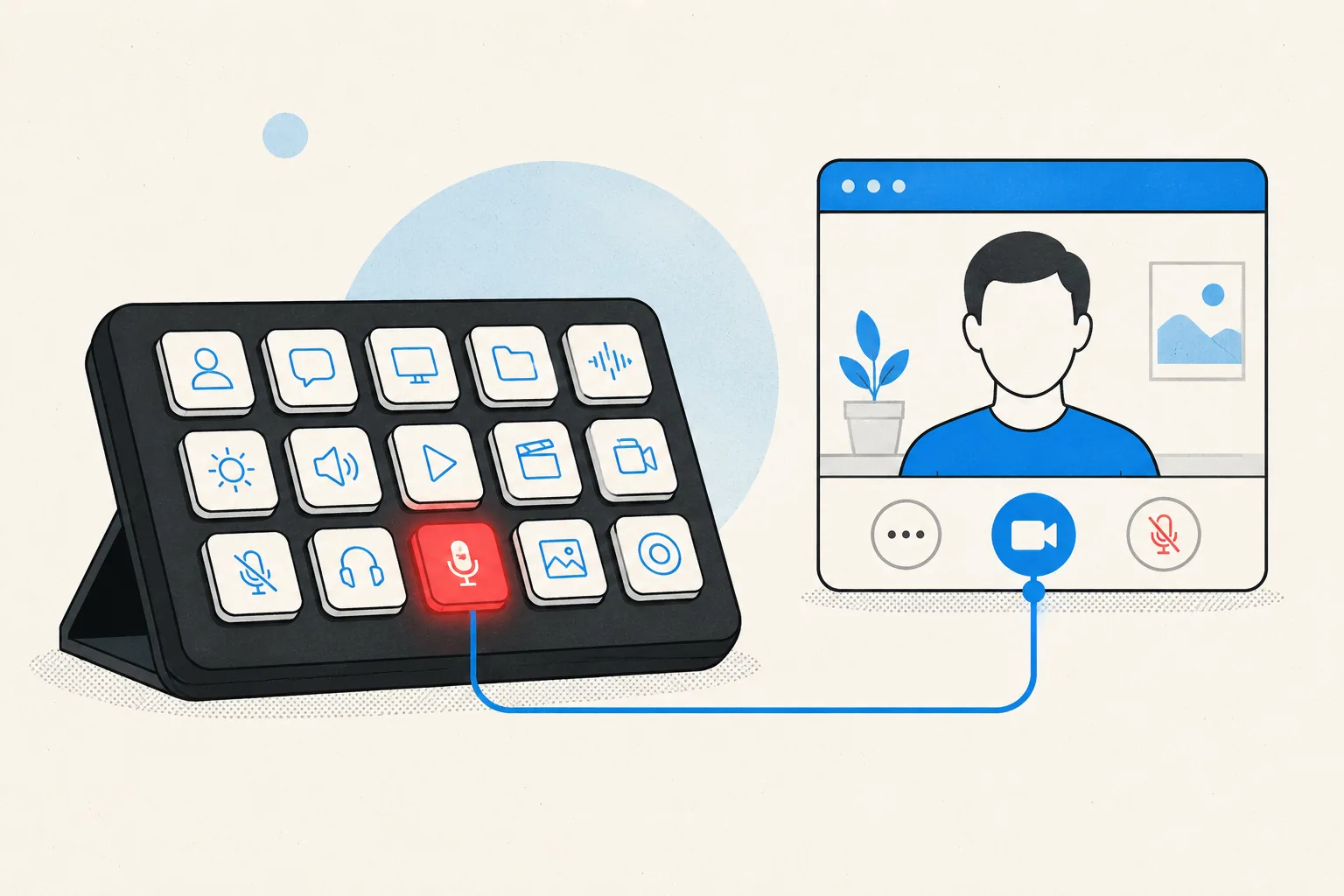
Microsoft retired the interface the original Teams Stream Deck plugin was built on, and the plugin went with it. MuteDeck gets you back to a physical mute button: it controls Teams another way, and the keys work even when Teams isn't the window you're looking at.






















What happened to the
Microsoft Teams plugin?
The official Teams plugin controlled your meeting through an API Microsoft offered to third-party devices. Microsoft retired that API. Without it, the plugin had nothing to send your button presses to, so it stopped working and was taken down.
Nothing broke on your side. Your Stream Deck is fine, your Teams install is fine. The connection between them is what disappeared.
The usual fallback is keyboard shortcuts, and that is where most people get stuck.
Ctrl+Shift+M
and Cmd+Shift+M
only reach Teams while a Teams window has keyboard focus. Click into your browser or
your notes, and the shortcut goes to that app instead. More on that in
why the Teams mute
shortcut stops working.
Where the Elgato Teams plugin went
The official Elgato plugin for Microsoft Teams was pulled from the marketplace after the API it depended on was retired. Searching the Stream Deck store for "Teams" won't turn it up, and no reinstall or update brings it back. The MuteDeck plugin covers the same buttons, and it's still there.
Meet MuteDeck.
MuteDeck is a small app that sits between your meeting and your buttons. It runs on your computer, keeps track of what your meeting is doing, and hands that over to whatever you press.
-
Step one
Install MuteDeck.
Windows or macOS, about two minutes. The 7-day trial needs no account and no card. Get the download.
-
Step two
Add the MuteDeck plugin.
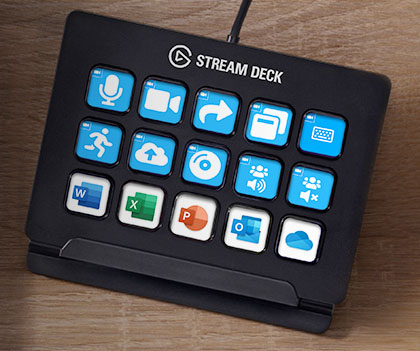
One click from the Elgato marketplace, then drag Toggle Mute, Toggle Camera, Share Screen, and Leave Meeting onto your deck.
-
Step three
Join a meeting and press.
The keys light up with your live state. Mute from inside Teams and the key follows, so the two never disagree. The Teams setup guide has the details.
Shortcuts, the old plugin, and MuteDeck.
The old plugin did one job well, for one app, until it didn't. Here's how the three options line up today.
| Feature | Hotkeys | Old Teams plugin | MuteDeck |
|---|---|---|---|
| Works while Teams isn't focused |
No.
Needs the Teams window active
|
Yes.
|
Yes.
|
| Live mute indication |
No.
|
Yes.
On the keys
|
Yes.
On the keys and on screen
|
| Camera controls |
Partly.
In-app shortcut only
|
Yes.
|
Yes.
|
| Recording & custom actions |
Partly.
In-app shortcut only
|
No.
|
Yes.
|
| Still available today |
Yes.
|
No.
Retired
|
Yes.
|
| Supports other meeting apps |
Partly.
Different keys per app
|
No.
Teams only
|
Yes.
Same keys everywhere
|
| Easy setup |
Yes.
Nothing to install
|
Yes.
|
Yes.
App plus plugin, a few minutes
|
Control Teams from
wherever you are.
Meetings rarely have your full attention. You're in a spreadsheet, a browser tab, a terminal. Teams' own shortcuts only reach Teams when a Teams window is active, so the moment you click away, your mute key isn't a mute key anymore.
MuteDeck listens for the press outside of Teams, which means no Alt-Tab hunt before you speak. A Stream Deck key, a global hotkey, or your phone all do the same thing.
Know when you're muted.
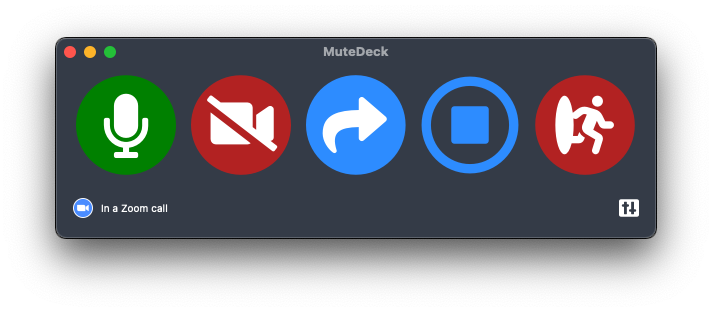
Your mute state shows up in two places: on the key itself, red when you're muted, and in a small always-on-top window you can park anywhere on your screen.
It stays in sync with the meeting. Mute from inside Teams and the key changes with it, so you never end up trusting a button that's out of date.
Works with the hardware you already own.
Nothing new to buy. MuteDeck ships plugins for the decks people already have on their desks, and the actions are the same on all of them.
-
Stream Deck
Every Stream Deck model, including the Mini, XL, and Stream Deck Mobile.
Get the plugin → -

Bitfocus Companion
The pro AV button canvas. Install the MuteDeck module from inside Companion.
Set it up → -
Coming soon
Your phone
The MuteDeck mobile app is in the works, no extra hardware needed.
Join the beta waitlist →

More than
Microsoft Teams.
Buying MuteDeck for Teams gets you every other meeting app it supports at the same time. Same keys, same colors, no profile switching when the day moves from a Teams call to a Zoom call to a Slack huddle.
Land in an app MuteDeck doesn't know yet and it falls back to controlling your microphone directly, so the mute key still mutes you.
- Zoom Guide →
- Google Meet Guide →
- Webex Guide →
- Discord Guide →
- Slack huddles Guide →
- Riverside Guide →
Also FaceTime, StreamYard, Jitsi, Whereby, Gather, and more. Browse every guide.
Why did the Teams Stream Deck plugin stop working?
Microsoft retired the meeting control interface that the official plugin was built on. Once that went away, the plugin had nothing left to talk to, so the keys stopped responding and the plugin was pulled.
Did Microsoft remove the Teams API?
Yes. Teams used to offer a third-party app API, with a token you generated in its privacy settings. Microsoft removed it, and the official plugin went down with it. MuteDeck does not use that API, so there is no token to generate and nothing to enable. Here is what changed.
Why is the Elgato Teams plugin no longer in the marketplace?
It was built on the API Microsoft retired, so it stopped working and was taken down. Searching the Stream Deck store for Teams will not bring it back, and neither will reinstalling the Stream Deck software.
What are the alternatives to the Teams Stream Deck plugin?
Keyboard shortcuts, Windows 11's Win+Alt+K, a script such as AutoHotkey, or a purpose-built app like MuteDeck. Each has real trade-offs around focus, mute type, and whether the key can show your state. We laid them out side by side in Stream Deck alternatives for Microsoft Teams.
Can I still control Teams with a Stream Deck?
Yes. Install MuteDeck on your computer, add the MuteDeck plugin from the Elgato marketplace, and drag the Toggle Mute, Toggle Camera, and Leave Meeting actions onto your deck. The Teams Stream Deck guide walks through it.
Do Teams keyboard shortcuts work?
They do, but only while a Teams window has keyboard focus. Ctrl+Shift+M (Windows) and Cmd+Shift+M (Mac) go to whatever app you are actually typing in. That is the usual reason they seem to randomly stop working.
Can I mute Teams while another application is active?
Yes. That is the main reason people use MuteDeck. A Stream Deck key, a global hotkey, or your phone toggles your meeting mute while you are in your browser, your notes, or your editor.
Does this work on Windows?
Yes, on Windows 10 and above.
Does this work on macOS?
Yes, on macOS 11 and above, with separate builds for Apple Silicon and Intel Macs.
Can I control Zoom too?
Yes. One license covers every meeting app MuteDeck supports, including Zoom, Google Meet, Webex, Discord, Slack huddles, and Riverside. The same keys work in all of them, with no profile switching.
How much does MuteDeck cost?
MuteDeck is a one-time purchase per computer, not a subscription. There is a 7-day trial with no account and no card. Current pricing is on the pricing page.
Start here.
- Install MuteDeck on Windows or macOS · the download page
- Set up the Stream Deck keys · plugin install and button layout
- Microsoft Teams setup · what MuteDeck needs from Teams, including language
- Do I need a Teams API token? · short answer: not anymore
- Mute Teams from any app · what the OS can and can't do
- Compare the alternatives · hotkeys, scripts, Companion, MuteDeck
- MuteDeck isn't detecting my meeting · troubleshooting guide
- Help center · everything else
- Ask a human · a one-person shop, so it's me
Get your Teams controls back.
Free for seven days, no account and no card. Windows or macOS, and the Stream Deck you already have on your desk.

Your Stream Deck can still control Microsoft Teams
A replacement for the retired Teams Stream Deck plugin: mute, camera, and leave keys with live state.