A global mute key for Windows:
your actual options.
Windows almost has this: Win+Alt+K exists, PowerToys used to fix it, laptop vendors bolt on their own keys. Here's what each one actually covers, and what covers everything.

Option 1 (Windows 11): Win+Alt+K
Windows 11 ships a system mic toggle on Win+Alt+K. It works through the taskbar
call indicator, which means the meeting app has to opt in. Microsoft Teams does, most other
apps don't reliably. If you're all-Teams on Windows 11, try it first; it might be enough.
Windows 10 doesn't have it at all.
Option 2: PowerToys Video Conference Mute (gone)
For years the honest answer was "install PowerToys, use Video Conference Mute". Microsoft has since deprecated and removed it. It also always worked at the hardware layer: it cut your mic device, while Zoom or Teams continued showing you as unmuted: silence without the muted icon, which confuses everyone on the call.
Option 3: per-app global shortcuts
Zoom can make Alt+A global (Settings → Keyboard Shortcuts → Enable Global
Shortcut). Teams can't: Ctrl+Shift+M needs the Teams window focused. Meet, in a
browser, needs the tab focused. So the per-app route leaves you memorizing an inconsistent
shortcut map that changes with every meeting app your calendar throws at you.
Option 4: one key for the real, app-level mute
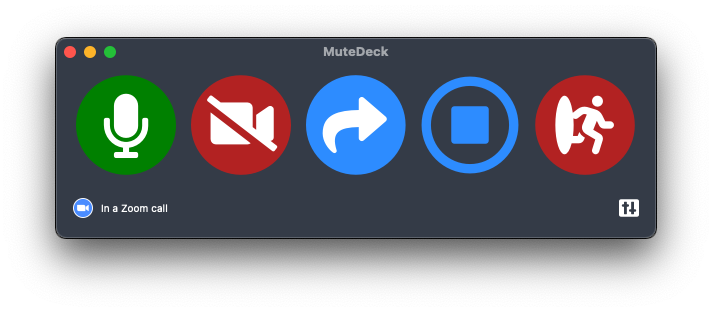
MuteDeck toggles the meeting app's own mute — the state everyone else on the call actually sees. One global hotkey, a Stream Deck key, or your phone. Zoom, Teams, Meet, Webex, Slack huddles: same button, every app, focus irrelevant, on Windows 10 and 11 alike. The always-on-top indicator shows your live state so you never toggle blind. For ex-PowerToys-VCM users, it's the replacement that mutes the right layer.
Stop hunting for the mute button.
MuteDeck gives you one mute button that works in every meeting app: Zoom, Teams, Meet, Webex, and a dozen more. Same button, same place, whether the meeting window has focus or not. On a global hotkey, your Stream Deck, or your phone.
- ✓ Always-visible mute status, so you know before you speak
- ✓ Works when the meeting app doesn't have focus
- ✓ Everything runs locally, no cloud, no account
Does Windows have a built-in global mic mute shortcut?
Windows 11 has Win+Alt+K, which toggles the microphone for apps that integrate with the taskbar call indicator (Teams, mainly). It's not universal and doesn't exist on Windows 10.
What happened to PowerToys Video Conference Mute?
Microsoft deprecated and removed the Video Conference Mute utility from PowerToys. If you relied on it, you need a replacement. That gap is exactly what MuteDeck covers, and then some.
Why not just mute the microphone in Windows sound settings?
Muting the device silences your input but the meeting app still shows you as unmuted. People see a live mic, talk to you, and hear nothing. App-level mute (the icon next to your name) is the state everyone else actually sees.
Do keyboards with a mic mute key work?
Some laptops (ThinkPads, Surface devices) have an F-row mic key that toggles the hardware input. Same "wrong layer" problem as sound settings, and your meeting app may not reflect it. Useful as a hardware kill switch, not as your meeting mute.