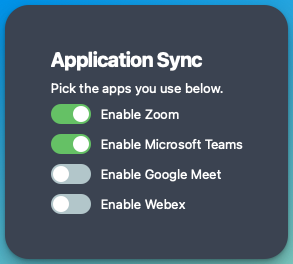
Bring to Front
Added support for the new "Bring to Front" action that pulls the Zoom, Teams, and other application windows to the front. That way the conference call apps are way easier to find when you're multitasking. Pending plugin releases (Stream Deck v8.0, Loupedeck v6.0).
Using a single Custom Action in multiple apps
One of the greatest things about MuteDeck is the ability to use the same buttons in different conference call apps. The initial Custom Actions didn't allow that, so I changed that!
Now, you can create custom actions with the same name. Meaning, you can create a custom action called raise-hand that has the right shortcuts for the right apps. Below is an example for Zoom and Google Meet.
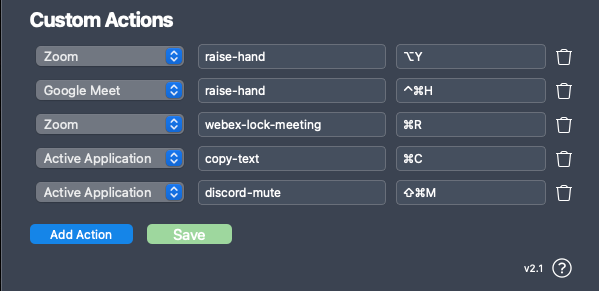
In Stream Deck, Loupedeck, etc., you can select raise-hand as the action, and when pressing the button, MuteDeck will figure out which is the active call app and send the right shortcut. It'll even send it to multiple active calls. 😂
Shortcuts to any app
Maybe you spotted it in the above screenshot; I've also added a new option called "Active Application" to the custom actions. This will send the shortcut to the application window that's active. Any application. Any shortcut. Let that sink in. 😊
So, if MuteDeck does not support your preferred conference call app yet, creating Custom Actions using the Active Application will let you control your calls anyway. In the screenshot above, I used Discord as an example, which uses shift+command+m to toggle mute on macOS.
But it does not have to be limited to call apps. It can be any app and any shortcut. The copy-text action is a perfect example.