# Zoom Waiting Room Settings: Operator Runbook for Faster, Safer Meetings
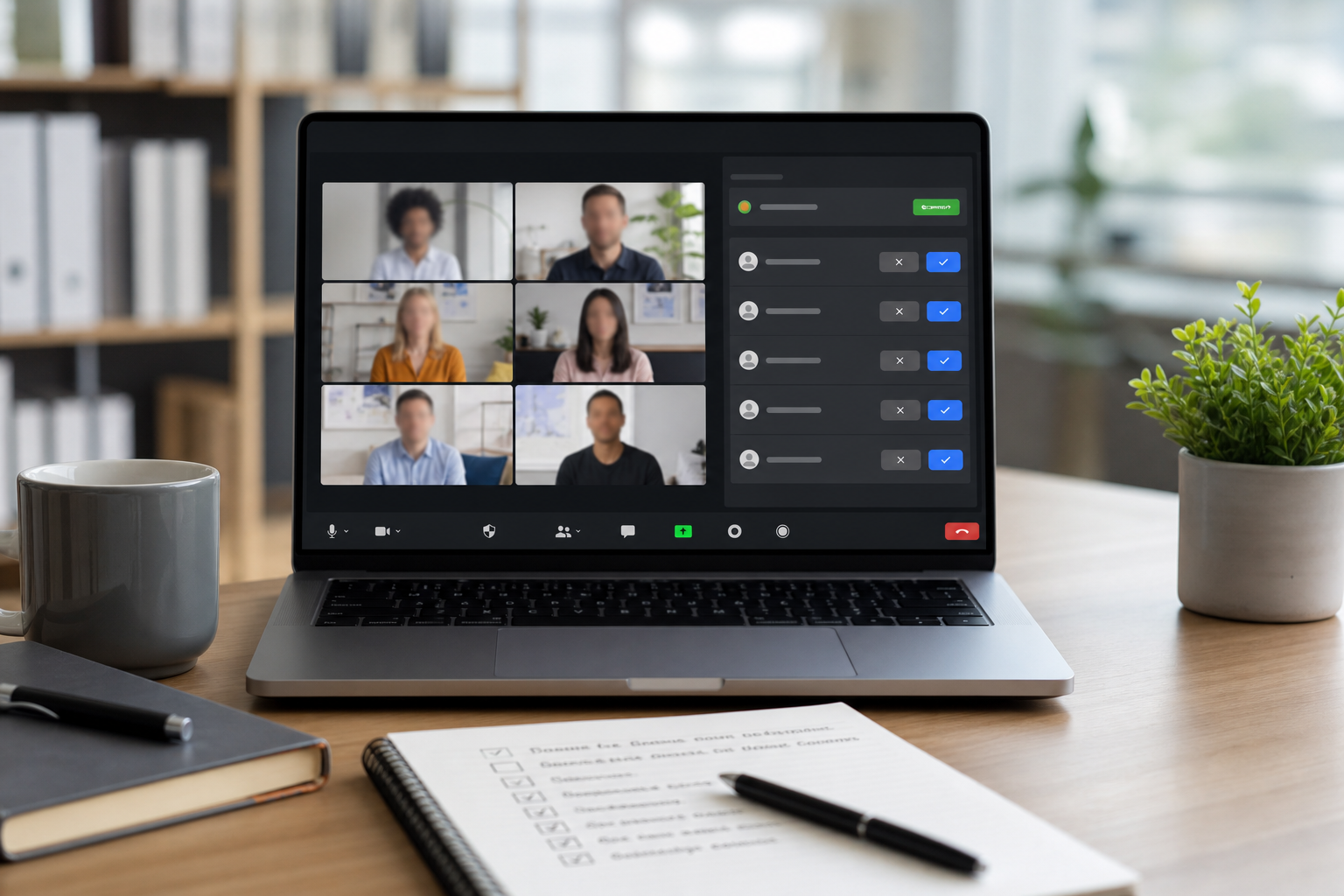
Zoom waiting room settings control who gets into a call, when they get in, and how much interruption the host handles during live discussion. The fastest reliable setup is to admit authenticated internal users automatically, hold external users for review, and assign one operator to admissions during high traffic joins. This gives you security without slowing every meeting to a crawl.
Many teams enable waiting rooms and stop there. That creates inconsistent joins, missed attendees, and host overload during the first ten minutes. A better approach is to treat waiting room controls as an operations workflow. You define admission rules by meeting type, pre assign roles, and use a short live checklist. This guide gives the exact framework, a decision table, and a concrete scenario you can reuse across recurring Zoom meetings.
# What Zoom waiting room settings actually do
A Zoom waiting room is a controlled queue between join intent and active participation. It exists to reduce accidental access and give hosts decision time before participants enter the meeting.
At an operator level, waiting room settings affect four outcomes:
- Admission speed for invited attendees.
- Risk of unauthorized access.
- Host cognitive load during the opening minutes.
- Continuity when the host is presenting and cannot manually review joins.
Zoom documents waiting room behavior and controls in official support pages. Keep these as reference points for exact product behavior and account level constraints:
- Zoom Waiting Room controls (opens new window)
- Zoom security settings for meetings (opens new window)
- Zoom host and co-host controls (opens new window)
# When waiting room settings create friction
Most failures are policy mismatch, not feature failure.
Common friction patterns:
- Every participant is forced into manual review for low risk internal standups.
- No co host is assigned, so admissions pause while the host is screen sharing.
- Display names are vague, so hosts cannot quickly distinguish vendors from uninvited joins.
- Meeting templates differ by organizer, which creates unpredictable join experience.
- Teams combine waiting room and passcode policies without a clear purpose for each layer.
You fix this by defining meeting classes and binding each class to a single admission policy.
# Decision table for Zoom waiting room settings
Use this table to choose settings before you publish invites.
| Meeting type | Default waiting room policy | Admission owner | Speed impact | Security impact | Recommended notes |
|---|---|---|---|---|---|
| Internal daily standup | Allow users in your account to bypass waiting room | Host or rotating co host | High speed | Moderate | Keep invite list scoped to team aliases |
| External client review | Hold all external domains for manual admit | Dedicated operator co host | Medium | High | Ask clients to join with company domain emails |
| Public webinar style session | Hold all users, admit by registration list | Admissions operator | Lower speed | High | Use naming conventions in registration fields |
| Executive briefing | Allow only authenticated invited users, manual admit for others | Host plus backup co host | Medium | High | Keep backup host ready before start time |
| Interview panel | Hold everyone except interview panel account group | Recruiting coordinator | Medium | High | Pre share expected candidate names and time slots |
This structure gives predictable trade offs. You can tune speed or control without rebuilding policy each time.
# Baseline configuration for most teams
If you need one default that works across common business meetings, use this baseline:
- Require waiting room for everyone outside your account.
- Allow signed in users from your organization to bypass waiting room when appropriate.
- Require host or co host review for external participants.
- Enable meeting passcode for invite hygiene.
- Assign one co host as admission operator before the meeting starts.
This baseline keeps routine internal joins fast while still controlling unknown external entries.
# Operator checklist for live admission flow
Run this checklist in order. It is short enough to use during live calls.
- Start the meeting five minutes early.
- Confirm host and co host roles are assigned.
- Open participant panel and pin waiting room section.
- Admit known internal participants in batch when applicable.
- For unknown names, verify against invite list or expected company domains.
- Message waiting participants if the meeting is delayed.
- Keep one person focused on admissions during the first ten minutes.
- Lock admissions rhythm after agenda kickoff to reduce interruptions.
- Use remove and report controls immediately for clear abuse patterns.
- Document unusual admission cases after the meeting.
This checklist lowers missed joins and reduces host multitasking while presenting.
# A concrete scenario: customer onboarding call with mixed attendees
Scenario: a customer onboarding call has 14 expected attendees. Eight are internal team members, four are client stakeholders, and two are third party integration consultants. The host starts screen sharing in minute two. During intro, six participants appear in the waiting room with mixed display names.
Without a runbook, the host stops every minute to review admits. Discussion fragments, and one invited consultant waits eight minutes before entry.
With the runbook:
- Internal users from your account bypass waiting room and join directly.
- External users are held for co host review.
- The admissions operator checks names against the pre shared attendee list.
- Unknown names receive a short verification chat message before admission.
- The host stays focused on agenda and demo flow.
Result: the meeting starts on time, no unauthorized joins appear, and all expected participants enter by minute four.
# Non obvious implementation tip that prevents repeat failures
Set a naming protocol in calendar invites for external participants before meeting day. Ask external attendees to rename themselves as Company - First Last when joining. This small policy change cuts admission ambiguity sharply in mixed domain meetings.
Why it matters:
- Waiting room decisions become deterministic under time pressure.
- Operators can match names to the attendee list quickly.
- False positives drop when unknown personal device names appear.
You can reinforce this by including a one line pre join instruction in the invite description. Keep it plain and specific.
# How waiting room settings fit with broader meeting control workflows
Waiting room controls are one part of host reliability. Combine them with repeatable control surfaces so admission tasks do not compete with speaking tasks.
Useful companion workflows:
- A pre meeting control check similar to this guide on Teams keyboard shortcuts for meeting hosts (opens new window), adapted for Zoom controls.
- An audio incident response path aligned with Stop Echo in Microsoft Teams Meetings (opens new window), since admissions and audio triage often overlap at kickoff.
- A post meeting handoff pattern from Post Meeting Workflow Template (opens new window), so unusual admission events become operational feedback.
These workflows share one principle: reduce on call decision switching by assigning clear roles and fixed sequences.
# Common policy choices and their trade offs
# Option 1: Hold everyone in waiting room
This maximizes control. It also adds friction in recurring internal meetings and increases host burden if no operator is assigned.
Best fit:
- Sensitive executive calls.
- Events with broad external attendance.
- Sessions with elevated disruption risk.
# Option 2: Bypass waiting room for internal users
This balances speed and control for routine meetings. It depends on good account hygiene and domain trust.
Best fit:
- Weekly team operations calls.
- Internal training.
- Cross functional project syncs.
# Option 3: Registration plus waiting room review
This adds structure for large external groups. It increases setup work before the meeting.
Best fit:
- Customer education sessions.
- Partner briefings.
- Community events where attendee identity matters.
Pick one default per meeting class and document it in your playbook. Consistency matters more than exotic policy combinations.
# Troubleshooting admission delays
If participants report long waits, inspect these points first:
- Is the waiting room monitored continuously in the opening window?
- Are co host permissions active for the assigned operator?
- Are expected attendee names available in a shared list?
- Are policy rules stricter than the meeting type requires?
- Is the host simultaneously presenting and reviewing joins?
Operational fixes:
- Assign admissions owner in the calendar event itself.
- Start five minutes early for external heavy meetings.
- Use a brief status message for waiting attendees during overruns.
- Standardize one policy profile per meeting type.
For platform level guidance, align with published controls and release notes:
- Zoom support center (opens new window)
- NIST digital identity guidance (opens new window)
- CISA guidance on secure collaboration practices (opens new window)
# Governance and review cadence
Waiting room policy should be reviewed on a fixed cadence, not only after incidents.
Recommended review loop:
- Monthly: sample five meetings and measure average admit delay.
- Monthly: count unknown join attempts and response actions.
- Quarterly: verify meeting templates still match team risk profile.
- Quarterly: validate co host training and backup coverage.
Track simple metrics:
- Time from join request to admit.
- Number of invited users delayed over two minutes.
- Number of unknown join attempts per meeting category.
These metrics show whether your policy is performing or adding friction.
# Build a repeatable Zoom waiting room playbook
A stable playbook has three parts:
- Policy mapping by meeting class.
- Clear admission ownership in each meeting.
- Short checklist used in every live kickoff.
When teams do this, waiting room settings become an operational control with predictable outcomes. Meeting starts become smoother, hosts stay focused on facilitation, and access decisions stay auditable.
If your team already uses hardware controls for mute, camera, and hand raise, combine that workflow with this admission runbook. You keep your hands on delivery while one operator handles joins with clear criteria. That is the practical path to faster and safer Zoom meetings.
KEEP EXPLORING
More guides & tips