
# A Practical Guide to VoIP in Cloud Communications
Cloud VoIP completely changes the game for business communications. It takes your phone system out of a clunky box in the server closet and moves it into the cloud, running entirely over the internet. This means you can make and receive calls from anywhere—a desk phone, a computer app, or your smartphone—giving you incredible flexibility and often significant cost savings over old-school landlines.
# Demystifying Cloud VoIP
Think of a traditional office phone system like a massive, physical DVD collection. It needs bulky hardware, expensive maintenance, and it's stuck in one location. Need to add a new employee or move offices? It’s a painful, expensive ordeal.
Cloud VoIP is the Netflix of business phones. All the complex machinery is managed by a provider in the cloud, and you just "stream" your calls over your internet connection. Simple as that.
This isn't just a small shift; it's a fundamental change in how businesses communicate. The global VoIP market was valued at around $132.2 billion in 2024 and is expected to skyrocket to $349.1 billion by 2034. That explosive growth is happening because companies of all sizes are ditching their outdated hardware for something way more agile.
# How Your Voice Travels Online
So, how does it actually work? When you make a call with a cloud VoIP service, your voice is instantly converted into tiny digital data packets.
These packets zip across the internet—just like an email—to your provider's data center. There, a "Cloud PBX" (Private Branch Exchange) acts as the brains of the operation. This virtual switchboard intelligently routes your call to its final destination, whether that’s another VoIP user or a traditional phone number on the public network. The whole thing happens in milliseconds, giving you a crystal-clear, reliable connection.
To really get it, you have to appreciate the underlying telephony and data connectivity solutions (opens new window) that make this magic possible.
The core pieces are surprisingly simple:
- Your Device: This could be a physical IP phone on your desk, a softphone app on your computer, or an app on your mobile phone. Practical Tip: For a seamless transition, let your team choose what works best for them. Some people prefer the feel of a traditional handset, while road warriors will love the flexibility of a mobile app.
- The Internet: Your existing broadband connection is the highway your voice data travels on.
- The VoIP Provider: This is the company that manages all the cloud infrastructure, including the Cloud PBX, security, and connections to the wider phone network.
# Cloud VoIP vs. On-Premise PBX
The difference between old and new really clicks when you put them side-by-side. An on-premise PBX demands a huge upfront investment in hardware that you have to maintain and upgrade. Cloud VoIP, on the other hand, is a subscription service. You ditch the huge capital expense and hand off all the maintenance headaches to your provider.
One of the biggest wins for cloud VoIP is its incredible scalability. A business can add or remove phone lines and features with just a few clicks in a web portal. No need to call a technician out to physically install new hardware. For a growing or seasonal business, that kind of agility is a total game-changer. For example, a retail business can add 20 extra lines for their holiday rush in November and then scale back down in January, paying only for what they used.
Let's lay out the key differences in a table to make it even clearer.
# On-Premise PBX vs. Cloud VoIP at a Glance
This table breaks down the core differences between a traditional, self-hosted phone system and a modern cloud-based one. As you'll see, the comparison highlights a major shift in cost, flexibility, and responsibility.
| Feature | On-Premise PBX | Cloud VoIP |
|---|---|---|
| Infrastructure | Requires physical server hardware, wiring, and installation at your office. | Hosted entirely by the provider; no on-site hardware is needed besides phones. |
| Initial Cost | High upfront capital expenditure for hardware and setup. | Low to zero upfront costs; typically a predictable monthly subscription fee. |
| Scalability | Difficult and expensive; requires purchasing new hardware and licenses. | Highly scalable; add or remove users and features instantly via a dashboard. |
| Maintenance | Your IT team is responsible for all maintenance, updates, and repairs. | The provider handles all maintenance, security, and system updates. |
| Flexibility | Users are tied to their physical desk phones within the office. | Enables remote work; users can make calls from anywhere with an internet connection. |
Ultimately, the choice comes down to control versus convenience. An on-premise system gives you total physical control but saddles you with all the costs and maintenance. Cloud VoIP offers unbeatable flexibility and a much lower barrier to entry, letting you focus on your business instead of your phone system.
# The Technology That Powers Your Cloud Calls
To really get why VoIP in cloud systems are so dependable, you have to pop the hood and look at the tech that actually connects your calls. It’s less magic and more of a super-efficient digital postal service. Think of it this way: when you make a call, a few key protocols work together to make sure your "letter" is addressed right, delivered safely, and arrives in one piece.
This whole process leans on three critical parts working in sync: protocols to set up the call, protocols to send your voice, and codecs to package it all up. Understanding these moving parts explains why call quality can sometimes vary and what separates a solid service from a frustrating one.
This infographic gives you a clean look at the journey your voice takes during a cloud VoIP call.
As you can see, the path from your phone to the person you're calling is streamlined through the internet. The Cloud PBX manages everything, cutting out the need for clunky, old-school hardware in your office.
# SIP: The Digital Handshake
First up is the most important protocol of the bunch: the Session Initiation Protocol (SIP). In our postal service analogy, SIP is both the address on the envelope and the mail carrier who routes it. Its job isn't to carry the sound of your voice but to handle all the behind-the-scenes signals needed to start, manage, and end a call.
When you dial a number, SIP sends out a request, basically asking the other end, "Hey, are you free to talk?" It figures out if someone is online, makes their phone ring, and establishes the connection. Without SIP, your call would literally have nowhere to go.
# RTP: The Secure Voice Courier
Once SIP has connected the call—the digital handshake is complete—another protocol steps in to do the heavy lifting. The Real-time Transport Protocol (RTP) is the secure courier that carries the actual voice data back and forth.
RTP chops your voice into tiny digital packets and shoots them across the internet in a steady stream. It’s built for real-time media, making sure those packets arrive in the right order and on time, which is what keeps a conversation from sounding choppy and unnatural.
Think of RTP as the armored truck carrying the contents of your letter. It’s optimized for speed and reliability to ensure the conversation flows without jitter or dropped words. For extra security, most providers use SRTP (Secure RTP) to encrypt this data, making sure no one can eavesdrop.
# Codecs: The Expert Packers
Last but not least, we have codecs. A codec (short for coder-decoder) is like an expert packer who knows how to perfectly compress and decompress your voice data. Before your voice hits the internet, a codec shrinks it down to save bandwidth and ensure it travels fast.
On the other end, the same codec unpacks the data back into crisp, clear audio. The choice of codec is a big deal, as it directly affects both call quality and how much internet bandwidth you use.
- G.711: An older, reliable codec that offers excellent, uncompressed audio quality but eats up more bandwidth. Think of it like shipping a fragile vase with tons of bubble wrap—safe, but bulky. Practical Tip: Use this codec for calls within the office on a high-speed local network for the best possible audio fidelity.
- Opus: A modern, flexible codec that delivers high-fidelity sound even on slow connections. This is the vacuum-sealed-bag approach: efficient and high-quality. Practical Tip: Opus is ideal for remote workers or anyone using a mobile connection, as it adapts to changing network conditions to prevent call drops.
At the end of the day, it's the smooth teamwork between SIP, RTP, and modern codecs that makes today's VoIP in cloud services so clear and reliable.
# The Good, The Bad, and The VoIP
Switching to a new technology is always a bit of a balancing act. Cloud VoIP can be a massive upgrade from that old phone system gathering dust in the server closet, but it’s not magic. It’s important to get a clear picture of what you gain and what you need to watch out for.
The upsides are huge, which is why so many businesses are jumping on board. But the potential snags are just as real. Let's break it down so you can make a smart call.
# The Tangible Wins of Cloud VoIP
Right off the bat, the biggest win for most businesses is the hit to the bottom line. Old-school PBX systems meant buying a ton of expensive hardware upfront, not to mention paying a technician every time something went wrong or you needed an update.
Cloud VoIP scraps all that. You trade a massive capital expense for a predictable monthly subscription. It's not uncommon for businesses to see their phone bills drop by over 60% after they make the move.
But saving money is just the start. The real game-changer is the flexibility you get, especially if your team isn't chained to a desk anymore.
- Scale Up (or Down) in Seconds: Hiring ten new people for the holidays? You can add them to the phone system with a few clicks online. With a traditional setup, you'd be waiting for a technician to show up and run new wires. Cloud VoIP grows when you do, not when your IT guy has time.
- Work From Anywhere, Seriously: Your business number is no longer tied to a physical phone. Your team can take and make calls from a laptop app or their smartphone, whether they're at home, in a coffee shop, or on the road. It’s true work-from-anywhere freedom.
- Get the Fancy Features: All those cool features that used to cost a fortune—like voicemail sent to your email, automated receptionists (auto-attendants), call recording, and deep analytics—are usually standard. It helps even the smallest businesses look and feel incredibly professional. Practical Example: A small law firm can use the auto-attendant to direct clients to the right paralegal ("Press 1 for Real Estate, Press 2 for Family Law") without needing a full-time receptionist.
The real power of cloud VoIP is agility. Your phone system stops being a clunky piece of hardware and becomes a flexible service that bends to your business needs instantly.
# Navigating the Potential Challenges
Of course, it's not all sunshine and savings. The single biggest catch with any VoIP in cloud system is that it lives and dies by your internet connection. If your internet goes out, your phones go out. Simple as that.
This is the number one thing that gives business owners pause. A spotty or slow connection can lead to choppy audio (what the pros call "jitter") or dropped calls, which is the last thing you want when you're talking to a client.
Security is the other big one. Since your voice is traveling over the internet, you have to make sure it's locked down. If it isn't, you're opening the door to people listening in or other nasty cyber threats.
Here's what you need to have a plan for:
- Internet Dependency: Your call quality is a mirror of your internet quality. A solid, fast connection isn't a nice-to-have; it's a must. Practical Tip: Consider a secondary backup internet connection (like a 5G/LTE modem) that can automatically take over if your primary one fails.
- Security Gaps: Without strong encryption (look for terms like SRTP and TLS from your provider), your calls could be exposed. It's like sending a postcard instead of a sealed letter.
- 911 Calling: This has gotten way better, but it's still something to think about. When an employee makes an emergency call from their laptop at home, E911 services need to know where "home" is. It requires a bit of setup and making sure your team knows how it works.
A smart decision means looking these challenges straight in the eye and planning for them. Get a rock-solid internet plan (maybe even with a backup), pick a provider who takes security seriously, and get your E911 settings configured correctly from day one. When you weigh the incredible benefits against these very manageable risks, you can figure out if cloud VoIP is the right move for you.
# How to Secure Your Cloud VoIP System
Shifting your business calls to the cloud naturally brings up security questions. When your conversations are flying across the internet, you need to know they're locked down and safe from prying ears. The good news? Securing your VoIP in cloud system is totally doable with the right strategy.
The threats are pretty straightforward. Call eavesdropping is exactly what it sounds like—someone listening in on your private calls. Then there's toll fraud, where crooks hijack your phone system to rack up thousands in expensive international calls, leaving you with a nasty surprise on your bill. Thankfully, building a solid defense is all about layering a few simple, powerful security measures.
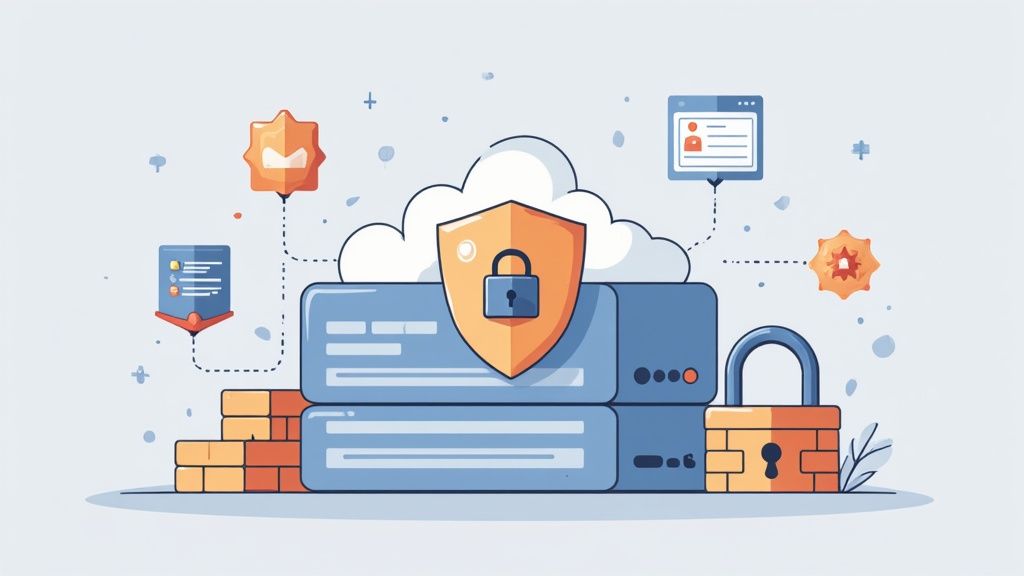
This focus on security is paying off. Recent data shows that around 94% of businesses actually reported better security after moving to the cloud. Even better, companies that actively invest in VoIP security saw a 35% drop in related cyberattacks. It's no wonder the market for cloud contact centers is expected to grow by 26% by 2029—it shows just how much trust businesses are putting into these systems. You can dig into more of these VoIP security trends over on Yeastar's blog.
# Create a Robust Security Checklist
Protecting your voice data starts with a few non-negotiable security basics. Think of these as the foundation for your digital fortress, built to keep your calls safe.
First up is encryption. An unencrypted call is like sending a postcard—anyone who gets their hands on it can read it. End-to-end encryption turns that postcard into a sealed, tamper-proof letter that only you and the recipient can open.
Here’s a quick checklist to get you started:
- Demand Call Encryption: Your provider absolutely must use SRTP (Secure Real-time Transport Protocol) for the voice data and TLS (Transport Layer Security) for the call signaling. This combo is the gold standard for shielding your conversations.
- Strengthen Access Controls: Not everyone on your team needs the keys to the kingdom. Use a policy of least privilege, giving employees access only to the features they need to do their job. Practical Example: A sales team member might need call recording, but they probably don't need access to company-wide billing information or system configuration.
- Enforce Strong Passwords and MFA: Weak passwords are like leaving the front door unlocked. Require complex passwords, and more importantly, switch on multi-factor authentication (MFA) for everyone. It adds a critical second layer of defense that stops intruders even if they manage to steal a password.
# Understand Compliance and Privacy
For many businesses, security isn't just a good idea—it's the law. If you're in healthcare, finance, or any field that handles sensitive customer data, you have to make sure your VoIP provider meets specific compliance standards.
Regulations like HIPAA (for healthcare) and GDPR (for data protection in Europe) have strict rules about how communication data is handled. A single violation can lead to massive fines and serious damage to your reputation. It's a shared responsibility between you and your provider.
A provider’s commitment to security is often reflected in their transparency. Before you sign anything, ask for their compliance certifications and read through their security policies. A reputable provider will have this stuff ready to go and will be happy to walk you through how they help you stay compliant.
It’s always a smart move to review documents like a provider's privacy policy to understand exactly how they manage your data. To see what we mean, you can learn more by checking out our detailed guide to the MuteDeck privacy policy. Being informed helps you make a better choice and keeps your business protected.
# A Practical Plan for Migrating to Cloud VoIP
Making the jump to cloud VoIP is a strategic decision, not just a tech upgrade. The difference between a smooth transition and a month of headaches comes down to one thing: a solid plan.
If you break the process into three simple phases—Audit, Select, and Implement—you can sidestep the usual traps and get your team up and running without missing a beat. This isn't about flipping a switch overnight; it's about a methodical rollout that respects your daily operations.
Let's walk through the roadmap.
# Phase 1: Audit Your Current Setup
Before you even think about shopping for providers, you need to know what you’re working with. The first, and most critical, step is to make sure your network can handle the demands of real-time voice. Almost every case of bad call quality can be traced back to a network that wasn't ready.
A quick-and-dirty way to start is with an online bandwidth calculator. It’ll help you estimate what you need based on how many people will be on the phone at once. Remember, VoIP isn’t just about download speed; you need solid, stable upload speeds for crystal-clear conversations.
Your network is the foundation. Period. Testing its speed, stability, and capacity before you choose a provider is the single most important thing you can do to guarantee high-quality calls from day one.
Next, you need to take inventory of your current phone system.
- Existing Phone Numbers: Make a list of every single number you absolutely have to keep.
- Essential Features: What are the non-negotiables? Think auto-attendant, call recording, or voicemail-to-email. Practical Tip: Poll your team. Ask them what features they currently use and what they wish they had. You might discover that a simple feature like "find me/follow me" (which rings multiple phones) could be a huge productivity booster.
- User Needs: How many people need a line? Do they need physical desk phones, or will a softphone app do the trick?
# Phase 2: Select the Right Provider
Once you have your checklist of needs, you can start looking at providers. This is about more than just finding the cheapest price; it's about finding a partner you can trust with your company's communications.
When you’re vetting vendors, get ready to ask some pointed questions that go beyond the glossy marketing PDFs. A 2023 Gartner report predicted that 50% of enterprises will move to cloud communications by 2028, which means the market is getting crowded. To navigate this, a good technical guide on how to migrate to cloud (opens new window) can give you a solid framework for making the switch.
Here are a few questions to get you started:
- What are your security and compliance credentials? Look for things like SRTP/TLS encryption, and ask about HIPAA or GDPR if that applies to you.
- What does your customer support actually look like? Is it 24/7? Are you talking to a real person or a bot?
- Walk me through your number porting process. You need to be confident they can move your existing numbers without any downtime.
- Which business tools do you integrate with? Think about your CRM, helpdesk, or other software you use daily.
# Phase 3: Implement and Train Your Team
Alright, it’s go-time. But don't just flip the switch for everyone at once. Start with a small pilot group. This gives you a chance to find and squash any bugs in a controlled setting before rolling it out to the entire company.
A huge part of this phase is number porting—the process of moving your phone numbers from your old carrier to the new one. Your provider will handle the heavy lifting, but you need to schedule it carefully to make sure there are no gaps in service.
Finally, don't skimp on training. Your team needs to feel confident using the new system from day one. Schedule some hands-on sessions and provide simple, clear instructions. Knowing how to set up conference calls (opens new window) and use the new features is what turns a technical migration into a genuine business improvement. Practical Tip: Create a one-page "quick start" guide with screenshots showing how to perform the top 3-5 most common tasks, like transferring a call or checking voicemail.
# Connecting Cloud VoIP with Your Business Software
A cloud VoIP system on its own is great, but its real power is unlocked when you hook it into the other business software your team uses every single day. This is where it goes from just a phone system to a true communication hub that kills off tedious tasks and makes everyone more productive.
When your voip in cloud platform and other apps are working together, you create a workflow that just… flows. Picture your sales team making calls without ever leaving their CRM, or a support agent getting a customer’s entire history on-screen the second a call comes in.
# Automating Workflows with Key Integrations
The biggest wins usually come from integrating with Customer Relationship Management (CRM) systems. Connecting your cloud VoIP service to something like Salesforce (opens new window) or HubSpot (opens new window) can be a game-changer for efficiency.
For example, a sales rep can use click-to-dial to call a contact straight from their CRM record. No more punching in numbers. Once the call is done, the system can automatically log everything—call details, duration, even a recording—which means no more manual data entry and perfectly up-to-date records.
Another no-brainer is connecting to collaboration tools like Slack (opens new window) or Microsoft Teams (opens new window). This lets people start a call right from a chat, turning a quick message into a full-blown conversation with one click.
The real goal here is to cut down on "context switching"—that mental drag of jumping between a dozen different apps. When you bring communication controls directly into the tools where people actually work, you create a more focused and way less frustrating day for your team.
# Bridging the Software and Hardware Gap
It’s not just about software talking to software. The best setups bridge the gap between digital controls and physical actions. This is where you bring in specialized hardware and utilities to give you real, tangible control over your virtual meetings.
This screenshot shows the MuteDeck interface, which pulls all your meeting controls into one clean panel.
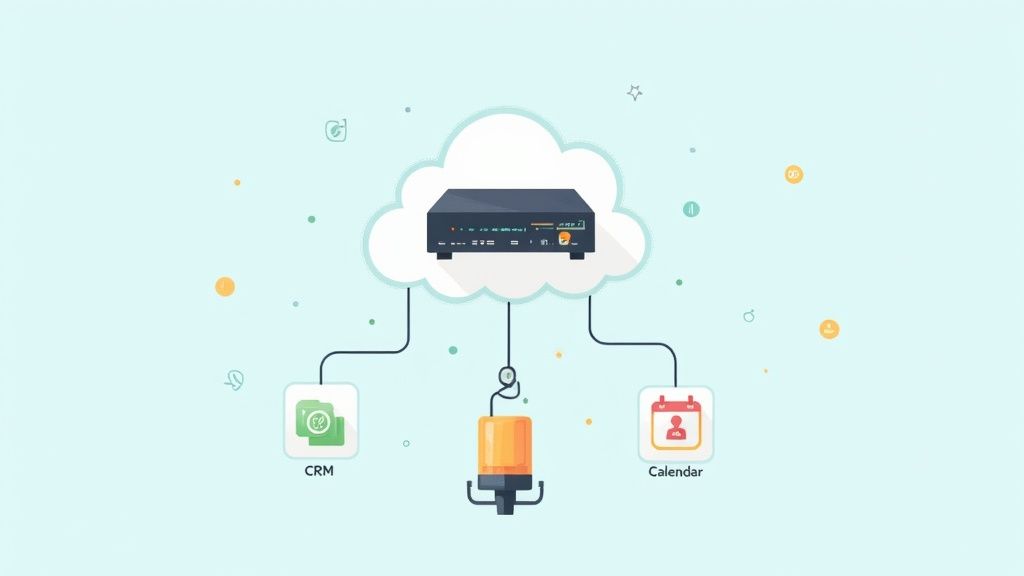
This kind of tool unifies controls for muting, camera, and screen sharing, so you have the same experience whether you're in Zoom, Teams, or Google Meet. No more hunting for the right button.
You can take it a step further by pairing a tool like MuteDeck with a physical device like the Elgato Stream Deck (opens new window). Now you have a dedicated hardware button to mute your mic or kill your camera. It gives you instant, tactile control and helps you dodge those awkward "you're on mute" moments during a big presentation.
For anyone who loves to build custom solutions, many of these tools have advanced options. For instance, you can check out MuteDeck's webhook capabilities (opens new window) to see how you can trigger actions in other smart devices or apps based on your meeting status. This is how you build a truly integrated and responsive setup that’s perfectly tuned to how you work.
# Your Top Questions About Cloud VoIP, Answered
Alright, so the theory sounds good, but what happens when the rubber meets the road? Even the most well-thought-out plan runs into real-world questions. Let's tackle the big ones that pop up when teams consider moving their phones to the cloud.
# What Happens If My Internet Goes Down?
This is usually the first question, and for good reason. A dead internet connection used to mean a dead phone line. Not anymore.
Modern cloud VoIP providers have this figured out with automatic failover protection. You simply tell the system what to do ahead of time. If your office internet ever drops, it can instantly forward all incoming calls to a cell phone, a home landline, or another office. You're in control.
Practical Tip: Set up your failover rules on day one. Don't wait for an outage to happen. A common setup is to have the main office line forward to the manager's mobile phone and the general support line forward to a remote employee's softphone.
# Can I Keep My Business Phone Numbers?
Yes, absolutely. You don't have to give up the number you've had on your business cards and website for years. The process is called "number porting," and it's a standard, regulated procedure that your new provider handles for you.
They work directly with your old phone company to move your numbers over. It’s a behind-the-scenes transfer that’s completely seamless for your customers. To them, the only thing that changes is how much clearer you sound.
Number porting protects the brand equity tied to your phone numbers. It's a non-negotiable step for a smooth transition, making the switch totally invisible to your clients.
# How Much Bandwidth Do I Actually Need?
This is another common worry, but the bandwidth needs are surprisingly small. You don't need a massive fiber line just for your phones.
A good rule of thumb is to set aside about 100 kbps of both upload and download speed for every single call you expect to happen at the same time.
So, if you have a team of 10 people who might all be on the phone at once, you’d want to dedicate at least 1 Mbps of your internet connection just for voice traffic. It’s always smart to have a little more than you think you'll need, just to keep every conversation sounding crystal clear. Practical Tip: Ask your IT team to set up Quality of Service (QoS) on your office router. This tells the router to prioritize voice traffic over less time-sensitive data (like a large file download), preventing call quality from dropping when the network gets busy.
Take full control of every meeting on any platform with MuteDeck. Our utility gives you a universal, physical button to manage your mic, camera, and more, ending the frantic search for on-screen controls. Start your free trial at https://mutedeck.com (opens new window) and run your meetings like a pro.