# A Working Format For A Meeting Agenda
A good meeting agenda is your roadmap. It lays out the goals, topics, and timing before anyone joins the call. It’s the best way to turn a potential time-waster into a focused session where everyone knows why they’re there.
# Why Most Meetings Fail (And How A Solid Agenda Fixes It)
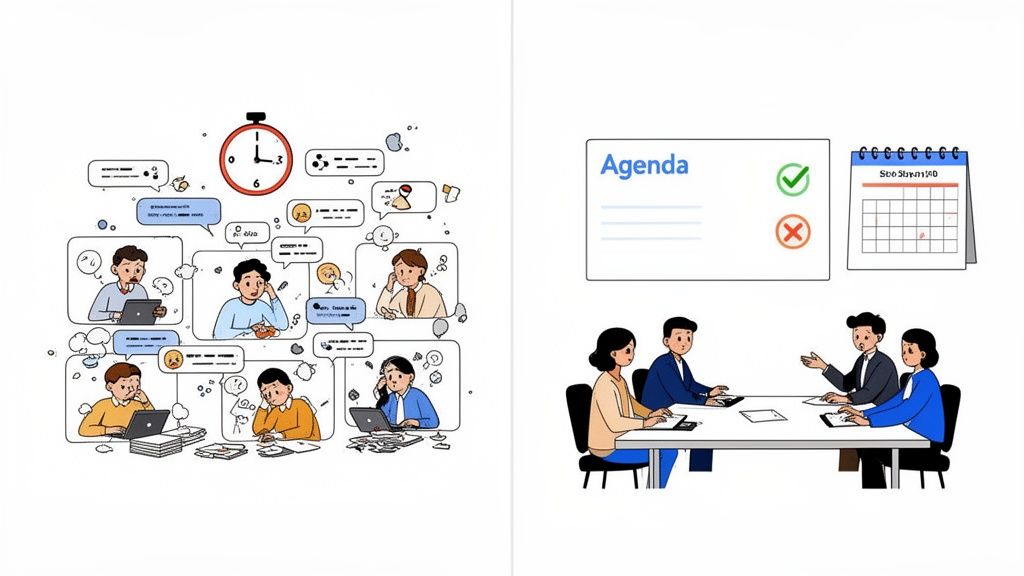
We’ve all been in a meeting that drifts. The conversation meanders, no decisions get made, and everyone signs off wondering what the point was. This isn't a minor annoyance; it's an expensive problem.
Unproductive meetings cost U.S. businesses an estimated $37 billion a year. A huge reason is that 63% of meetings happen without any prepared agenda.
This gets worse for remote and hybrid teams. With back-to-back calls on Zoom, Teams, and Google Meet, meeting fatigue is real. Without a clear plan, one call blurs into the next, and whatever focus you had evaporates.
# An Agenda Is A Sign Of Respect
An agenda is more than a to-do list—it's a sign that you respect everyone's time. By defining the "why" behind the meeting, you give people a genuine reason to show up and engage.
It lets them prepare their thoughts, gather the right data, and come ready to contribute instead of being put on the spot. This document is the first step to run effective team meetings (opens new window) that people want to attend.
An agenda forces the organizer to think critically about the goals before consuming anyone else's time. It turns a passive status update into an active, decision-making event.
This structured approach is the foundation for better collaboration. When the planning is disciplined, the meeting is more likely to be.
The same mindset applies to meeting technology. Just like an agenda brings order to the conversation, tools like MuteDeck bring order to your controls—letting you manage your mic, camera, and recording with dedicated buttons.
When you pair a strong agenda with streamlined meeting controls, you create an environment where the focus stays on the conversation, not on the chaos. For more on this, check out our meeting prep checklist (opens new window).
# The Anatomy Of A Perfect Meeting Agenda
A great meeting agenda is a roadmap. It’s the difference between a focused, decision-making session and a vague conversation that goes nowhere. Skipping any of these core elements is like trying to build furniture without the instructions. You might end up with something, but it probably won't be what you wanted.
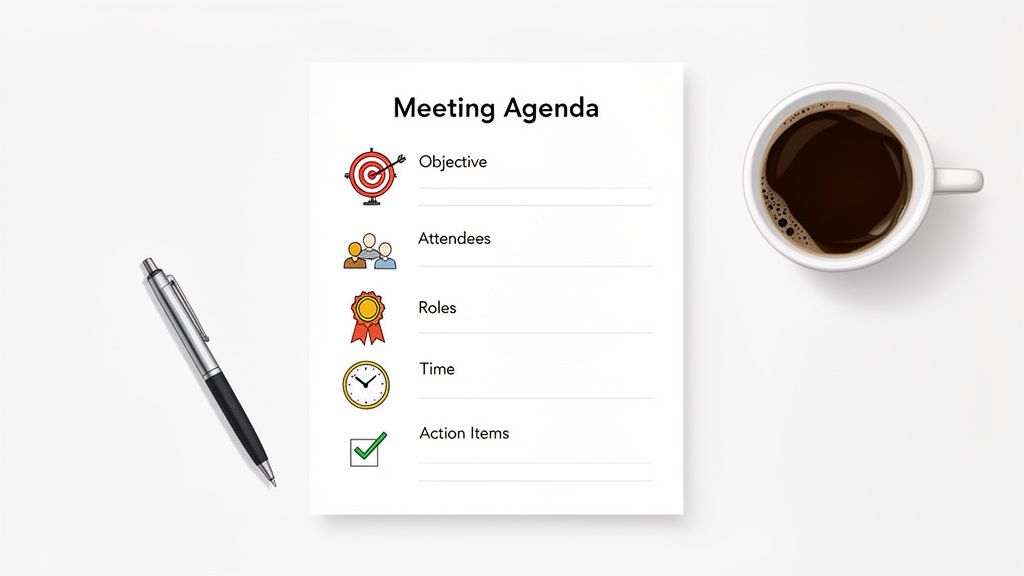
The best meetings I've ever been in had a clear, well-defined agenda that set expectations from the start.
# The Non-Negotiable Basics
Every agenda needs a header with the basic details. You’d be surprised how often this gets missed, causing confusion before the call even starts.
- Meeting Title: Be specific. "Marketing Sync" is vague. "Q4 Campaign Launch Planning" tells people exactly what they're walking into.
- Date and Time: Always include the full date, start and end times, and the time zone. This is a lifesaver for remote teams.
- Location: Is it a virtual link for Zoom (opens new window) or Microsoft Teams (opens new window), or a physical conference room? Spell it out.
Getting these small things right prevents logistical headaches and makes sure everyone shows up to the right place at the right time.
# The Goal and The People
With the basics covered, you need the "why" and the "who." These next two pieces frame the conversation and ensure you've got the right people in the room.
The meeting objective should be a single, clear statement that tells everyone what you need to accomplish. It has to be action-oriented.
Bad Objective: "Discuss the new project." Good Objective: "Decide on the project timeline and assign key responsibilities for Phase 1."
Next, list the attendees and their roles. This isn't just a roll call. Defining roles lets people know why they're there. For instance: "Sarah (Project Lead), David (Technical Expert), Maria (Decision Maker)." Suddenly, everyone knows what’s expected of them.
# Structuring The Discussion
This is the heart of your agenda—the list of discussion items. Here you break down the meeting into focused, time-bound chunks.
For every agenda item, you need:
- A specific topic. I like to frame it as a question or a decision to be made.
- The person responsible for leading that item. The "owner" brings the context and steers that part of the conversation.
- A strict time allocation. Assigning minutes to each topic is the single best way to keep a meeting from running off the rails.
Here’s a practical example of how I'd format a few items:
| Topic | Owner | Time |
|---|---|---|
| Review and finalize the Q3 budget draft | Anna | 20m |
| Decide on top 3 marketing channels | Ben | 15m |
| Agree on next steps and action items | Anna | 10m |
This structure forces you to be realistic about what you can get done. It also stops one topic from eating up the entire hour.
Finally, every good agenda wraps up with sections for preparation and next steps. The preparation part should link to any documents people need to review before the meeting. The next steps section gives you a dedicated spot to capture action items, owners, and deadlines as the meeting ends. This step ensures decisions don't just vanish.
# Agenda Templates For Different Meeting Types
A one-size-fits-all agenda doesn’t work. The structure for a daily check-in is different from what’s required for a client demo. Using a generic agenda for a specialized meeting is like using a hammer to turn a screw—it’s messy, inefficient, and you probably won't get the result you want.
Using a template built for the meeting's purpose is the first step toward a session that accomplishes something.
# The Daily Stand-Up Agenda
The daily stand-up is about speed and clarity. Its job is to sync the team, not solve deep problems on the spot. To keep it under the 15-minute mark, the format must be simple and predictable.
Each person answers three questions:
- What did I finish yesterday?
- What am I working on today?
- What’s blocking my progress?
That’s it. Anything more, especially a deep dive into a blocker, needs to be taken offline after the stand-up. This strict format keeps the meeting from turning into an hour-long status report.
# The Weekly Team Meeting Format
This is where you zoom out. The weekly meeting is for bigger-picture alignment, recognizing wins, and tackling team-level challenges. It needs more structure than a stand-up but should still be efficient. A good agenda here balances information sharing with active discussion.
An effective structure looks like this:
- Wins & Recognition (5 mins): Kick things off on a high note. Share team or individual successes from the past week.
- KPI & Project Updates (15 mins): A quick review of key metrics and progress on major projects. This is for updates, not a detailed cross-examination.
- Discussion Topics (25 mins): This is the heart of the meeting. Dedicate this block to 1-2 key challenges or decisions the team needs to address together.
- Action Items Review (5 mins): End by clearly stating who is doing what and by when.
This format creates a reliable rhythm your team can get used to, making the meetings consistently productive.
# The Client-Facing Product Demo
When you’re presenting to a client, the agenda isn't just a to-do list—it’s part of the sale. The goal is to build trust and show value that leads to a clear next step. It's less about your internal process and all about their problems and your solutions.
A solid demo agenda usually includes:
- Introductions & Goal Alignment (5 mins): Confirm who is on the call and restate the client's main goal. This shows you're on the same page.
- Discovery Recap (5 mins): Briefly summarize your understanding of their biggest pain points. It proves you were listening.
- Targeted Demo (20 mins): Show the specific features that solve those problems. Avoid a generic tour of your entire product.
- Q&A and Clarification (15 mins): Give them plenty of time to ask questions. This is where engagement happens.
- Next Steps & Close (5 mins): Clearly define what happens next—a trial, a proposal, a follow-up call. Don't end without a plan.
Your client demo agenda should guide the conversation from "here's your problem" to "here's our solution," making the final "next step" feel like the natural conclusion.
# Agenda Format Comparison By Meeting Type
Choosing the right format gets easier when you match the structure to the goal. This table breaks down the key differences to help you pick the right starting point.
| Meeting Type | Primary Goal | Key Agenda Items | Ideal Length |
|---|---|---|---|
| Daily Stand-Up | Quick team synchronization | Yesterday's progress, today's plan, blockers | < 15 minutes |
| Weekly Team Meeting | Team alignment & problem-solving | Wins, KPI review, core discussion topics, action items | 45-60 minutes |
| Client Demo | Demonstrate value & secure next steps | Goal alignment, discovery recap, targeted demo, Q&A | 45-60 minutes |
| Training Session | Skill development & knowledge transfer | Learning objectives, instructional modules, Q&A, practice | 60-90 minutes |
These are starting points. The best agendas are living documents that you tweak and refine based on what works for your team and the goals of each meeting.
The industry is leaning into this focused approach. The 2025 IACC & DCI Meeting Room of the Future report (opens new window) found that 42% of planners are ditching live streaming as budgets tighten. This signals a shift away from complex hybrid logistics and toward making every interaction as valuable as possible. A well-defined agenda is central to that.
For more inspiration, you can adapt these pre-built meeting templates (opens new window) for your own needs.
# Avoiding Common Agenda And Facilitation Mistakes
A good agenda is only half the battle. The other half is facilitation—steering the conversation where it needs to go. Even a perfect plan can go sideways in a live meeting, but a few techniques can keep you out of the ditch.
One common mistake is the overly ambitious agenda. Trying to cram ten major topics into a 60-minute meeting is a recipe for shallow, rushed conversations that solve nothing. You’re better off tackling three topics with real depth than skimming ten. Be realistic about how long a meaningful discussion takes.
Another mistake is not sharing the agenda ahead of time. Sending it five minutes before the call starts misses the point. Give your team at least 24 hours to read it, check any linked materials, and think. This small step improves the quality of contributions.
# Keeping The Conversation On Track
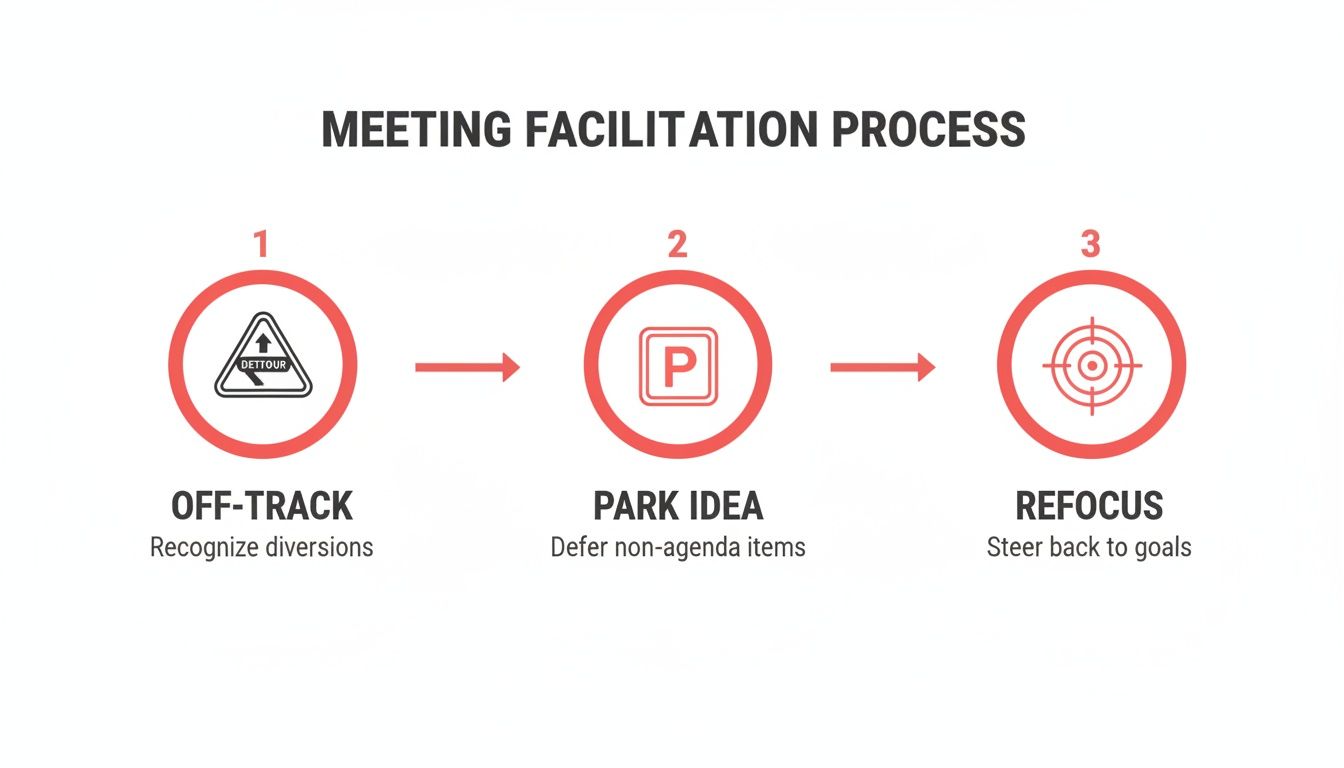
Every meeting leader has felt it: a conversation starts to drift, then careens into an unrelated topic. Tangents are natural. How you handle them matters. You don't want to crush enthusiasm, but you can't let a side quest derail the main mission.
This is where the "parking lot" technique is your best friend. It’s a simple, respectful way to get things back on course.
When a discussion veers off, jump in and say: "That's an interesting point, but it's outside our scope for today. Let's add it to the 'parking lot' so we don't forget to tackle it later."
This validates the speaker's idea and gently nudges the group back to the agenda. It's a non-confrontational way to stay in control and a necessary skill for anyone running a meeting.
# From Vague Talk To Concrete Actions
The most destructive mistake is ending a meeting without clear action items. A great discussion is worthless if no one knows what to do next. The last five minutes of any meeting should be reserved for this.
Don't let the call fizzle out. Go around the room and lock down the specifics:
- What is the exact task?
- Who is responsible for it?
- When is it due?
This lack of follow-through is a huge reason so many meetings feel like a waste of time. Around 37% of meetings don't follow a structured agenda, which is a major reason they fail to produce anything useful. This leads to 15-20% of everyone's time being wasted on irrelevant topics. You can read more on these meeting productivity statistics (opens new window).
By avoiding these facilitation traps and making sure every discussion ends with a solid plan, you turn your agenda from a list into a tool that drives progress.
# Connecting Your Agenda to Your Meeting Controls
A well-crafted agenda is your meeting’s roadmap. But executing that plan smoothly when you’re live is a different challenge. You can connect your agenda items to your meeting controls, turning points on a page into one-touch physical actions.
The goal is to reduce the mental load of fumbling with software menus. Instead of hunting for the mute, camera, or record buttons in Zoom or Teams, you can stay locked into the conversation.
# Building Agenda-Based Workflows
Think about the key moments of transition in your meeting. Each one is an opportunity to automate with a tool like MuteDeck paired with hardware like an Elgato Stream Deck.
You can build a workflow where each button on your device maps directly to a part of your agenda.
- "Kick-off & Welcome": One press can turn on your camera, unmute your microphone, and start the recording. All at once.
- "Presenter Handoff": Another button can mute your mic and turn off your camera, creating a clean transition to the next speaker.
- "Start Q&A Session": This could trigger an action to unmute everyone or drop a timestamp into your meeting notes to mark where the Q&A began.
This approach transforms your agenda from a static document into an interactive script for running a meeting.
By linking your agenda to physical controls, you offload the cognitive burden of managing meeting software. Your focus shifts from running the tech to leading the conversation.
A huge part of facilitation is keeping things on track. This gets easier when you're not distracted by clicking around. When your mind is free from managing the software, you have the bandwidth to notice when a conversation is going off the rails, "park" the idea for later, and guide everyone back to the agenda.
# An Example in Practice
Let's say you have an agenda item called "Client Demo." You could program a single button to switch to your presentation camera, start a screen share, and mute all your desktop notifications. When the demo is over, another press reverses it all, bringing you back to the main discussion.
This kind of control makes your facilitation look effortless. You can learn more about setting up these kinds of actions by exploring different meeting controls (opens new window). Ultimately, this method lets the format for a meeting agenda drive the technical execution, ensuring your plan is followed with precision.
# Meeting Agenda FAQs
Here are some common questions about meeting agendas, with straight answers.
# How Far In Advance Should I Send The Agenda?
The agenda needs to land in everyone's inbox at least 24 hours before the meeting. Anything less, and you're not giving people a chance to prepare. It's respect for their time.
If you're running a bigger strategic session that requires deep work beforehand, push that out to 48-72 hours in advance. Firing off an agenda two minutes before the call starts defeats the purpose.
# What's The Best Way To Share An Agenda?
Keep it simple. The goal is to make it as easy as possible for people to see what's planned.
A few reliable options are:
- A clean, bulleted list in the body of an email.
- A link to a shared Google Doc or another cloud document where people can add comments.
- Pasting it directly into the description field of the calendar invite.
Whatever you do, don't send a locked PDF or some obscure file type. People should be able to scan the topics and time blocks in a few seconds.
# What Do I Do If The Meeting Goes Off Topic?
It happens. As the facilitator, it's your job to gently reel the conversation back in. You don't want to shut people down, so the "parking lot" method is useful here.
Acknowledge the point, then suggest tabling it. You can say something like, “That’s a good point, but it might be outside our scope for today. Let's add it to a 'parking lot' so we can address it later.” It validates their contribution while keeping the meeting on track.
# Does Every Single Meeting Need An Agenda?
Yes, almost. Every meeting gets better with some kind of agenda, but the level of detail changes.
For a quick 15-minute sync-up, the agenda might just be two bullet points in the calendar invite. But for a formal, hour-long strategy session, you'll need a much more detailed document.
Here's a good rule of thumb: If the meeting requires a decision or has a specific goal, it needs an agenda—no matter how brief.
Stop fumbling for buttons and start running your meetings with confidence. MuteDeck gives you universal, physical controls for every meeting app, so you can focus on the conversation, not the software. See how it works at https://mutedeck.com (opens new window).