# MuteDeck v4.1
I'm happy to share MuteDeck 4.1, a smaller update focused on usability improvements and some bug fixes, especially for macOS users.
This will be the last update of this year, and I hope you have a wonderful holiday season! With hopefully some time to relax away from meetings! 🎅
# What's new ✨
# See your mute status right in the menu bar
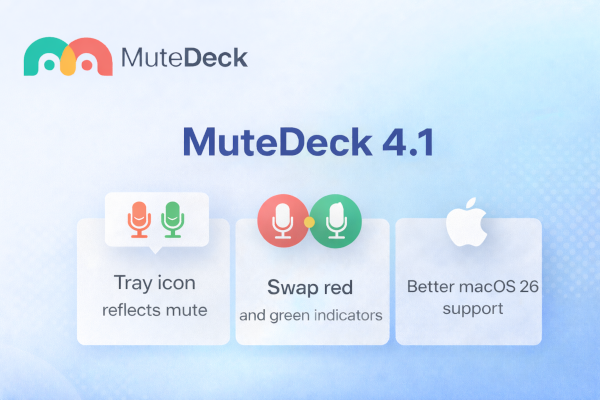
When you're in a call, MuteDeck can now show whether you're muted directly in the tray icon. This makes it easier to check your status at a glance—and is a great way to avoid awkward moments.
You can turn this on via the "Show mute status in tray when in calls." setting in the Appearance section.
# Choose your own red/green logic
Some people think green means "all good", others think red means "warning, you're live". By default, MuteDeck has shown green for unmuted and red for muted. With this update, you can swap the red and green indicators for mute and camera—both in the main window and the tray icon—so it matches how you think.
# Changelog moved
All release notes now live at: 👉 https://mutedeck.com/changelog (opens new window)
I'm not moving away from Canny for feedback and ideas, those will still be collected there as before. But having the changelog on mutedeck.com means it's easier to keep up to date with the latest improvements and integrate with the app.
# Improvements 🛠️
# Hotkeys are easier to get started with
MuteDeck now ships with sensible default hotkeys, plus a simple toggle to enable or disable them. This makes keyboard control much more approachable, especially for new users.
# Cleaner, clearer settings
Several parts of the settings screen were refined to make things easier to find and understand.
# Fixes 🐝
# Menu bar icon color issues on macOS
On newer macOS versions, the menu bar icon could blend into the background or disappear entirely. This is now fixed—MuteDeck stays visible and readable.
# Better theme syncing on macOS
When you change your macOS theme or menu bar appearance, MuteDeck now updates instantly and consistently along with it.