# A Guide to contact center performance management software
Ever felt like you're flying blind, trying to figure out why some customer interactions go perfectly while others fall flat? That's the exact problem contact center performance management software is built to solve. It’s a specialized tool that monitors, measures, and helps you improve how your agents and your customers connect.
This isn't just about logging calls. It’s about creating a central hub that pulls in data from every call, chat, and email, then translates it all into clear, actionable insights. Think of it as a playbook for better service quality.
# What Is Contact Center Performance Management Software?
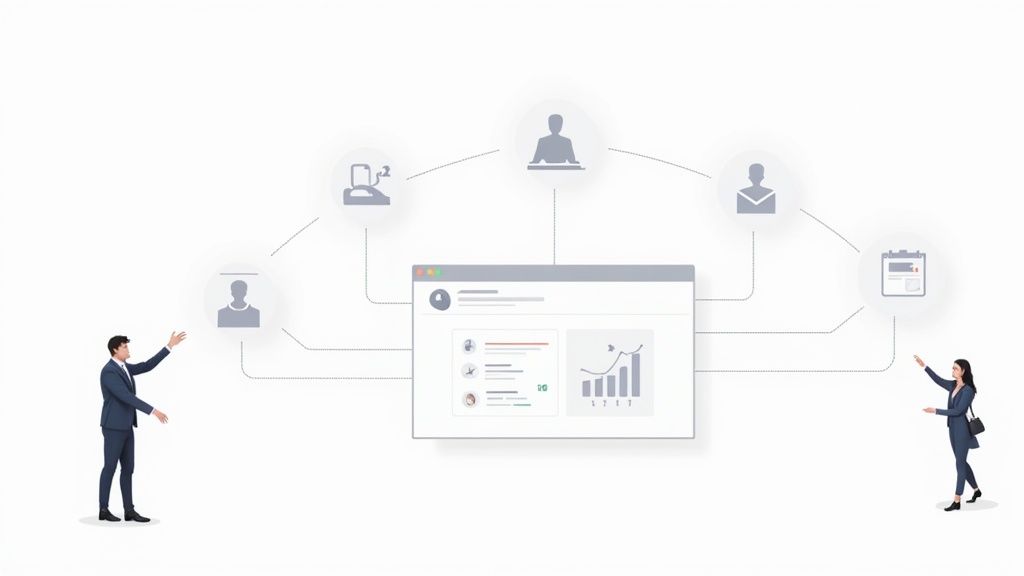
Imagine a pro sports coach's analytics dashboard—that’s what this software is for your customer service team. It moves way beyond basic call counts and acts as the central nervous system for your entire operation. It takes all the raw data from every customer touchpoint and paints a clear picture of what's working and what needs a little help.
This tech turns abstract numbers into real-world strategy. It gives managers the tools to watch key metrics, make sure everyone is hitting compliance marks, and deliver targeted coaching that actually helps agents build their skills. The whole idea is to kickstart a cycle of continuous improvement that lifts everyone up.
# From Manual Scorecards to AI-Driven Insights
It wasn't that long ago that "performance management" meant a supervisor listening to a handful of random calls and scribbling notes on a paper scorecard. The process was slow, subjective, and a total shot in the dark. You might catch a big issue, but you’d miss all the subtle problems bubbling just below the surface.
Today's software flips that script entirely. Instead of manually sampling just 1-2% of calls, AI-powered systems can analyze 100% of interactions across every channel. They use smart algorithms to pick up on customer sentiment, flag potential compliance risks, and pinpoint the specific agent behaviors that lead to happy—or unhappy—customers.
This shift makes management way more proactive and fair.
A data-driven performance management framework helps organizations stay competitive. It provides valuable insights that enable proactive decision-making, ensuring that contact centers operate at peak efficiency while continually enhancing the quality of service.
# A Practical Example in Action
Let’s say a manager is overseeing a remote team. She glances at her real-time dashboard and spots an agent's Average Handle Time (AHT) starting to climb, but only on calls about a new product warranty. The software doesn't just throw up a red flag; it tells her why.
- Drilling Down: The manager quickly pulls up the AI-generated transcripts for those specific calls. She sees the agent is fumbling, trying to find the right policy information while the customer waits.
- Real-Time Coaching: Instead of waiting for a formal review next week, the manager instantly sends a direct link to the correct knowledge base article right to the agent's screen using the platform's coaching feature. No interruption, just help.
- Tracking Improvement: She then sets a quick automated alert to keep an eye on that agent’s AHT for similar calls over the next few days, just to make sure the fix stuck.
Right there, a situation that could have led to a frustrated customer and a stressed-out agent becomes a simple, effective coaching moment. That's the real power of modern contact center performance management software. It turns reactive problem-solving into proactive performance development, which is a win for everyone.
# What Actually Matters in Performance Management Software?
Shopping for contact center performance management software can be a headache. Every vendor has a laundry list of features, and it's easy to get lost in the noise. The trick is to ignore the fluff and zero in on the core capabilities that actually drive results.
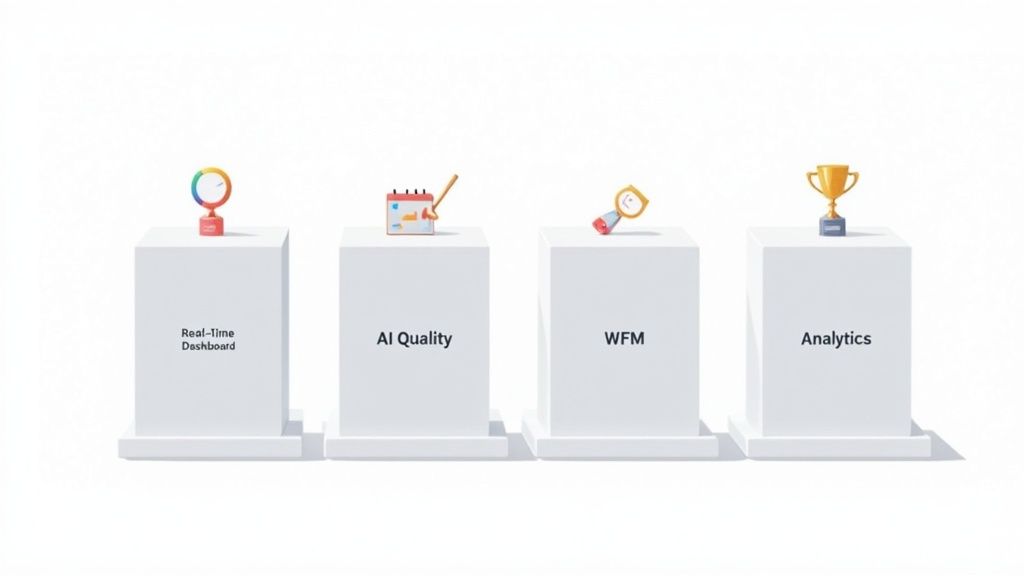
These platforms aren't just about hoarding data; they’re about turning numbers into action. Think of the core features as the critical parts of an engine. Each one has a job, but they all work together to move your contact center forward—improving efficiency, keeping agents happy, and delivering a better customer experience.
Let’s break down the four features you absolutely can't do without.
# Dynamic Real-Time Dashboards
Imagine a pilot trying to fly a plane with instruments that only update once a day. It's a recipe for disaster. The same goes for a contact center manager. Real-time dashboards are your cockpit, giving you an immediate, live view of everything happening on the floor.
These dashboards pull key metrics—call volumes, wait times, agent status—into one clean interface. This lets supervisors spot problems the second they pop up, like a sudden spike in abandoned calls, and shift agents around before a small hiccup becomes a full-blown crisis.
Practical Tip: Customize your dashboard view. For example, during a new product launch, create a temporary view that specifically tracks call volume related to the launch and the First Call Resolution (FCR) rate for those specific inquiries. This helps you instantly see if your training for the new product was effective.
# AI-Powered Quality Management
The old way of doing quality management was a shot in the dark. Managers would manually review a tiny handful of calls, which was slow, biased, and missed almost everything. AI-powered Quality Management (QM) flips that on its head by automatically analyzing 100% of customer interactions—calls, chats, emails, you name it.
This tech uses natural language processing to do things like sentiment analysis, instantly flagging calls where a customer is getting upset. It can also listen for specific keywords to make sure agents are sticking to compliance scripts, like reading a required legal disclaimer. This gives you a complete, unbiased picture of performance.
AI doesn't just find problems; it finds patterns. By analyzing every interaction, it can pinpoint the specific agent behaviors that consistently lead to high customer satisfaction scores, providing a data-backed blueprint for successful coaching.
This proactive approach means supervisors can jump in on at-risk conversations before they blow up, turning a potentially bad experience into a great one.
# Integrated Workforce Management
One of the biggest disconnects in contact centers is the wall between performance data and scheduling. You might have a rockstar agent, but if they're always scheduled during slow periods, their talent is wasted. Integrated Workforce Management (WFM) tears down that wall by linking performance metrics directly to scheduling and forecasting.
This connection allows the software to build smarter, data-driven schedules. For instance, it can identify which agents are best at handling complex tech support tickets and automatically put them on the schedule during peak hours for those issues. Your best people are always in the right place at the right time.
It also helps you nail staffing levels, making sure you have enough people to handle the workload without burning them out.
Practical Tip: Use the WFM feature to schedule brief, targeted training sessions. If the system notices a group of agents struggling with a particular issue, it can find a 15-minute low-volume window in their schedules and automatically book a micro-training session for them.
# Actionable Analytics and Reporting
The last piece of the puzzle is analytics that do more than just show you charts. They need to tell you what to do next. Actionable analytics dig into performance trends to find the root cause of problems. Instead of just telling you that Average Handle Time (AHT) is high, it can show you why—maybe it's tied to a specific product question or an agent's knowledge gap.
This is where you start harnessing customer experience analytics (opens new window) to turn raw data into a clear path for improvement.
To help you connect these features to real-world value, here's a quick breakdown:
# Core Features and Their Business Impact
| Core Feature | Functionality Explained | Direct Business Impact |
|---|---|---|
| Real-Time Dashboards | Live, consolidated view of key metrics like call volume, agent status, and wait times. | Improved Agility: Managers can react instantly to service level drops, reducing customer wait times and abandoned calls. |
| AI Quality Management | Automated analysis of 100% of interactions for sentiment, script adherence, and compliance. | Higher Quality & Compliance: Ensures consistent service and reduces compliance risks by catching violations automatically. |
| Workforce Management | Data-driven scheduling and forecasting based on agent skills and historical performance data. | Optimized Staffing: Reduces overstaffing costs and prevents agent burnout by aligning schedules perfectly with demand. |
| Actionable Analytics | Deep-dive reporting that identifies root causes of performance issues and trends. | Smarter Coaching: Pinpoints specific agent knowledge gaps, leading to more targeted and effective training. |
These four pillars are the foundation of any good performance management system.
The software landscape is full of great options from vendors like AmplifAI, NICE, Five9, and Talkdesk, who are all focused on tying these features together. They build platforms that integrate with the tools you already use—like your CCaaS, CRM, and WFM systems—to create a single source of truth for your entire operation.
# Key Performance Indicators You Must Track
Running a contact center with performance management software but not tracking the right metrics is like flying a plane without an instrument panel. You’ve got a powerful engine, but you have no idea how high you are, how fast you're going, or where you're headed. Great performance management isn't about collecting a long list of KPIs; it’s about turning raw data into clear, actionable signals.
The best software organizes these metrics into a few core categories, giving you a complete view of your operation. By focusing on efficiency, quality, and your agents' well-being, you can build a balanced strategy that delivers for the business and creates a healthy work environment.
# Efficiency Metrics Driving Productivity
Efficiency metrics are the nuts and bolts of your contact center. They tell you how quickly and effectively your team is getting customers what they need. They have a direct line to your budget, your staffing plans, and how people feel about your brand. After all, slow, clunky service isn't just a headache for customers—it's expensive for you.
- Average Handle Time (AHT): This is a classic for a reason. It measures the entire lifecycle of a customer interaction—talk time, hold time, and any wrap-up work after the call. A stubbornly high AHT could mean your agents need more training, or your internal processes are just too complicated.
- First Call Resolution (FCR): This one tracks the percentage of issues your team solves in a single touch, with no follow-up needed. A high FCR is a massive win-win. It’s a sure sign of happy customers and a streamlined operation, since it cuts down on repeat calls. In fact, studies show that just a 1% jump in FCR can boost customer satisfaction by 1%.
How to actually improve FCR: Use your software’s analytics to find out why customers are calling back. Let's say "billing disputes" is your top repeat-call driver. The platform can show you which agents are struggling with those specific questions. From there, you can push a few short training modules on billing directly to them through the software's coaching feature. You close the knowledge gap right at the source.
# Quality Metrics Reflecting Customer Happiness
Speed is great, but it’s useless if the quality of service is terrible. Quality metrics are your window into the customer experience, showing you how well your agents are actually meeting—or even exceeding—expectations. These are the KPIs that build long-term loyalty and protect your brand's reputation.
- Customer Satisfaction (CSAT): This is usually measured with that simple survey at the end of an interaction: "How satisfied were you?" It gives you instant, direct feedback on how an agent performed and the overall quality of the service.
- Agent Quality Score (AQS): This score is internal, generated when managers or AI review interactions against a scorecard. AQS measures things like following scripts, showing empathy, solving the problem, and staying compliant. It gives you a structured, consistent way to evaluate performance. For a deeper dive into data collection, you can learn more by understanding anonymous stats (opens new window).
Practical Tip: When building your quality scorecard for AQS, don't just focus on process. Add a line item for "Empathy Displayed" and use AI sentiment analysis to help score it. This encourages agents to build genuine connections, not just follow a script.
# Agent-Centric Metrics for a Healthy Team
You can't have a high-performing contact center without engaged, motivated agents. It’s that simple. Agent-centric metrics turn the focus inward to help you monitor the health of your team. High turnover and low morale are the silent killers of both productivity and customer satisfaction, which makes these KPIs non-negotiable.
- Agent Attrition Rate: This metric shows you the percentage of agents who leave the company over a certain period. High attrition is incredibly costly—think recruitment and training expenses—and it often points to bigger problems like burnout, bad management, or agents feeling like they don't have the right tools.
- Schedule Adherence: This KPI is all about discipline. It measures how well agents stick to their shifts, including start times, breaks, and log-off times. When adherence is low, it creates chaos, making customers wait longer and putting a ton of pressure on the rest of the team.
By keeping an eye on a balanced mix of KPIs from all three categories, you can use your contact center performance management software to do more than just put out fires. You can start building a smarter, stronger, and more resilient operation from the ground up.
# How to Choose the Right Software for Your Business
Picking the right contact center performance management software is a huge deal. It’s a decision that echoes through every agent interaction and customer experience. With the global market valued around USD 40.9 billion and on track to hit USD 152.4 billion by 2033, the sheer number of options can feel like drinking from a firehose.
The trick isn’t to find the platform with a million features; it’s about finding the one that actually fits your business and solves your real-world problems.
# Define Your Core Objectives First
Before you even glance at a demo, you have to know what you're trying to fix. Are your best agents walking out the door? Are sales conversions stuck in a rut? Or is keeping up with compliance rules your number one headache?
Your main objective is your compass. It guides every choice you make from here on out. Without that clear "why," you’ll get distracted by shiny features that sound great but do absolutely nothing to help you hit your goals.
Practical Tip: Get a small group together—a frontline agent, a supervisor, and someone from IT. Ask each of them to list their top three daily struggles. This simple exercise will shine a massive spotlight on the operational pain points your new software must solve.
# Your Vendor Evaluation Checklist
Once you know your mission, you can build a checklist to size up different vendors. This keeps you from getting sidetracked and helps you compare platforms on an even playing field.
Here are the non-negotiables to put on your list:
- Seamless Integration Capabilities: Your performance software can't be a lone wolf. It has to play nice with your existing tech, especially your CRM (like Salesforce) and your CCaaS platform (like Five9 or Genesys). Make vendors show you proof of how they connect.
- Scalability for Future Growth: The tool you pick today needs to grow with you. Talk about your five-year plan. Can their system handle a 50% or 100% jump in agents without the price skyrocketing or performance grinding to a halt?
- Intuitive User Experience (UX): If the software is a pain to use, your team just won't use it. Simple as that. Ask for a sandbox environment and let an agent and a manager take it for a spin. A great UX empowers agents to track their own progress and makes it dead simple for managers to coach them.
This decision tree gives you a great visual for how different business goals should lead you to prioritize certain KPIs and, in turn, different software features.
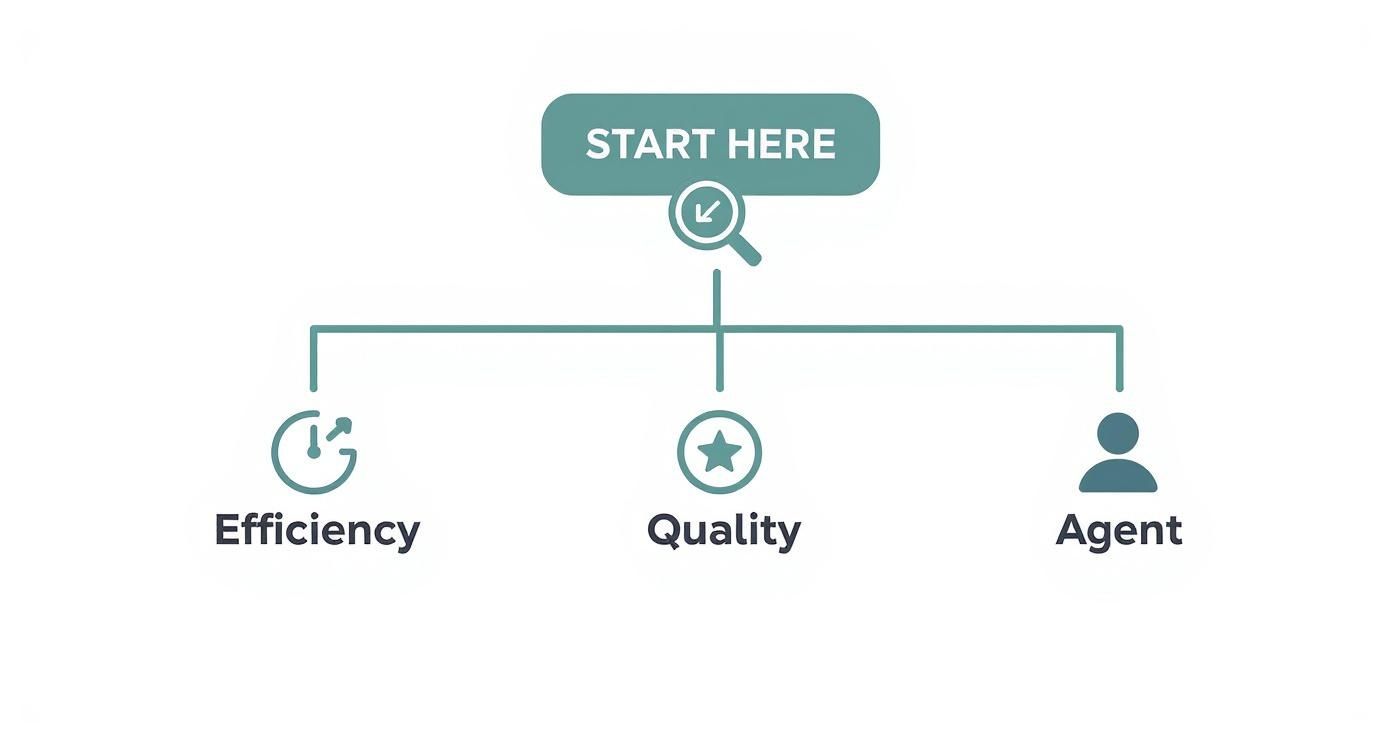 As you can see, a team focused on "Quality" will look for different tools than one prioritizing "Efficiency" or "Agent" satisfaction.
# A Real-World Decision Scenario
Let's walk through an example. Imagine a fast-growing e-commerce company that’s bleeding agents. The high turnover is killing morale and costing a fortune in training. They’ve narrowed their search down to two platforms.
- Platform A has incredibly sophisticated AI that can predict which customers are about to leave.
- Platform B offers amazing gamification features and modules for agent self-coaching.
Since their biggest problem is agent turnover, Platform B is the clear winner. Its gamification will make the job more engaging, and the self-coaching tools give agents control over their own development. Platform A's fancy analytics are cool, but they don't fix the company's most urgent issue.
To make sure you're choosing a tool that truly works for you, it's also smart to compare business intelligence software options (opens new window), as they often overlap with performance management systems. You can also see how different tools stack up by checking out MuteDeck's https://mutedeck.com/pricing page to get a feel for the landscape.
# Getting Your New Performance Software Up and Running
Choosing the right contact center performance management software is a huge win, but the work isn’t over. A smart, deliberate implementation is what separates a tool that gathers dust from one that actually delivers a return. A great rollout is less about flipping a switch and more about building a bridge between the tech and your team.
The goal is to get from theory to practice without a ton of friction. You need the platform to slot neatly into your daily operations and, most importantly, get a thumbs-up from the agents and supervisors who'll be using it every single day. That means careful planning, clear communication, and putting your people first.
# Your Implementation Roadmap
A smooth deployment starts with a solid plan. Think of it like mapping out a route before a long road trip. The first leg of the journey is usually the technical heavy lifting, making sure the software can actually tap into the data it needs to spit out useful insights.
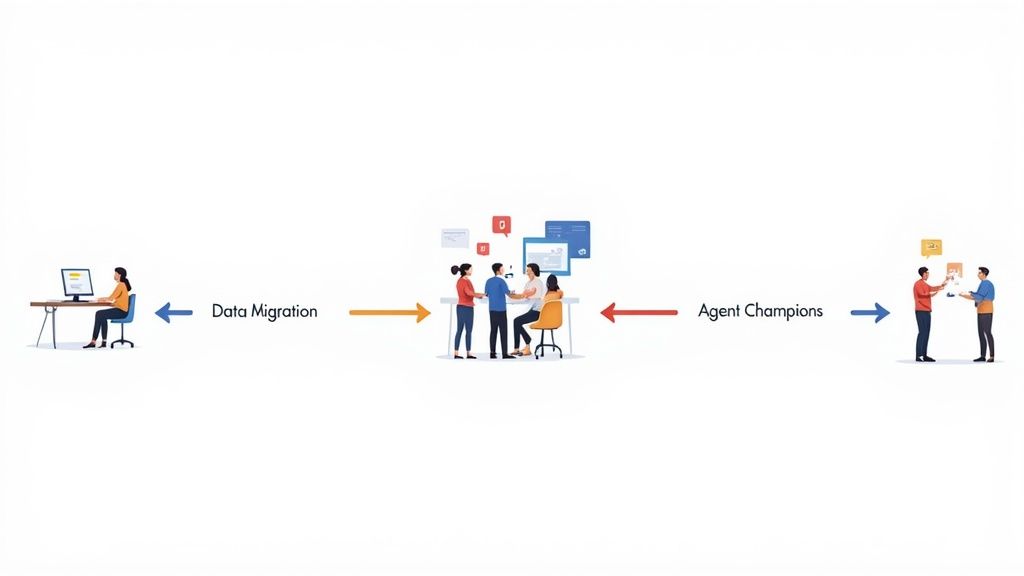
This is where you’ll handle things like data migration and initial setup. You'll work with the vendor to plug the software into your CRM, CCaaS platform, and any other systems you're using. You'll also be defining workflows, building out your first scorecards, and setting up who gets to see what.
A huge mistake is treating implementation as a purely technical project. The human side is just as critical. If agents don't get the 'why' behind the new software—or worse, see it as a surveillance tool—adoption is doomed from the start.
# Get Your Agents on Board with Champions
To sidestep resistance and build some real momentum, you need advocates on your team from day one. This is where creating a small group of 'agent champions' is a total game-changer. These are your experienced, respected agents who get early access to the platform.
Practical Tip: Invite a handful of your top-performing agents to help you test and configure the software.
- Let them help customize dashboards: Ask what metrics are most useful for their view.
- Get their feedback on coaching workflows: Their input ensures the process feels supportive, not like Big Brother is watching.
- Empower them to train their peers: When you do roll it out, these champions become your internal experts and biggest fans, helping to reassure their colleagues and build trust.
This approach flips the script. Instead of doing something to your agents, you're doing it with them, and that makes all the difference for a successful launch.
# Weaving it into the Daily Grind
The final piece of the puzzle is making the software a natural part of your team's daily routine. The best performance management happens right in the flow of work, not in some separate, clunky app that managers have to remember to log into.
This is where integrations with tools like Microsoft Teams or Slack become incredibly powerful. You can set up automated alerts that ping a supervisor in a dedicated channel when an agent's metric dips or a customer sentiment score turns sour. If you want a peek under the hood at how these kinds of custom alerts work, you can explore the technical side by learning about using webhooks for automation (opens new window).
This level of integration embeds coaching and performance awareness directly into the daily workflow, turning it into a continuous, natural process. It's a big reason why the global cloud-based contact center market, valued at USD 63.9 billion, is expected to skyrocket to USD 213.54 billion by 2032. This growth is driven by the demand for flexible, connected systems that make modern, integrated operations like this possible.
# Frequently Asked Questions
When you're looking at contact center performance software, a few key questions always come up. Let's tackle them head-on with some practical, no-fluff answers.
# How Quickly Can We Expect to See an ROI?
This is the big one, right? While the full payoff builds over time, most teams start seeing real wins within the first 3-6 months. These are usually quick efficiency gains—things like a drop in Average Handle Time, thanks to the instant feedback from real-time dashboards and automated coaching prompts.
The deeper, more game-changing results—like lower agent turnover and a noticeable jump in customer satisfaction—tend to show up after about 9-12 months. That’s the sweet spot where your team has fully embraced the new tools and the data-driven coaching has started to create lasting, positive habits.
# How Does This Software Support Remote or Hybrid Teams?
Honestly, this is where modern platforms really shine. They're built for a world where your team isn't all in the same room. Managers get a single, clean view of everyone's performance, no matter where they’ve plugged in their headset. It levels the playing field for evaluations.
A few features are clutch for managing a distributed team:
- Real-time activity monitoring lets you see who’s busy, who’s available, and who might need a hand, all from one dashboard.
- Automated quality scoring keeps the bar high across every channel—voice, chat, or email—so standards don't slip.
- Integrated digital coaching tools mean a manager can jump in with targeted feedback or run a training session without needing to be physically present.
Bottom line: you can support your remote agents just as effectively as your in-office crew, keeping the whole operation running smoothly.
# Will My Agents Feel Constantly Watched?
It's a totally fair question, and the answer comes down to how you frame it. If you roll this out like a surveillance tool, that's exactly how it will feel. The key is to introduce it as a tool for their growth and success.
Practical Tip: Position the software as your agents' new best friend for career development. Talk about the features that help them—like getting fair, data-backed reviews instead of subjective ones, receiving personalized coaching to nail their goals, and having their own dashboards to track their progress.
When agents see the platform as a way to get better, earn bonuses, and get recognized for great work, the "big brother" vibe disappears. It stops being about policing and starts being about partnership.
Ready to streamline your meetings and eliminate the friction of managing multiple platforms? MuteDeck provides universal, one-touch controls for every meeting app, so you can focus on what matters. Start your free trial and take control of your calls today (opens new window).