# Call Center Call Monitoring Software: Boost Compliance & QA
Call center call monitoring software hands supervisors a front-row seat to every customer interaction. You can listen in silently, drop live coaching cues into an agent’s earpiece, and lean on automated analytics to uncover patterns. It’s no surprise teams often clock 20% faster handle times and see their CSAT ratings climb.
# Understanding Call Monitoring Software
Before these platforms arrived, feedback felt scattered and audits took forever. Now, audio capture, data tagging, and live-coaching tools work in harmony to keep quality on track.
- Silent Monitoring lets managers hear calls unobtrusively.
- Whisper Coaching delivers private tips without the customer knowing.
- Post-Call Analytics surface recurring issues for sharper training.
Together, they form a real-time feedback loop that highlights areas to improve, enforces consistency, and keeps you compliant.
# Key Benefits And Use Cases
When you compare manual QA to automated monitoring, the difference is night and day. Manual checks typically sample a handful of calls. Automated systems can cover 100% of interactions—and they do it without bias.
- New agents get on-the-job whispers that speed up ramp time.
- Compliance teams catch every missed disclaimer in regulated industries.
- Managers spot coaching opportunities with sentiment-analysis dashboards.
Practical Tip Schedule a monthly review of flagged calls to refresh your training materials as customer needs evolve. For example, if you notice a spike in calls mentioning a competitor's new feature, create a battle card for agents to handle those questions effectively.
“Monitoring without action is noise. Effective call center call monitoring software pairs insights with coaching plans.” — CX Leader
Integration is non-negotiable. You’ll want telephony and CRM talking to each other seamlessly. A quick checklist might look like:
- Confirm your telephony provider offers a live-stream API.
- Wire up CRM hooks for full customer context.
- Set secure storage rules with encryption and access logs.
For instance, one retailer combined silent monitoring with dashboard alerts for keywords like "frustrated" or "cancel." This simple change helped them slash policy violations by 30% within two months by enabling proactive supervisor intervention.
This guide will walk you through deployment options, critical metrics, and ROI formulas so you can pick—and implement—the ideal solution.
# Core Components And Architecture
At its heart, call monitoring software breaks down into three layers:
- Audio Processing captures both live streams and recordings in crystal-clear quality.
- Analytics Engine runs speech-to-text, keyword flags, and sentiment scoring.
- Dashboard Interface displays trends and KPIs across agents and teams.
- Speech-to-text makes every conversation searchable.
- Keyword spotting highlights compliance or sales moments.
- Sentiment models score tone so you know exactly which calls to review.
Practical Tip Use a sandbox environment to validate integrations before you roll them out to live agents. A common test is to make a call, update the customer record in the CRM, and confirm the call log and recording link appear correctly in the CRM contact history.
Next Section You will explore deployment models and vendor comparisons to choose the best fit. Stay tuned for step-by-step guidance.
# Understanding Call Monitoring Software Basics
If you’ve ever relied solely on call recordings, you know the frustration of playing back a conversation only to spot an issue after the fact. Call monitoring software changes the game. It gives supervisors a live feed, quick coaching opportunities, and analytics that go far beyond simple post-call reviews.
Think of basic call recording like security camera footage you watch after an incident. By contrast, call monitoring is more like having a backstage pass—supervisors can listen in real time, “whisper” advice to agents, or even barge into a call if things start to slip.
- Call Recording: Captures audio for manual audits and compliance logs.
- Call Monitoring: Enables real-time listening, barging, and whisper coaching.
- Analytics Depth: Tracks trends across 100% of interactions, not just a random sample.
# Compliance Drivers And Customization
Highly regulated sectors—finance, healthcare, utilities—need more than raw audio files. Modern monitoring tools come equipped with:
- Encryption at rest and in transit to lock down sensitive conversations.
- Automated Redaction of credit card and personal data for PCI compliance.
- Role-Based Access and customizable dashboards to match your workflows.
Flexibility is key when you’re juggling old-school telephony gear or niche business processes. Next up: deciding between cloud and on-premise deployments.
# Cloud Versus On Premise Deployments
Your choice here often boils down to how much control you want versus how quickly you need to ramp up.
On Premise solutions grant full data sovereignty—ideal for strict HIPAA or PCI rules—but carry hefty setup costs and ongoing maintenance.
Cloud services spin up in minutes, auto-update, and cut down capital expenditures. On the flip side, you’re tied to vendor SLAs and internet reliability.
| Deployment Model | Pros | Cons |
|---|---|---|
| On Premise | Full data control, deep custom integrations | Higher capital expense, maintenance overhead |
| Cloud | Rapid scaling, seamless updates | Shared infrastructure, possible latency |
# Leading Vendors And Security Profiles
When you’re comparing platforms, look beyond features to how each vendor approaches security and compliance.
- Bitrix24: Robust on-prem modules with strict access controls.
- Five9: Enterprise-grade cloud platform, PCI-ready out of the box.
- Talkdesk: Built-in real-time analytics for coaching and compliance flags.
- Zendesk: Omnichannel monitoring woven directly into its CRM.
AI-driven sentiment analysis and risk alerts are becoming table stakes. Always check the vendor’s AI roadmap—and weigh subscription versus perpetual licensing models.
Align your compliance checklist with vendor security whitepapers to avoid any gaps in your shortlist.
# Practical Tips
- Download vendor security whitepapers to inspect encryption and redaction standards.
- Map your PCI or HIPAA requirements against their certification matrices.
- Run a pilot to stress-test on-prem controls or cloud SLAs under real-world conditions. A good test is to simulate a network outage to see how the system recovers.
# Checklist For Shortlisting
- Confirm the platform’s customization scope and open API availability.
- Verify certifications like PCI DSS and HIPAA.
- Evaluate vendor SLAs for feature updates and security patches.
The global call monitoring software market stood at USD 6.4 billion in 2021 and is projected to hit USD 9.82 billion by 2025. Growth is driven by SMEs adopting scalable cloud models and innovations from players like Bitrix24, Five9, Talkdesk, and Zendesk. Read the full research on Cognitive Market Research (opens new window).
Armed with these basics, your team can choose a call monitoring solution that strikes the right balance between flexibility, cost, and risk.
# Exploring Monitoring Modes And Features
Call center supervisors need more than a single tool if they’re serious about coaching and compliance. Monitoring modes offer a spectrum of engagement—from quietly observing to jumping in when things get tricky.
Think of Silent Monitoring as a coach perched on the sidelines, taking notes without ever interrupting the play. Barging, on the other hand, is that same coach sliding onto the field to tackle a sudden threat. Whisper Coaching sits somewhere in between: private, in-ear advice that can lift an agent’s performance before a caller hangs up.
# Comparison Of Monitoring Modes
Below is a quick reference to help you decide which approach fits your team’s needs.
| Monitoring Mode | Description | Best Use Case |
|---|---|---|
| Silent Monitoring | Observe agents without intervening | New agent onboarding |
| Barging | Join live calls to intervene immediately | High-stakes or troubleshooting calls |
| Whisper Coaching | Send private tips directly to the agent | Live upsell training sessions |
| Automated Analytics | Use AI to flag calls and extract insights | Bulk compliance and quality reviews |
Each mode serves a clear purpose, whether you’re nurturing fresh hires or keeping thousands of calls in check.
# Monitoring Modes In Action
Imagine a sales coach whispering pointers like a baseball manager calling signals from the dugout. In one test, a whisper coaching program helped boost conversion rates by 15% over just 30 days.
Meanwhile, Automated Analytics leans on keyword spotting and sentiment analysis to highlight calls that need attention. Managers get real-time alerts the moment a call veers off script, making early intervention possible. Example: Set up an alert for the phrase "speak to a manager" to allow a supervisor to start silent monitoring immediately.
Compliance calls flagged in seconds can avoid costly fines.
Here, you’ll see shifts in positive and negative sentiment alongside call volumes. Learn more about sentiment analysis trends in the Sprinklr report (opens new window). Advances in cloud computing mean 95% of customer interactions will be under the lens of sentiment analysis by 2025, and 81% of call center leaders are already investing in voice and text analytics for quality assurance.
# Choosing Modes For Your Team
Picking the right mix comes down to your training goals, customer complexity, and compliance demands. For new hires, start with Silent Monitoring to build confidence. Then layer in Whisper Coaching for targeted skill development.
- Use silent monitoring to establish a feedback baseline.
- Add whisper coaching when agents face tricky scripts or upsell opportunities.
- Deploy barging for urgent escalations and compliance hotspots.
- Activate automated analytics to monitor trends and trigger proactive coaching.
When calls involve technical subject matter or multiple languages, barging brings in experts without skipping a beat. Whisper Coaching, meanwhile, breaks down language barriers by keeping guidance private.
Check out our guide on meeting controls in MuteDeck (opens new window) to streamline live monitoring workflows.
By blending these modes, you’ll tailor your call monitoring software to real-world challenges—driving sharper coaching, faster issue resolution, and clear ROI. Automated analytics can even spin up follow-up tasks, assigning flagged calls to quality coaches instantly. Sentiment dips below your threshold? Alerts fire off, scheduling coaching sessions before patterns solidify.
Effective monitoring is a continuous cycle, not a one-time setup.
Teams that layer these modes report up to 20% faster issue resolution and more impactful training. Start small, refine your threshold rules, and expand coverage over time for sustainable gains.
# Ensuring Compliance And Quality Metrics
Keeping a call center on the right side of regulations isn’t a checkbox exercise—it’s woven into every step of your monitoring process. From the moment a call starts to the final audit report, security and quality live side by side.
# Compliance Standards
In industries handling credit cards or patient data, there’s no room for error. You need tools that bake in security from day one.
- Encryption In Transit And At Rest: Protects recordings against eavesdropping and server breaches.
- Role-Based Access Control: Ensures only authorized staff can peek at sensitive calls.
- Automated Redaction: Strips out credit card numbers, SSNs, or any private identifiers before storage.
These measures aren’t optional—they’re the foundation that keeps fines and data leaks at bay.
# Key Quality Metrics
Before coaching your agents, you need to speak a common language. Quality numbers do just that—giving you a clear view of performance and compliance in one snapshot.
Below is a quick guide to the most critical metrics every QA team tracks.
Key Quality Metrics Explained
| Metric | Definition | Why It Matters |
|---|---|---|
| CSAT | Customer Satisfaction Score | Shows how callers feel about service |
| FCR | First Call Resolution | Measures efficiency and problem-solving |
| AHT | Average Handle Time | Balances speed with thoroughness |
| Quality Score | Composite Compliance Indicator | Tracks adherence to standards |
Each metric becomes a target in your SLAs and a talking point in performance reviews.
# Zoom Cloud Recording Best Practices
When you’re ready to tighten up your cloud recordings, check out our deep dive on Zoom Cloud Recording best practices (opens new window).
For a step-by-step playbook on implementing call monitoring for quality assurance (opens new window), this guide will walk you through the essentials.
# Healthcare Case Study
A mid-sized healthcare contact center wanted to lock down compliance while boosting agent confidence. Here’s how they cut breaches by 30% in just three months:
- Defined scorecard criteria covering PCI and HIPAA checkpoints.
- Monitored 100% of calls with live analytics.
- Ran weekly micro-training sessions based on flagged trends.
“Embedding compliance into daily QA workflows prevented data leaks and upheld audit readiness.” — Compliance Officer
# Embedding Security Controls
Security shouldn’t feel like a roadblock. Instead, integrate controls directly into the agent’s desktop:
- Secure Key Management: Automates encryption key rotation so nobody ever holds stale credentials.
- SIEM Integration: Feeds real-time alerts to your security operations center on any odd access patterns.
- Automated Reporting: Generates audit-ready logs at the click of a button.
Practical Tip: Use multifactor authentication on supervisor dashboards to block unauthorized logins. This is especially critical for remote teams where devices may be on less secure home networks.
Modern teams juggle Zoom, Teams, Webex—and sometimes all three in a day. That’s where MuteDeck shines. It gives you one-click record and mute controls across every platform, cutting out those error-prone manual steps and letting agents focus on conversations, not buttons.
# Designing Effective SLAs
A living SLA binds compliance thresholds with the customer experience. Start by:
- Scheduling quarterly audits to validate your commitments.
- Displaying CSAT, FCR, and Quality Score dashboards for agents in real time.
Review SLA performance in monthly check-ins and tweak coaching plans according to the data. Document every process—from live monitoring to targeted feedback—and store it in a shared QA playbook. This keeps everyone aligned and accountable as standards evolve.
# Integration Checklist For Call Monitoring Software
Prepping for your call monitoring launch is a bit like staging a concert: every system—telephony, CRM, security—needs to hit the right notes before showtime. A clear, step-by-step checklist keeps you on track and avoids last-minute surprises.
Begin by evaluating potential vendors:
- Compare integration speed, uptime SLAs, and support channels
- Dive into whitepapers on encryption, redaction, and data retention
- Confirm you get sandbox access plus a dedicated onboarding team
A well-defined checklist turns complexity into a roadmap.
Next, map your telephony platform’s live-stream API endpoints to the monitoring solution. Then, wire in CRM hooks so agents always see full customer context during calls.
# Review CRM Integration Settings
Below is a screenshot showing CRM integration fields in our sandbox environment.
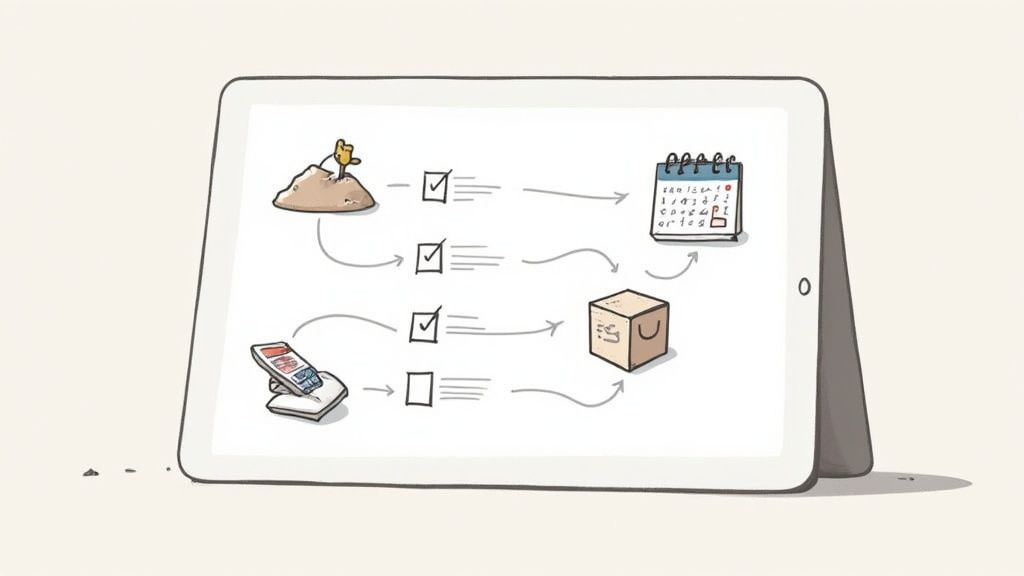
The image highlights required fields like the API key, endpoint URL, and object mappings for leads and contacts.
Confirm you can push call metadata into lead records. That extra layer of context makes post-call analytics richer and more actionable. Practical tip: A good test is to ensure call disposition codes (e.g., "Sale Closed," "Support Issue Resolved") are automatically synced from your telephony system to the CRM record.
# Validate API Security And Sandbox Usage
Treat your sandbox as a safety net. Test every API call there long before touching live data.
- Enforce TLS 1.2 or higher for all endpoints
- Rotate API keys regularly
- Review access logs to spot anomalies early
Testing in a sandbox catches errors without risking production.
Learn more about using MuteDeck’s REST API in our help article on API integration (opens new window).
# Integration Requirements Checklist
Use this quick reference to track both technical and process requirements for your call monitoring rollout. It keeps every detail visible—from vendor sign-off to agent training.
| Requirement | Details | Status |
|---|---|---|
| Vendor Evaluation | Compare integration speed, uptime SLAs, support channels | Pending |
| Telephony Hooks | Map live API endpoints and test stream stability | In Progress |
| CRM Integration | Validate object mapping and data sync frequency | In Progress |
| Security Audit | Confirm TLS enforcement, key rotation, access logs | Pending |
| Pilot Testing | Small group feedback and issue resolution tracking | Not Started |
| Agent Training | Schedule sessions on monitoring modes and best practices | Not Started |
With this checklist in hand, you’ll have a clear view of progress—and any gaps—at a glance.
# Pilot Testing And Training
Run a pilot with a select agent group to work out the kinks. Early feedback on call quality, data flow, and coach alerts is invaluable.
- Build a simple sign-off tracker listing tasks, owners, and deadlines
- Hold cross-functional check-ins after each milestone
- Deliver interactive training using real call samples
Involve your agents in adjusting keyword flags and alert thresholds. When they help fine-tune the system, adoption soars. Example: Ask agents what customer phrases usually signal a difficult call and add those to your sentiment analysis triggers.
# Go Live And Post Launch Review
After a successful pilot, roll out in phases—team by team or shift by shift—to minimize surprises.
- Monitor call stream stability and API error rates
- Check server CPU and network load during peak periods
- Ensure CRM record creation matches your historical call volumes
- Scan encryption and access logs for any anomalies
Document every configuration change—API keys, permission scopes, feature toggles. Within a week of go-live, gather IT, QA, and security for a cross-team review.
Capture final approvals and lessons learned in a post-launch sign-off sheet. Store it in your QA playbook as the blueprint for future rollouts.
A disciplined integration approach cuts downtime, builds confidence, and sets your call monitoring software up to deliver measurable ROI. Revisit this checklist quarterly to keep pace with platform updates—and celebrate each milestone as a team win.
# Measuring Benefits And Calculating ROI
So, you're considering call monitoring software. The big question is always the same: is it worth the investment? The good news is that this isn't about fuzzy benefits. Good software drives hard, measurable improvements by cutting down on errors and making agent workflows smoother.
An ROI model is just a simple way to translate those operational wins into numbers your finance team can get behind.
Think of it this way: tools like MuteDeck help ensure call recordings start and stop consistently, which feeds accurate timing data into your analysis. That accuracy is what makes your ROI calculation believable.
# The Simple ROI Formula
Let's not overcomplicate things. At its core, the formula is straightforward.
ROI (%) = [(Total Gains – Total Costs) / Total Costs] × 100
Basically, every dollar you save or earn above what you paid for the software counts directly toward your return. Simple as that.
# A Real-World Example: Financial Services
Picture a financial services contact center. They started using live whisper coaching and analytics to help agents on the fly. The result? They managed to slash their average handle time by 18%.
On top of that, they cut their compliance-related fines by a whopping $45,000 in just six months.
When they ran the numbers, these changes added up to a net gain of $200,000 against a $100,000 software investment. That’s a 100% return.
Their key wins boiled down to:
- Faster calls: Average handle time dropped from 6.5 minutes to 5.3 minutes.
- Happier customers: A higher first call resolution (FCR) rate meant better revenue retention.
- Fewer headaches: Real-time monitoring flags helped them avoid costly compliance penalties.
“By showing hard numbers, we earned executive buy-in in half the usual time.” — Operations Manager
# How to Model Different Scenarios
You can’t just plan for the best-case scenario. You need a few different forecasts to show what’s possible, from a conservative rollout to an aggressive one.
A simple template can work wonders here:
| Scenario | Agents | Calls/Day | Time Saved/Call | Monthly Savings |
|---|---|---|---|---|
| Conservative | 50 | 800 | 0.5 min | $12,000 |
| Moderate | 75 | 1,200 | 1 min | $36,000 |
| Aggressive | 100 | 1,500 | 1.5 min | $67,500 |
Just plug in your own agent counts and call volumes. This kind of table makes it crystal clear how small efficiency gains start to multiply across the entire team.
# Getting Executive Buy-In
To sell this internally, you need to speak the language of the C-suite. For a deeper dive into this, check out this great guide on understanding ROI calculations (opens new window).
Here are a few practical tips to frame your results:
- Talk revenue protection: Show how better service reduces customer churn or creates upsell opportunities. For example, "Improving FCR by 5% will retain an estimated $50,000 in annual revenue."
- Focus on cost avoidance: Frame compliance features as a way to dodge expensive fines.
- Highlight efficiency gains: Translate shorter call times into better agent utilization rates.
A clean, one-page summary chart is your best friend. It lets executives see the different scenarios at a glance.
Your secret weapons are simple visuals:
- An ROI chart showing the net gain over time.
- A payback period graph illustrating how quickly you’ll recoup the cost.
- A sensitivity analysis that shows the impact of different handle time reductions.
# Don't Just "Set It and Forget It"
An ROI model isn't a one-and-done document. It's a living tool.
Set up quarterly reviews to make sure your projections are still on track. If you can, link your monitoring dashboards directly to your finance systems for a real-time pulse on performance. As your call volumes and staffing levels change, so should your assumptions. This keeps your model relevant and helps guide future decisions.
# Key Takeaways
If you remember nothing else, remember this:
- Always anchor your ROI to time savings and risk reduction.
- Use scenario modeling to show a range of potential outcomes.
- Present a clear payback timeline to show how fast the investment pays for itself.
- Stick to visuals like charts and graphs for quick, impactful presentations.
- Review and update your ROI model regularly.
A great ROI model adapts to real-world changes in your call center.
Calculating ROI isn't just about getting a budget approved. It's about creating a roadmap for continuous improvement. When you share the results with stakeholders—maybe in a quick slide deck—you build trust and make it easier to get a "yes" for the next big tech investment.
# Common Pitfalls And How To Avoid Them
Even the best call monitoring software can fall flat without a smart rollout. It's easy to get this wrong. The biggest tripwires are usually over-monitoring, failing to get agents on board, drowning in data, and skimping on training.
When you over-monitor, it feels less like quality control and more like Big Brother, and trust evaporates fast. And if you don't involve agents in the process, their motivation to improve tanks.
It's also surprisingly easy to get lost in a sea of data with no clear path forward.
# Actionable Fixes
So, how do you sidestep these traps?
- Over-monitoring: Don't be sneaky. Set up transparent policies that clearly define when and how monitoring happens. Everyone should know the rules of the road.
- Agent buy-in: Create regular feedback loops. When agents feel heard and see monitoring as a tool for their own growth, they become partners in the process. Practical Tip: Host a "Call of the Week" session where you showcase an example of excellent service found through monitoring.
- Data overload: Stop trying to watch everything. Use your software to set up automated alerts that flag the calls that really need your attention, whether for compliance risks or coaching opportunities.
- Training gaps: Nobody learns well from a four-hour lecture. Switch to short, focused coaching sessions that agents can actually absorb and apply.
“Transparency turns monitoring into mentorship.” — CX Manager
When you nail these fixes and pair them with clear roles and metrics, adoption doesn't just happen—it soars. You get better insights, and your agents are genuinely happier.
One mid-sized support center we know cut its compliance breaches by a whopping 25% just by automating a few key alerts and rolling out weekly micro-training sessions. It works.
# Regular Checkpoints
The biggest mistake is treating training as a one-and-done event. To avoid this, schedule brief coaching touchpoints every single week. A simple checklist can make sure every agent gets the attention they need and no one falls through the cracks.
Holding regular review meetings also keeps quality front and center, preventing standards from slowly slipping over time. It keeps everyone focused on the improvements that truly move the needle.
MuteDeck lets you control every meeting button so you never fumble. Start your free 7-day trial today (opens new window).