MuteDeck v4.8: Pausing Music, Better Onboarding
Hi 👋
This release introduces a first-run onboarding wizard, a much clearer Accessibility permission flow on macOS, a brand new pause-media-on-meeting-start feature, which lets MuteDeck stop playing music when you hop on a call, and a slight restyle of the light mode UI.
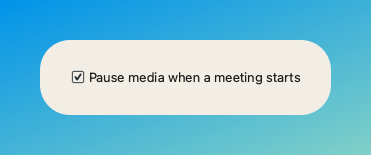
Pause Media When a Meeting Starts
A new setting (off by default) pauses Spotify, browsers, and other system-aware media players the moment any conference app transitions into an active call. No more hunting for what's playing when you hop on a call!
P.s. This won't automatically start playing your music again when the call ends, but it will leave you in control of when to resume.
macOS: Drag-to-Grant Accessibility Helper
Granting Accessibility used to mean clicking a button, then hunting through System Settings for the right toggle. Now, MuteDeck now opens System Settings, pins a helper overlay above the Privacy & Security pane, and lets you drag MuteDeck directly onto the Accessibility list.
First-Run Onboarding Wizard
Fresh installs now open a friendly wizard to walk you through the initial setup steps, which include:
- Picking which meeting apps you use
- Granting Accessibility permission (macOS)
- Installing the browser extension (skipped if you've disabled browser support)
- Starting a 7-day trial, entering an existing license, or buying one
This should make it easier for new users to get up and running with MuteDeck, and ensure they don't miss any important setup steps.
Settings anonymous sync
Because MuteDeck now has a lot of settings, I'd like to know which ones are popular and which ones are rarely used. This will help me prioritize which settings to focus on in future updates. To enable this, MuteDeck now anonymously syncs your settings to mutedeck.com, only if you have Send anonymous stats enabled. No personally identifiable information is collected, and you can opt out at any time.
Light Mode Restyle
The light-mode app UI has been restyled to match the look and feel of the mutedeck.com website.
Bug Fixes
- Windows: Zoom's pre-meeting preview window is no longer detected as an active meeting.
