# GreenSignal: Free Pre-Call Readiness Check for Mac and Windows
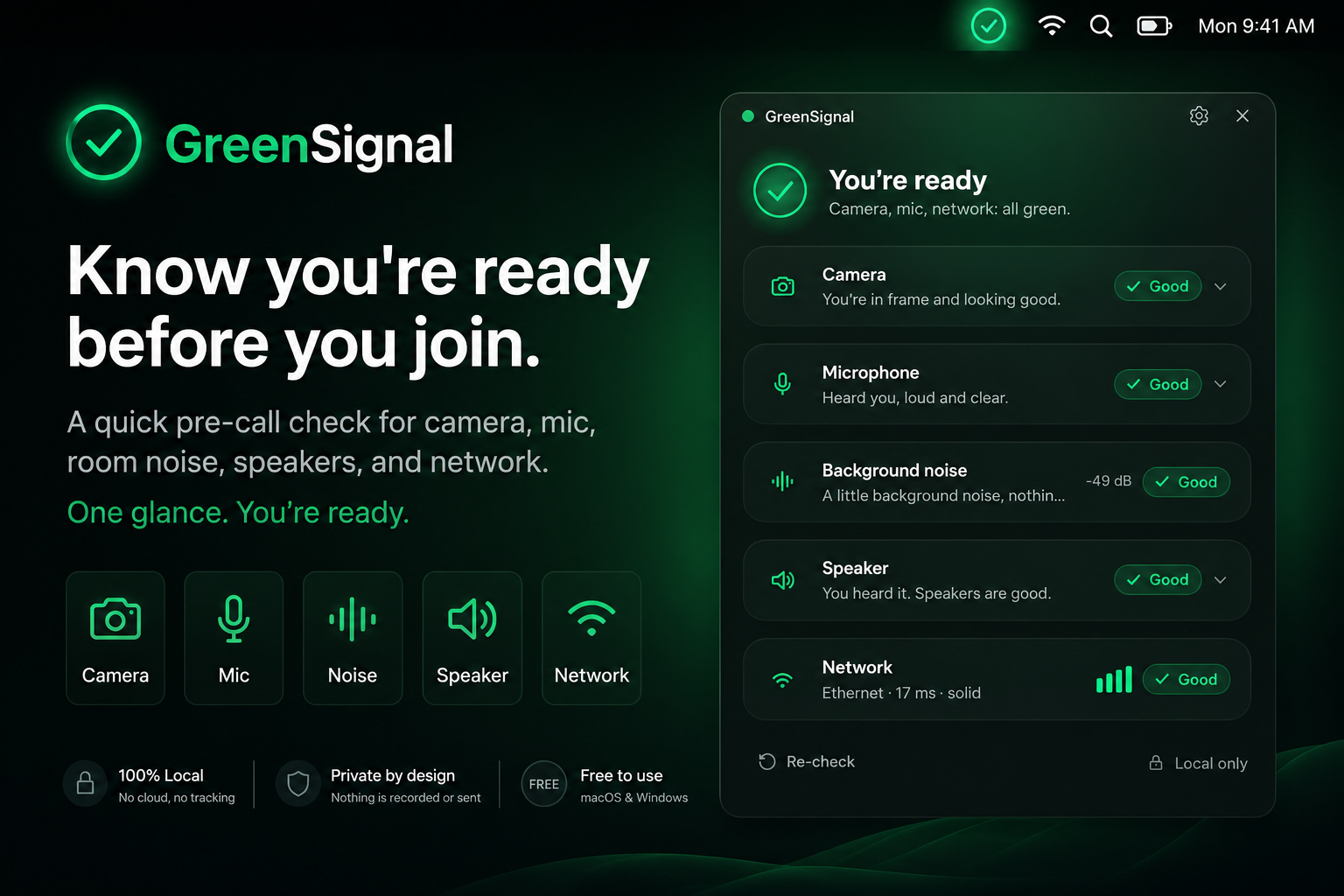
GreenSignal is a free pre-call check app to solve a problem that kept coming up in conversations with MuteDeckers. GreenSignal gives you one quick readiness pass before a meeting starts: camera, microphone, background noise, speaker, and network. If everything looks good, you get the green signal. If something needs attention, you see the one thing to fix before the room is watching.
That sounds small until the first thirty seconds of a call start doing what they do best. The camera points at the ceiling. The wrong microphone is selected. The speaker test happens live. Someone says, "You are on mute," and the meeting briefly becomes a troubleshooting podcast.
GreenSignal exists for the moment before that.
# What GreenSignal checks
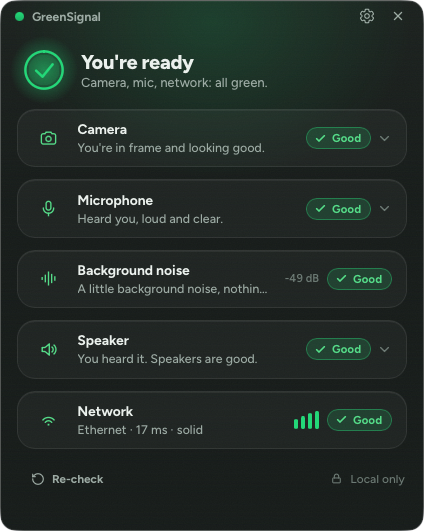
GreenSignal runs a practical pre-flight check for the parts of a call that usually fail in public. It checks the actual devices and network conditions on your computer, then presents the result as a glanceable status light.
| Check | What it helps confirm | Failure it catches early |
|---|---|---|
| Camera | Your camera is working and framing is sensible | Wrong camera, bad angle, blocked view |
| Microphone | Your input is live and reacting to your voice | Muted input, wrong microphone, dead device |
| Background noise | Room noise is within a reasonable range | Fan noise, keyboard noise, nearby conversations |
| Speaker | You can hear the test tone | Wrong output device, silent speakers, headset confusion |
| Network | Your connection looks ready for a call | Poor connectivity before you join |
The useful part is not the number of checks. The useful part is the order. GreenSignal moves the device check before the meeting instead of making it part of the meeting.
# Why pre-call readiness needs its own tool
Most video apps include some form of device settings. Zoom, Microsoft Teams, Google Meet, Webex, FaceTime, and other meeting tools all let you choose cameras, microphones, and speakers. That does not mean people check them at the right time.
In real work, the pre-call routine usually looks like this:
- Join the meeting.
- Notice something feels wrong.
- Open a settings panel while everyone waits.
- Guess which device name belongs to the headset currently on your desk.
- Say, "Can you hear me now?" with the quiet confidence of a cursed ritual.
GreenSignal gives that routine a cleaner place to happen. Open it before the call, confirm the basics, and join with fewer unknowns.
The tool is also intentionally narrow. It does not try to run the meeting. It does not replace your video app. It answers one practical question: are you ready to go live?
# Green means ready, notes mean fix one thing
The landing page describes GreenSignal as resolving into one calm green light when the checks pass. That matters because readiness tools can become their own source of noise. A pre-call check should not feel like another dashboard you need to manage.
GreenSignal keeps the result simple:
- A solid ready state when the call setup looks good.
- A clear note when one area needs attention.
- A menu-bar presence so the status remains glanceable.
- A local-only check model for camera and microphone checks.
That last point matters for trust. GreenSignal states that camera and microphone checks run locally on your device. The self-view and level meter are for you. They are not recorded, stored, or sent anywhere.
# The practical setup before an important call
Use GreenSignal as a two-minute routine before calls where the first impression matters: client demos, interviews, webinars, recordings, board updates, sales calls, workshops, and high-stakes internal reviews.
A simple routine looks like this:
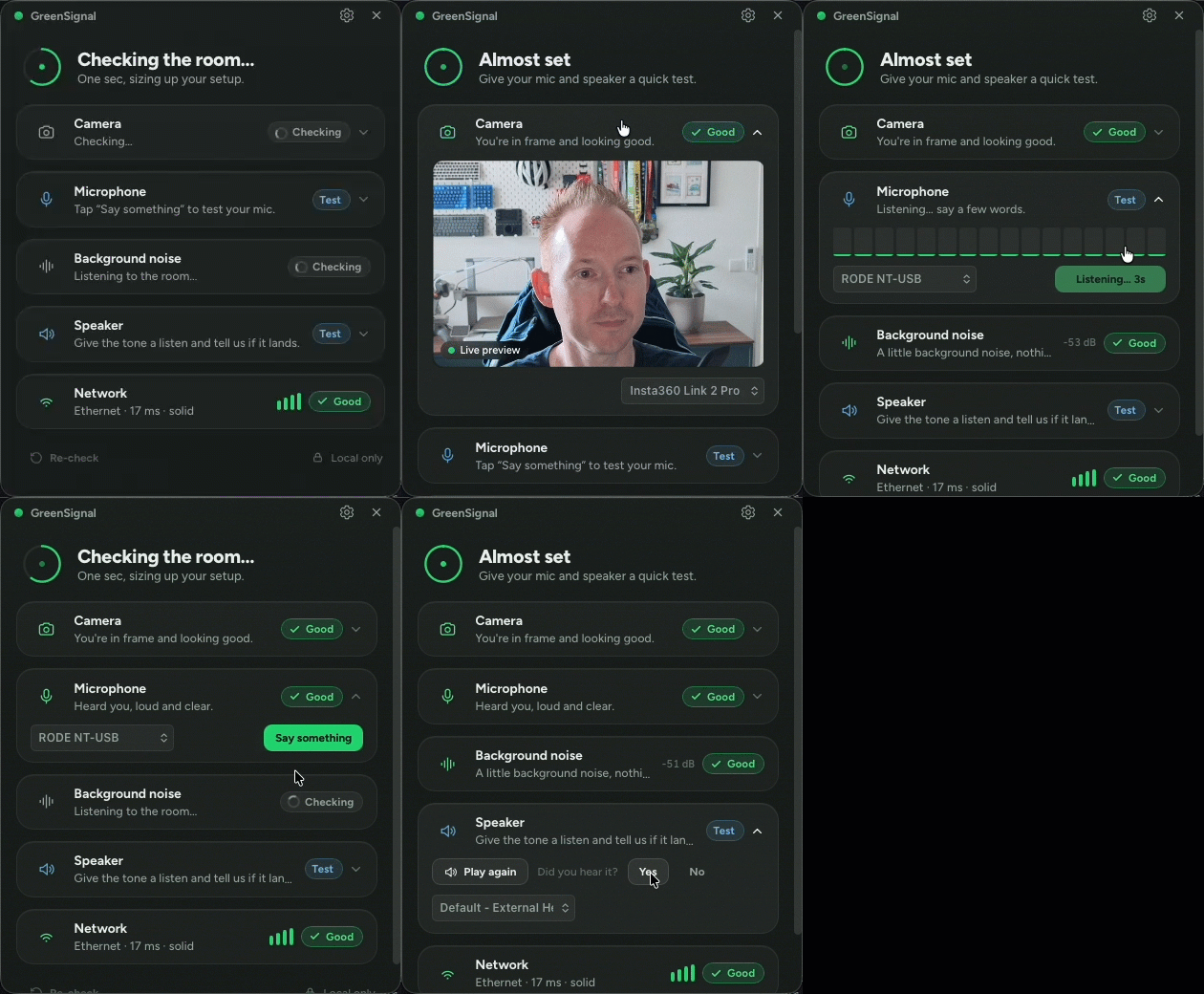
- Open GreenSignal before the meeting.
- Confirm the camera preview and framing.
- Speak once and watch the microphone level react.
- Check the background noise note.
- Run the speaker test.
- Confirm the network status.
- Fix the one thing GreenSignal flags, if anything appears.
- Join the meeting.
The point is not ceremony. The point is removing small surprises while they are still private.
# Download GreenSignal
GreenSignal is free forever, available for macOS and Windows. Download it from the GreenSignal page (opens new window) and run a check before your next call.
If the call goes smoothly, nobody will notice. That is the point.
KEEP EXPLORING
More mutedeck news