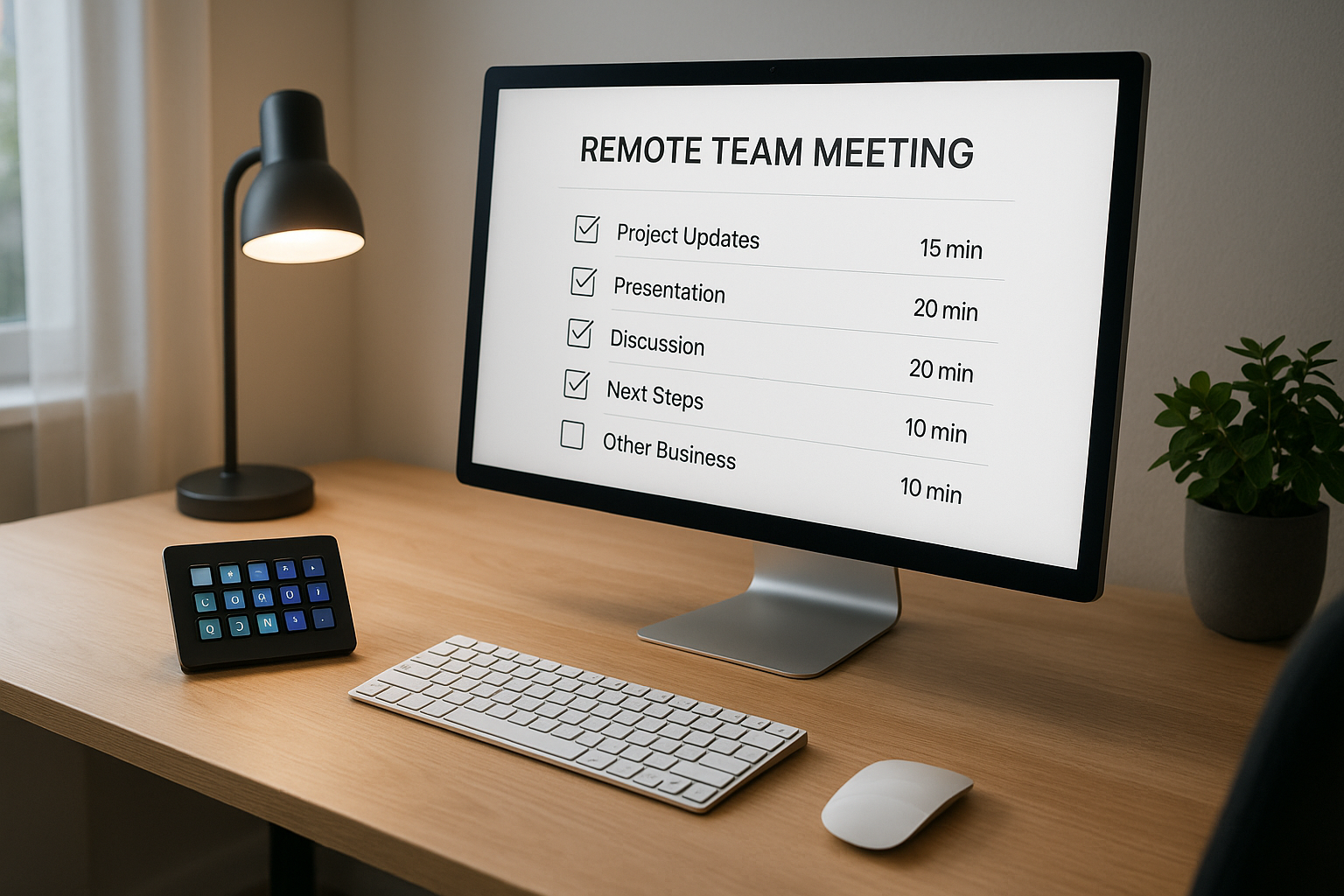
# Agenda for a Team Meeting: Operator-Ready Template for Faster Calls
Most teams do not lose time because they lack an agenda.
They lose time because the agenda is disconnected from how the meeting is actually operated: who controls transitions, who starts share, who tracks decisions, and who catches audio/video issues fast.
This guide gives you a practical agenda for a team meeting that works for remote and hybrid calls, especially when one person is actively running meeting controls.
# Why standard agendas fail in remote meetings
A standard agenda usually lists topics and time blocks. That helps, but it misses operational details:
- Who handles screen-share transitions
- How you recover when audio drops
- Where decisions are logged in real time
- How you prevent side-tracks from eating the last 10 minutes
If those details are undefined, calls feel slow even with a good topic list.
# The operator-first agenda structure
Use this 6-block structure for recurring team meetings.
# 1) Preflight (2 minutes)
Goal: remove technical friction before discussion starts.
- Confirm host, note-taker, and timekeeper
- Mic/camera check for presenters
- Verify screen-share source is ready
- Open notes + action log
Operator tip: Add one hotkey to open agenda and action log together. If you use Stream Deck, pin this to row 1 so it is always visible.
# 2) Outcomes and priorities (3 minutes)
Goal: define what “done” means for this meeting.
- State 1–3 outcomes (not just topics)
- Confirm what needs a decision vs. what is status-only
- Re-order items by business impact if needed
This prevents long status updates from crowding out decisions.
# 3) Topic blocks with ownership (20–30 minutes)
Goal: move through high-value discussion without losing pace.
For each block, include:
- Owner (who leads)
- Input (what data/context is required)
- Decision needed (yes/no, choice A/B, or next step)
- Timebox (hard stop)
Use short blocks (5–8 minutes) for better momentum and cleaner transitions.
# 4) Decision capture (5 minutes)
Goal: make decisions visible before the meeting ends.
- Read each decision out loud
- Confirm owner + due date
- Capture dependencies and blockers
If it is not captured live, it will be debated again next meeting.
# 5) Risk and blocker sweep (5 minutes)
Goal: catch operational and project risks early.
- What can block delivery this week?
- What needs escalation?
- Which blocker needs cross-team help?
Keep this structured. Do not let it become open-ended brainstorming.
# 6) Close and handoff (2–3 minutes)
Goal: leave with clear execution.
- Recap top 3 actions
- Confirm next checkpoint
- Assign post-meeting update owner
End on time unless there is explicit agreement to extend.
# Copy-ready agenda for a team meeting template
Use this template as-is in your docs:
Meeting: Team Weekly Ops
Date/Time:
Host:
Operator (meeting controls):
Note-taker:

1) Preflight (2 min)
   - Audio/video check
   - Agenda + action log open
   - Share source ready

2) Outcomes (3 min)
   - Outcome 1:
   - Outcome 2:
   - Decision targets:

3) Topic blocks (25 min)
   A) Topic:
      Owner:
      Decision needed:
      Timebox:
   B) Topic:
      Owner:
      Decision needed:
      Timebox:
   C) Topic:
      Owner:
      Decision needed:
      Timebox:

4) Decision capture (5 min)
   - Decision:
   - Owner:
   - Due date:

5) Risks/blockers (5 min)
   - Blocker:
   - Escalation owner:

6) Close (3 min)
   - Action recap:
   - Next checkpoint:
# How to run the agenda smoothly in Zoom, Teams, or Meet
The structure is platform-neutral, but operation details matter.
# Keep control actions separate from discussion actions
During calls, operators should avoid hunting through meeting windows. Build fast controls for:
- mute/unmute
- camera toggle
- start/stop share
- quick return to notes
This reduces dead air and overlap when handing off between speakers.
# Use one “transition protocol” sentence
At each handoff, use a standard phrase:
- “Switching to Priya for topic B now; share coming up.”
- “Returning to action log; decision summary next.”
Simple language keeps everyone synced during UI transitions.
# Timebox visibly
Keep a visible timer for each block. If a topic overruns, either:
- decide now with available info, or
- assign an owner to resolve offline.
Do not consume closeout time. That is where execution clarity is created.
# Where MuteDeck fits in this workflow
If you run many meetings, MuteDeck can support operator consistency by helping you control core meeting actions without constant context switching.
A practical setup is:
- Stream Deck page for meeting controls
- Meeting app (Zoom/Teams/Meet) as runtime
- MuteDeck for predictable control behavior across sessions
The goal is not “more buttons.” The goal is fewer control errors during live conversations.
# Common agenda mistakes (and fixes)
# Mistake 1: Too many status items
Fix: Move low-risk status updates to async notes. Keep live time for decisions and blockers.
# Mistake 2: No owner per topic
Fix: Every block needs one owner and one decision target.
# Mistake 3: No decision recap at the end
Fix: Reserve 5 minutes for explicit decision capture. Protect this time.
# Mistake 4: Technical interruptions break flow
Fix: Add a preflight block and define an operator role before discussion starts.
# A practical weekly improvement loop
After each team meeting, review three metrics:
- Started on time (yes/no)
- Decisions captured with owners (% complete)
- Minutes lost to control/transition issues
Then improve one thing only next week (layout, preflight checklist, or transition language).
Small operational changes compound fast across recurring meetings.
# Final take
A good agenda for a team meeting is not just a list of topics.
It is a lightweight operating system for the call: clear outcomes, explicit ownership, controlled transitions, and reliable closeout.
When you combine agenda discipline with practical meeting controls, teams spend less time coordinating and more time executing.