# A Practical Guide to Modern Call Center Operations
A great customer service experience is built on the work of the call center's operations team. They manage the people, processes, and technology that handle customer interactions. This covers an agent’s daily tasks and the high-level strategy for both inbound calls (customers calling you) and outbound calls (you calling customers).
# The Engine Room of Customer Experience
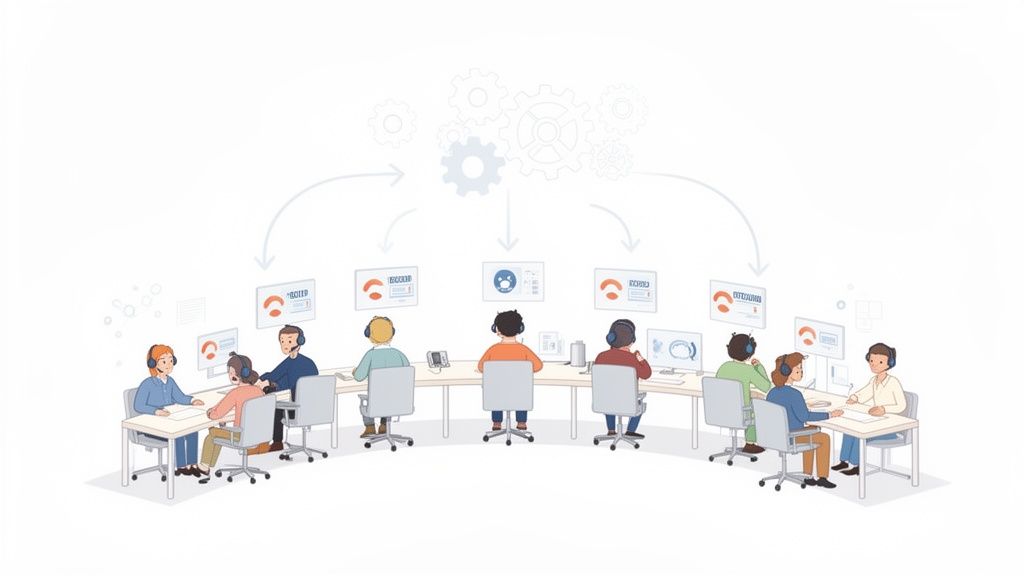
Think of call center operations as air traffic control for customer conversations. The main job is making sure every interaction gets to the right place, is handled smoothly, and ends with a resolution. This operational structure decides how calls are answered, agents are scheduled, and success is measured.
Without organized operations, a call center becomes chaotic. Customers face long queues, agents burn out from being overworked and undertrained, and the business misses its targets. Smooth operations create a structured environment where every action is intentional, from the moment a customer connects to when their problem is solved. This directly improves customer satisfaction and profits.
# Inbound, Outbound, and Blended Operations
Call center operations are defined by who initiates the contact. Each type has a different purpose and needs a unique strategy.
- Inbound Operations: Agents take calls from customers. This includes tech support lines for software or the customer service desk for a bank. The goal is to solve problems and provide support.
- Outbound Operations: Agents make calls to customers or prospects. A sales team making cold calls, a research firm conducting surveys, or a collections team following up on payments are all examples. These operations are proactive and target-driven.
- Blended Operations: Most modern call centers combine both. Agents in a blended setup handle inbound and outbound calls. For instance, an agent might finish a support call and then, during a slow period, make a follow-up call to a recent buyer.
It's a mistake to treat these operations as separate. A customer might receive an outbound marketing call, which prompts them to make an inbound support call later. Good operations connect these events into a single customer journey.
# The Core Functions
Call center operations involve more than answering phones. Several functions must work together to maintain efficiency and service quality.
Here are a few of the operational gears:
- Workforce Management (WFM): This function forecasts call volumes and schedules the right number of agents to handle them. A WFM analyst might see from past data that calls spike after a product launch and increase staffing for that period.
- Quality Assurance (QA): QA teams act as coaches. They listen to and score agent conversations against a set of standards. This is about finding opportunities for improvement, not punishing mistakes. A QA analyst might identify a call where an agent struggled with a policy and use it as a training moment.
- Performance Reporting: The operations team uses data to track what works. They monitor metrics like call duration, resolution rates, and customer feedback to spot trends and find ways to improve.
# The Core Components of Call Center Management
A call center is a product of moving parts working together—a system designed to keep agents supported, customers satisfied, and the business on track. It comes down to people, processes, and the technology that connects them.
The global call center market was valued at USD $352.4 billion in 2024 and is projected to reach USD $500.1 billion by 2030. This growth is driven by interactions across all channels, from live chat to video meetings on Zoom (opens new window) or Teams (opens new window). You can find more on these trends at CMSWire.com.
# Key Roles and Responsibilities
A call center is a structured team with a clear hierarchy. Job titles may vary, but the functions are generally the same.
- Agents: The front-line staff who handle every customer interaction. Their job is to solve problems, answer questions, and be the voice of the company.
- Team Leaders/Supervisors: The first level of support for agents. They manage small teams, provide daily coaching, assist with difficult calls, and monitor performance.
- Quality Assurance (QA) Specialists: They listen to calls and review chats to ensure high service quality, then provide agents with targeted feedback.
- Operations Managers: They focus on the big picture. An Ops Manager handles strategy, budgets, and ensures all parts of the call center work together to meet business goals.
# Workforce Management: The Balancing Act
Workforce Management (WFM) is the process of having the right number of agents with the right skills available at the right time. It's a balance between controlling payroll costs and ensuring customers don't wait in long queues.
Poor WFM leads to two outcomes: burned-out agents and angry customers.
The process has two main activities:
- Forecasting: WFM analysts use historical data to predict future needs. An e-commerce WFM team, for example, knows the Black Friday call volume will surge months in advance and staffs accordingly.
- Scheduling: Using the forecast, the WFM team builds agent schedules to cover daily peaks and valleys in customer contacts. This involves staggering shifts, breaks, and lunches for steady coverage.
An effective WFM team doesn't just create a schedule and forget it. They monitor queues in real-time and are ready to adjust schedules if a sudden service outage causes call volumes to spike.
# Quality Assurance: Maintaining High Standards
While WFM manages staff quantity, Quality Assurance (QA) focuses on the quality of conversations. The goal is to provide constructive feedback that helps agents improve. A good QA program is a coaching tool, not just a way to score performance.
QA specialists use a scorecard to review interactions, breaking down each conversation into its components.
| Scorecard Category | Example Criteria | Practical Application |
|---|---|---|
| Greeting | Did the agent state their name and the company name clearly? | Sets a professional, welcoming tone. |
| Problem Diagnosis | Did the agent ask clarifying questions to identify the root issue? | Prevents misunderstandings and repeat calls. |
| Resolution | Was the solution accurate and did it fix the problem? | Drives First Call Resolution (FCR). |
| Empathy | Did the agent acknowledge the customer's feelings? | Builds a human connection and improves satisfaction. |
Imagine a QA specialist reviews a call where an agent provided the correct technical fix but sounded robotic. The feedback would focus on showing more empathy. The specialist might suggest phrases the agent could use to sound more supportive. This targeted coaching helps good agents become great.
# Essential KPIs for Measuring Call Center Performance
You can't manage what you don't measure. Key Performance Indicators (KPIs) are the vital signs that show whether your team is performing well.
Looking at KPIs in groups tells a more complete story. The data flows from agent activity to high-level strategy, giving managers the information they need to make decisions.
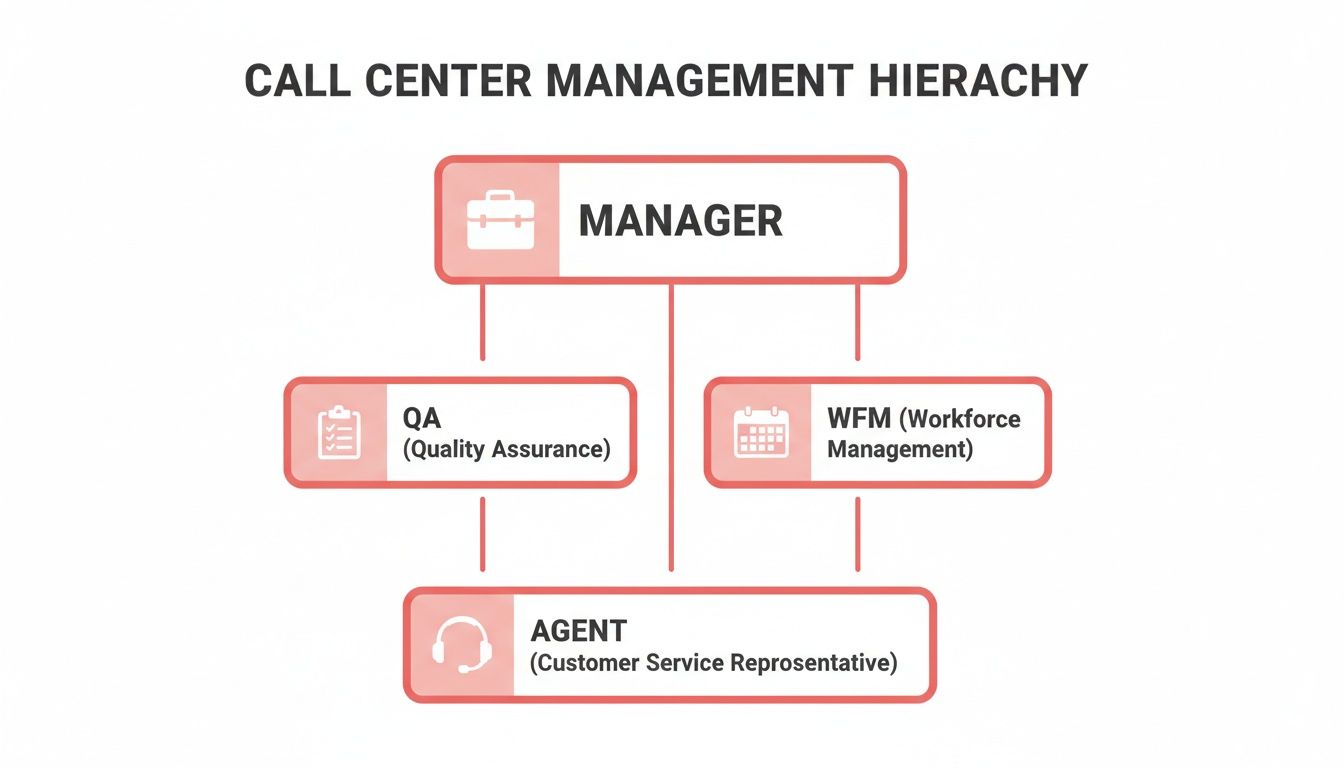
This structure is effective. Agents concentrate on their individual stats, while managers use the aggregate data to guide the team.
# Efficiency and Productivity Metrics
These KPIs measure resources, specifically your agents' time. They are the first place to look to identify bottlenecks or staffing shortages.
One common metric is Average Handle Time (AHT). It measures the total time spent on a customer interaction, from start to finish, including after-call work.
Be careful with AHT. An agent focused solely on a low AHT might rush customers off the phone, creating more problems than they solve. This leads to frustrated customers and repeat calls.
To get a full picture, balance AHT with other metrics:
- Agent Utilization Rate: The percentage of time an agent is doing customer-related work versus being idle. A rate around 75% indicates an efficient operation.
- Adherence to Schedule: Are agents following their assigned shifts, breaks, and lunches? This metric reflects discipline and operational smoothness.
# Quality and Effectiveness Metrics
Efficiency is about speed. Effectiveness is about getting it right the first time. This is where you measure the quality of the service your team provides.
The most important quality KPI is First Call Resolution (FCR). It measures the percentage of calls where the customer's issue is solved completely, with no need for a follow-up.
A high FCR indicates a well-trained, empowered team. A low FCR can signal deeper problems like knowledge gaps, inefficient processes, or product issues.
Another important metric is the Call Transfer Rate, which tracks how often an agent has to pass a customer to someone else. Some transfers are necessary, but a high rate often means calls are routed incorrectly or agents lack the authority to solve problems. For more on this, see our guide on call center call monitoring software (opens new window).
# Customer-Focused Metrics
All other metrics exist to support one goal: making the customer happy. These KPIs measure satisfaction and loyalty directly from the customer.
Here’s a breakdown of common customer-focused metrics.
# Key Call Center Operations KPIs and Their Purpose
| KPI | What It Measures | Why It's Important |
|---|---|---|
| Customer Satisfaction (CSAT) | Short-term happiness with a specific interaction, usually on a 1-5 scale. | Provides immediate feedback on individual agent performance and transactions. |
| Net Promoter Score (NPS) | Long-term customer loyalty, measured by asking how likely they are to recommend you. | Helps understand brand perception and predict future growth. |
| Customer Effort Score (CES) | How easy it was for the customer to get their issue resolved. | A low-effort experience drives loyalty. This shows if your processes are simple or frustrating. |
These metrics give you direct insight into the customer's perspective.
By combining KPIs from each of these categories, you get a balanced, 360-degree view of your call center. You see how fast your agents work, how well they solve problems, and how your customers feel about the experience.
# The Technology Stack Powering Modern Operations
A call center without the right technology is just a room of phones and frustrated people. The technology stack is the central nervous system of the operation, routing interactions, storing customer data, and giving agents the tools they need to solve problems.
Without a solid tech stack, you have chaos. With one, you have an efficient machine. A few foundational systems form its core.
# The Foundational Systems
Three core software systems are the bedrock of almost every call center. They manage the flow of conversations, track customer information, and handle simple queries automatically.
- Automatic Call Distributor (ACD): This is the call center's traffic cop. The ACD takes incoming calls and routes them to the best agent based on predefined rules. It can send technical questions to tier-2 experts or route a call from Mexico to a Spanish-speaking agent.
- Interactive Voice Response (IVR): This is the "Press 1 for sales, Press 2 for support" system. A good IVR can resolve simple requests on its own—like checking an account balance or tracking a package—which frees up human agents for more complex issues.
- Customer Relationship Management (CRM): The CRM is the brain of the operation. It's a database holding all customer information, from contact details to their complete interaction history. When a call comes in, the CRM displays this information on the agent's screen, providing context for personalized service.
# Integrating Channels for a Seamless Experience
Customers now use email, web chat, and social media to contact companies. Your technology must manage all these conversations in one place. This is where omnichannel and unified communications platforms are used.
These systems bring all channels—voice, email, chat, social media—into a single interface for the agent. An agent can finish a phone call, answer an email, and then start a live chat without switching applications. Providers like Genesys (opens new window) offer platforms that make this possible. To learn more, read our guide on what is unified communications (opens new window).
The goal is to create a single, persistent conversation. If a customer starts a chat on your website and calls an hour later, the agent who answers the phone should see the chat transcript. This stops customers from having to repeat themselves.
# The Rise of Cloud Solutions and Remote Work
The shift to cloud-based technology has changed call centers, making them faster and cheaper to set up and scale. Instead of buying and maintaining on-site servers, call centers can now run their entire operation from the cloud.
This trend drives industry growth. The call center software market is valued at over USD $33 billion and is expected to grow at a 23.9% compound annual growth rate through 2030. This growth is fueled by the flexibility of cloud software and the rise of remote work, which saw a 60% increase in remote agents between 2022 and 2024.
Moving to remote and hybrid models creates challenges. An agent's day is no longer spent in a single call center application. They juggle team meetings on Zoom, one-on-one sessions in Microsoft Teams, and training on Google Meet. Each platform has its own interface for mute, camera, and other controls.
This constant app-switching causes friction and increases the risk of mistakes, like a "hot mic" moment during a sensitive customer call. For the 17 million call center agents worldwide, this is a daily source of cognitive overload. Tools that create a universal control panel for these meeting apps are a practical way to reduce errors and help agents stay focused.
# How AI Is Changing Call Center Operations
When people hear “AI in the call center,” they often think of robots replacing humans. The reality is that AI makes agents better by handling repetitive tasks.
AI handles predictable work, freeing up your team to solve problems that require a human.
AI-powered chatbots are a common example. These bots are the first line of customer service, instantly answering simple questions like "Where's my package?" or "How do I reset my password?" This filters out a large volume of simple queries.
When a customer's problem is too complex for a bot, the handoff to a human agent is seamless. The agent receives the full chat history, so the customer doesn't have to repeat information.
# Giving Agents Real-Time Superpowers
AI is also becoming a tool for agents during live calls. Two practical applications are sentiment analysis and real-time agent assists.
- Sentiment Analysis: The AI analyzes the customer's tone and word choice to determine if they are happy, frustrated, or confused. The agent sees an indicator on their screen, prompting them to adjust their approach. If a customer's frustration level rises, the system might suggest a more empathetic response.
- Real-Time Agent Assist: The AI listens to the conversation and automatically provides relevant knowledge base articles, product manuals, or company policies. If a customer mentions a specific error code, the correct troubleshooting guide appears on the agent’s screen. This eliminates the need to put customers on hold while searching for information.
This combination makes agents faster, more knowledgeable, and more confident.
# Uncovering the "Why" with Analytics
The biggest impact of AI may be what it does after calls are finished. Speech and text analytics tools can process thousands of customer conversations to identify trends and the root causes of recurring problems.
A team lead can't listen to every call, but an AI can. It analyzes 100% of interactions to flag compliance issues, identify the main reasons for calls, or determine which agents are best at handling angry customers.
For example, an analytics platform might show that mentions of "confusing invoice" have increased by 30% this month. This indicates a problem with the invoice design itself, not a need for agent coaching. The global call center AI market is growing for this reason, projected to increase from USD 1,998.7 million in 2024 to over USD 7 billion by 2030, according to Grandview Research (opens new window).
These tools are becoming a core part of modern call center operations. By automating simple tasks, assisting with complex ones, and analyzing all interactions, AI allows human agents to focus on what they do best: connecting with people and solving difficult problems.
# Reducing Friction in Remote and Hybrid Teams
Managing a distributed call center team presents unique challenges. When your team is not in the same physical location, keeping everyone connected is difficult. Supervisors can't walk the floor to offer tips or check in. All interactions, from training to coaching, must be deliberate.
A significant source of friction is tool fatigue.
A remote agent's day involves constant app-switching. They might take a call on their softphone, log notes in the CRM, join a team huddle on Zoom, and then switch to Microsoft Teams for a coaching session.
This constant switching is draining. Each platform has its own controls for mute, camera, and screen sharing. The mental energy spent finding the right button is energy not spent on the customer. This can lead to unprofessional mistakes, such as the "hot mic" moment where a private conversation is accidentally broadcast.
# Simplifying the Agent's Digital Workspace
The goal is to provide agents with a consistent digital environment. Instead of making them learn four different ways to mute themselves, give them one universal control that works everywhere. A utility like MuteDeck fits into this operational toolkit.
The picture below shows this complexity. An agent is trying to manage multiple communication tools at once.
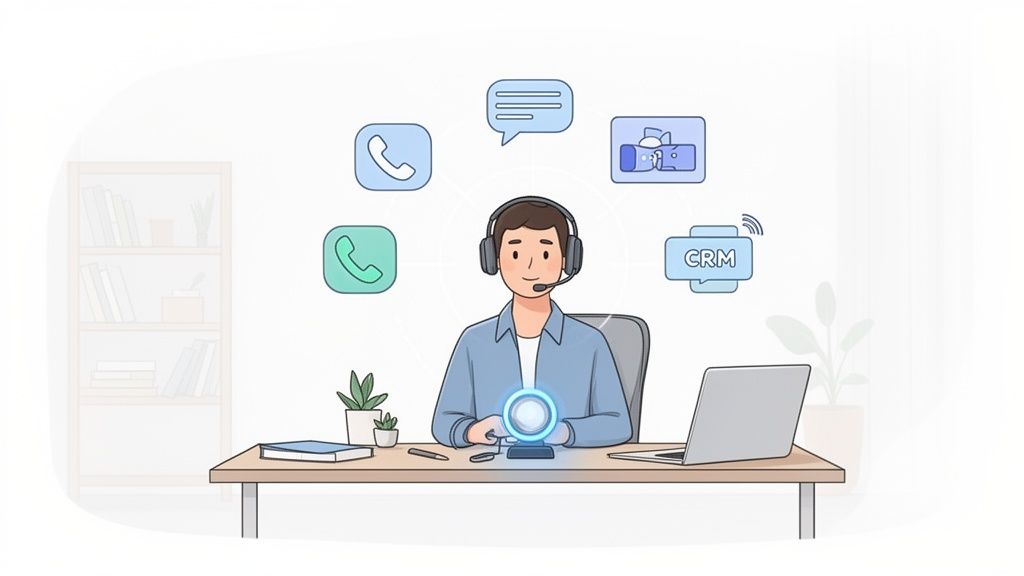
It shows the complexity agents face and why tools that unify controls across different platforms are important.
When you provide a single, reliable way to manage core meeting functions—mute, camera, sharing—you reduce daily stress. Agents build muscle memory. They can react instantly without having to think about which application they are using. It is a small change with a large effect on performance and morale.
Reducing daily friction is not just a "nice-to-have." It directly affects an agent's focus, lowers stress, and makes every virtual interaction more professional. When your team isn't worried about the technology, they can focus on the customer.
This approach is central to managing a remote team effectively. For more, look into hybrid work best practices to build a more connected and efficient distributed team. Streamlining the tools streamlines the work, making remote call center operations smoother for everyone.
# Common Questions About Call Center Operations
When you get into the details of running a call center, practical questions come up. Here are answers to some of the most common ones.
# What Is the Biggest Challenge?
The biggest challenge is the constant balance between cost and quality. Every decision is a trade-off.
You have to control operational costs, which often means pushing for shorter call times and high agent utilization. At the same time, customers expect excellent, personal service, which takes time. This balance is even harder with omnichannel support, where your team must manage voice, chat, and email. If you get it wrong, you either exceed your budget or lose customers.
# How Can We Improve Agent Performance Without Causing Burnout?
Telling agents to work faster leads to burnout and high turnover. The key is to make their jobs easier, not harder. Give them tools and support that help, rather than just adding pressure.
Instead of focusing only on handle times, try these approaches:
- Smarter Tools: Provide software that works for your team. A good, integrated CRM that instantly displays a customer's history is a major help.
- Supportive Coaching: Use Quality Assurance data to give specific, constructive feedback. Frame coaching as skill development, not just criticism.
- Realistic Goals: Set performance targets that are challenging but achievable. Celebrate successes in metrics like First Call Resolution (FCR), not just speed.
# What Is the First Step to Setting Up a New Operation?
Before you buy headsets or hire agents, you need a solid plan. The first step is to define your business goals. What is the purpose of this call center? Technical support? Inbound sales? Customer retention?
The answer to that question determines everything else.
A common mistake is buying technology before you have a strategy. Your goals should determine your tech stack, not the other way around.
Once you know your purpose, take these next steps:
- Choose Your Technology Stack: Select your core systems, like an ACD to route calls and a CRM to manage customer information.
- Create a Workforce Management Plan: Start forecasting your staffing needs. How many agents will it take to meet your service level goals without overworking them?
For more information and ongoing answers to questions in this field, you can find a collection of further articles and insights on call center trends (opens new window).
In remote and hybrid setups, agents are constantly juggling apps like Zoom, Teams, and Google Meet. This creates friction and a lot of room for error. MuteDeck cuts through the chaos by giving them one universal, reliable control for every meeting app. Give your team the power to mute their mic, toggle their camera, and manage calls with a single click or tap, no matter what platform they're on. Learn more at MuteDeck.com (opens new window).