# Contact center setup: Your Complete Guide to Launching Efficient Support
Don't just buy software. A contact center that works starts with a plan. The foundation of a good contact center setup is figuring out your architecture—cloud, on-premise, or a mix—and mapping how your technology fits together. Do this before you talk to a vendor.
# Defining Your Contact Center Blueprint
A well-defined blueprint is your best defense against expensive mistakes. It makes you answer questions about your customers, agents, and goals before you see a sales pitch.
I’ve seen companies rush this stage and end up with a platform that doesn’t fit their workflow, can’t scale, or locks them into the wrong tech.
The first major decision is your architecture. Will you host and manage the equipment yourself, or will you let a cloud provider handle it?
# Choosing Your Architecture Model
Your choice between on-premise, cloud (CCaaS), and hybrid models affects your budget, staffing, and ability to adapt.
Here's a breakdown of the three main contact center architectures.
| Architecture | Best For | Key Advantage | Primary Drawback |
|---|---|---|---|
| On-Premise | Organizations with strict data residency or security compliance needs (e.g., finance, healthcare). | Complete control over data, security, and hardware. | High upfront cost, ongoing maintenance burden, and slow to scale. |
| Cloud (CCaaS) | Most businesses, especially those with remote/hybrid teams or unpredictable growth. | Scalability, lower upfront costs, and location flexibility. | Reliance on vendor for uptime and security; potential for data sovereignty concerns. |
| Hybrid | Companies needing cloud flexibility but wanting to keep sensitive data on-site. | A balance between control and scalability. | Can be complex to manage and integrate two different environments. |
The market has picked a favorite. The global cloud-based contact center market was valued at USD 14.5 billion in 2021 and is projected to hit USD 82.43 billion by 2030. The growth is driven by the flexibility CCaaS offers for remote and hybrid teams.
Practical Example: A startup I consulted was considering an on-premise solution for security reasons. After we mapped out the costs of hardware, IT staff, and future upgrades, they saw that a top-tier CCaaS provider met their compliance needs at a 70% lower first-year cost.
# Mapping Your Essential Technology Stack
Your contact center connects to your other business systems. Your blueprint must define how these three parts will communicate.
- CCaaS/Platform: This is your engine. It's the software that manages communications like voice, email, chat, and social media. It handles routing, queueing, and provides operational data.
- CRM (Customer Relationship Management): This is your system for customer data. Integrating your CRM with your CCaaS platform is non-negotiable. When a customer calls, the agent needs to see their entire history—purchases, support tickets—on their screen instantly. For example, Salesforce (opens new window) or HubSpot (opens new window) can plug directly into a CCaaS solution like Talkdesk (opens new window) or Five9.
- Telephony Provider: This connects you to the public phone network. In a cloud setup, this is almost always a VoIP provider. Most CCaaS platforms have built-in telephony or partner with specific providers, simplifying this part.
These systems must work together. Thinking about their integration from day one is what separates an efficient contact center from a collection of disconnected tools. To understand how this works, it’s useful to know what unified communications is (opens new window) and how it helps avoid data silos.
The goal is a smooth flow of information that helps your agents, not frustrates them.
# Building Your Technical Infrastructure
You have the blueprint; now you build the system. This is where your plans and tech choices become a working environment. You must ensure your network can handle the load, your security is tight, and your call routing is effective.
The transition from planning to building is a common point of failure. The most frequent mistake is underestimating network needs. A small amount of lag can ruin call quality and frustrate both customers and agents.
The planning stage before you touch hardware or software looks like this:
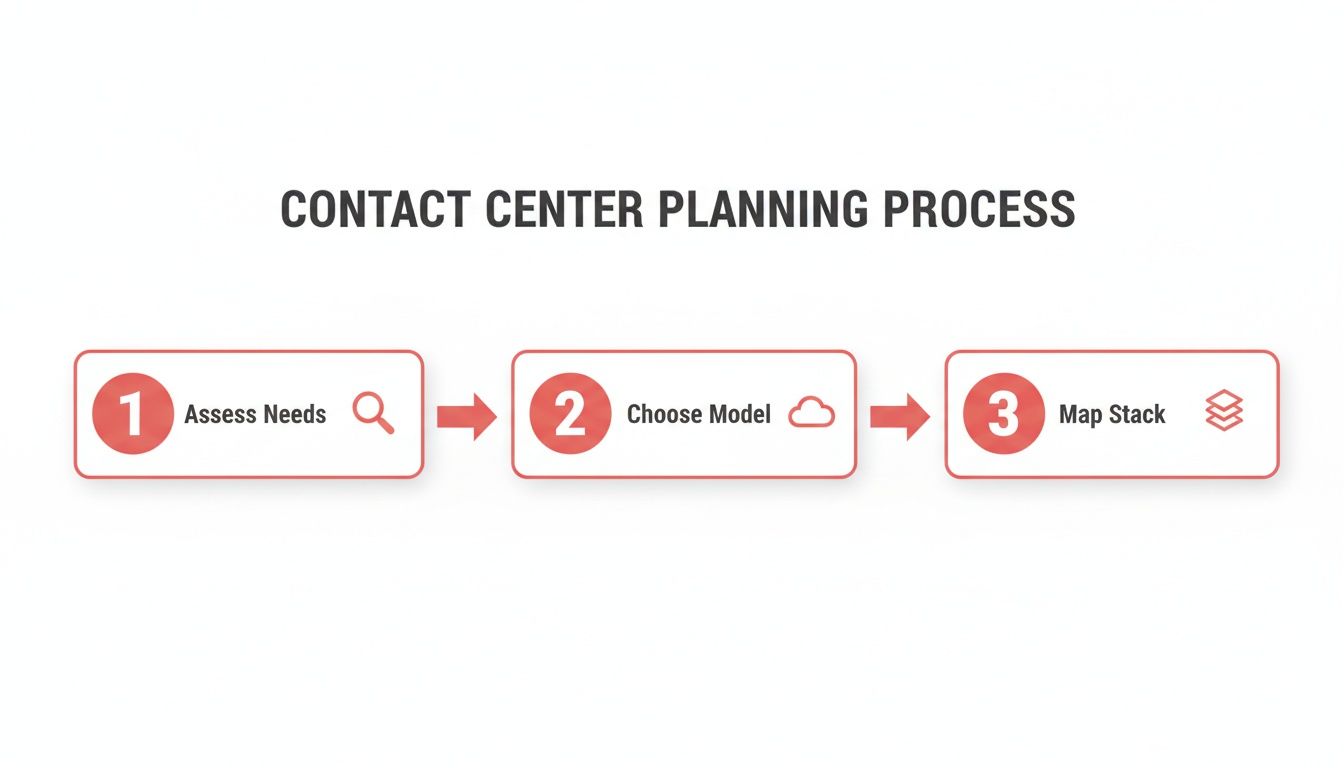
This flow—Assess, Choose, Map—is the foundation. Get this right, and the technical setup becomes much simpler.
# Dialing in Your Network and Security
Your network is the circulatory system of your contact center. If it’s weak, everything else fails. For any operation handling voice, bandwidth and stability are mandatory.
VoIP calls are sensitive to network problems. Small delays, known as jitter, can turn a clear conversation into a garbled mess. The best defense is implementing Quality of Service (QoS) on your network. QoS tells your network routers to create an express lane for voice traffic, giving it priority over less urgent data like file downloads.
To estimate your bandwidth needs, use this calculation:
- Bandwidth per call: A standard VoIP call needs about 100 kbps (0.1 Mbps).
- Total bandwidth: Multiply that by your maximum number of concurrent agents on calls.
- Buffer: Add a 20-30% buffer. You'll need it during unexpected peaks.
Security is just as important. You're handling customer information, and a breach is a disaster. Your security checklist must include:
- Data Encryption: All customer data, whether stored or in transit, needs to be encrypted.
- Compliance: You must adhere to industry standards like PCI DSS for payments or HIPAA for healthcare.
- Access Controls: Use role-based access to ensure agents only see the information they need.
Practical Example: A financial services client hadn't properly segmented their network, and a minor data issue caused a major drop in call quality. Once we implemented QoS and isolated their voice traffic, their dropped call rate fell by 90% in less than a week.
# Configuring Your IVR and ACD
With a solid network, you can build the Interactive Voice Response (IVR) and Automatic Call Distributor (ACD). These systems greet customers and get them to the right person quickly.
Your IVR is your digital front door. A confusing IVR leads to customer frustration. Keep it simple. Limit your menu to four or five options, and always provide an easy way to reach a human.
Here's a simple IVR flow for an e-commerce company:
- Greeting: "Thanks for calling [Company Name]."
- Main Menu: "For questions about an existing order, press 1. For product information or to place a new order, press 2. For anything else, press 0."
Once the customer chooses, the ACD takes over. The ACD routes the call to the right agent or queue based on your rules. This is where you use skills-based routing.
For instance, you can tag agents with skills like:
- Tier 1 Support: Handles common issues.
- Billing Specialist: Deals with payments and invoices.
- Spanish Language: Fluent Spanish-speaking agent.
When a customer calls with a billing question, the ACD finds the next available agent with the "Billing Specialist" skill. This setup improves first-call resolution because customers reach an expert immediately.
The technology that enables this routing is powerful. Our guide on the role of VoIP in cloud communications (opens new window) explains how flexible cloud-based voice systems make this possible.
# Integrating a True Omnichannel Experience
A contact center is more than just phones now. Customers expect to reach you through website chat, social media DMs, or email. The challenge is ensuring these conversations are connected.
A true omnichannel experience means the context follows the customer, regardless of the channel they use.
This is where many contact center setups fail. The goal is simple: when a customer starts a web chat and then calls an hour later, the agent on the phone should see the entire chat transcript. Customers shouldn't have to repeat themselves.
# Beyond Multichannel Chaos
Many companies have a multichannel setup. They have a phone number, an email address, and a social media presence. But these channels don't communicate. The agent handling emails has no idea the same customer just had a frustrating phone call.
That disconnect creates a poor experience for everyone.
Omnichannel connects everything. The key is tight integration with your CRM. Every interaction, on every channel, is logged against a single customer profile. This gives your agents the information they need to provide smart, contextual support.
# Designing Smart Routing Rules
Once your channels are connected, you can create smarter routing rules than just "first-in, first-out." Your ACD can be programmed to prioritize conversations based on various factors.
Here are a few practical examples:
- Prioritize by Channel: You could decide that live chats and phone calls go to the front of the queue to meet real-time expectations, while emails can wait longer.
- Prioritize by Urgency: Your system can scan messages for keywords like "urgent," "cancel," or "outage" and automatically flag them for immediate attention.
- Prioritize by Customer Value: By using CRM data, the system can identify high-value customers and route them directly to your senior support team.
Practical Example: I worked with a retail client who set up a rule to create a high-priority ticket whenever someone posted a negative comment on social media. Their team could respond in minutes, often turning a public complaint into a customer service win.
Despite the benefits, achieving a true omnichannel state is a challenge. Only 36% of leaders report having a fully integrated system. The rapid growth of new channels after 2020 left many companies behind. You can find more key statistics shaping modern call centers on cmswire.com (opens new window).
# Connecting the Customer Journey
The point of omnichannel is to create one continuous conversation. Your tech should make life easier for the customer and improve your first-contact resolution.
Consider this common scenario:
- A customer starts a chat with a bot on your website to check an order status.
- The bot can't solve the complex issue, so it offers to connect them to a person.
- The entire chatbot conversation is passed to the live agent, who picks up where the bot left off.
- If the problem needs a phone call, the agent can call the customer with all the context still on their screen.
That seamless handoff is the gold standard. It respects the customer's time and gives your agent the information needed to solve the problem quickly. This requires robust call management software (opens new window) that can bridge digital chats and voice calls.
# Equipping Your Agents for Success
You can have the most advanced tech stack, but it’s only half the equation. The other, more important half is your people—the agents handling every customer interaction.
Without a well-trained, supported, and properly equipped team, even the best platform is useless. Your agents are the heart of your operation. Their success is your success.
# Smart Staffing and Scheduling
Before you can train anyone, you have to know how many people you need. Guessing leads to being overstaffed and wasting money, or being understaffed, burning out agents, and lowering service levels.
Stop guessing and start forecasting.
Analyze your historical interaction data. Look for patterns. What are your peak call hours? When does the email queue spike? Use this data to understand customer behavior.
While Workforce Management (WFM) software automates this, you can start with a spreadsheet. Once you have a forecast, you can build schedules that match demand.
Practical Tip: Don’t just give everyone the same 9-to-5 shift. Create staggered shifts that overlap during your busiest hours. If your peak is between 11 AM and 2 PM, schedule some agents for 8-5, others for 9-6, and another group for 10-7. This provides maximum coverage when you need it most.
Building a great team starts with hiring the right people. For advice on hiring remote customer support representatives (opens new window), you can find strategies for today’s flexible work environment.
# Training That Goes Beyond the Script
A great agent knows more than just which buttons to push. A training program that only covers the software results in robotic, unhelpful interactions.
Your training curriculum needs three pillars:
- Systems and Tools: Agents must be fluent in your CCaaS platform, CRM, and other tools. This requires hands-on, sandbox-style training, not just presentations.
- Product and Service Knowledge: They need to be experts. This means deep-dive sessions, a searchable knowledge base, and a clear process for updates.
- Soft Skills: This might be the most important part. Agents need practical training on active listening, empathy, and de-escalation. Role-playing difficult customer scenarios is an effective way to build these skills.
Training shouldn't be a one-time event. It has to be a continuous loop of coaching, development, and reinforcement from your quality assurance program.
# Tools That Reduce Agent Friction
The best tools get out of the way, letting the agent focus on the customer. This is especially true in a remote or hybrid setup. You want to minimize distractions and reduce the mental load during a live call.
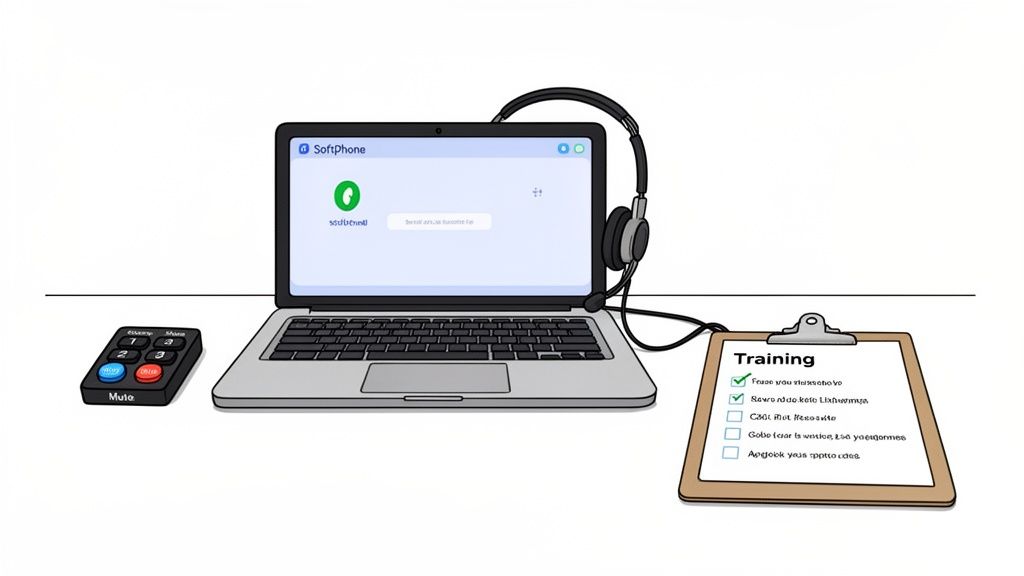
One source of friction is juggling controls for different apps. An agent might be on a Zoom call, then a Teams meeting, then back to their softphone, all while searching for the mute or camera buttons.
Physical controls can make a significant difference.
Tools like the Elgato Stream Deck, when paired with software like MuteDeck, create a universal meeting controller. This gives agents physical buttons for core actions that work the same way across every platform.
- One-Touch Mute: A dedicated button to mute and unmute their mic instantly, with a clear visual indicator.
- Camera Control: A button to toggle their camera on or off without using a mouse.
- Screen Share: A single press to start or stop sharing their screen.
This may seem like a small detail, but it has a real impact. It reduces the mental energy agents spend on managing tools, freeing them to listen and solve problems more effectively. It’s a simple investment in agent efficiency.
# Monitoring Performance and Quality
Getting your contact center live is the starting line. Now the work of refining and optimizing begins.
This is where you shift from building to measuring. You need a way to see what's working and what's not. Without data, you’re flying blind. A quality assurance (QA) and performance monitoring framework guides your decisions with objective numbers. This isn't about micromanaging; it's about creating a culture of data-driven improvement.
# Identifying Your Core KPIs
You could track hundreds of metrics, but you shouldn't. Drowning in data is as bad as having none. Start with a few key performance indicators (KPIs) that give you a clear pulse on your contact center's health.
I’ve seen centers get lost in vanity metrics. Nail these three first.
- First Call Resolution (FCR): What percentage of customer issues are solved on the first try, with no follow-up needed? A high FCR indicates knowledgeable agents and efficient processes.
- Average Handle Time (AHT): The total time an agent spends on an interaction, from pickup to post-call work. Lower is often better, but not at the expense of customer experience.
- Customer Satisfaction (CSAT): Usually measured with a quick post-call survey, CSAT is your most direct line to how customers feel about your service.
When looking at performance, you should always implement strategies to improve CSAT (opens new window). Happy customers are loyal customers.
Here’s a rundown of essential KPIs to watch.
# Essential Contact Center KPIs
A breakdown of key performance indicators, what they measure, and the industry benchmark to aim for.
| KPI | What It Measures | Industry Benchmark |
|---|---|---|
| First Call Resolution (FCR) | Percentage of issues resolved in one contact. | 70-75% |
| Average Handle Time (AHT) | Average duration of a single transaction. | ~6 minutes (varies by industry) |
| Customer Satisfaction (CSAT) | Customer happiness with a specific interaction. | 75-85% |
| Service Level | Percentage of calls answered within a set time. | 80% in 20 seconds |
| Agent Occupancy | Percentage of logged-in time agents spend on calls. | 80-85% |
Tracking these gives you a strong foundation. You can add more specialized metrics later, but these five will tell you most of what you need to know.
# Building Actionable Dashboards
Your KPIs are useless if they’re stuck in a spreadsheet. Bring them to life with dashboards that give your managers real-time visibility. A good dashboard is a decision-making tool, not a data dump.
A manager’s "wallboard" view should instantly show:
- Agents Currently on Calls: Who is active.
- Queue Status: How many people are waiting and for how long.
- Service Level: If you are hitting your goal of answering 80% of calls in 20 seconds.
This provides an immediate feedback loop. If a manager sees the call queue backing up, they can pull agents from email support to handle the spike. The problem is solved in minutes.
Practical Tip: Dashboards aren't just for managers. Giving agents visibility into their own metrics, like their personal FCR and CSAT scores, empowers them to take ownership of their results. It turns abstract goals into tangible, personal objectives.
# Implementing a Practical QA Program
Numbers tell you what happened. A quality assurance program tells you why. QA is the human side of monitoring, where you review interactions to give your team targeted, constructive feedback.
You don't need a complex system to start. An effective QA process needs three things:
- Call and Screen Recording: You must be able to review interactions to coach on them. This is a standard feature in most modern CCaaS platforms.
- Evaluation Scorecards: Build a simple, standardized form to score interactions. Make sure it covers the basics: Did the agent diagnose the problem correctly? Did they follow procedure? How were their soft skills?
- Regular Feedback Sessions: QA is a coaching tool. Managers should set aside time for one-on-ones to review calls with agents, focusing on specific, actionable advice.
For example, instead of saying, "You need more empathy," a manager can play a recording and say, "Right here, when the customer mentioned their frustration, a good response would have been, 'I can understand why that's frustrating.' Acknowledging their feeling first builds trust."
That’s the kind of concrete advice that helps people improve.
# Got Questions? We’ve Got Answers.
When you're building a new contact center, a few questions always come up. Here are the straight answers to the ones I hear most often.
# What's the Single Biggest Mistake People Make?
Choosing the tech before figuring out the strategy.
A sales team shows off a slick platform, and you sign a contract for a system that doesn’t solve your customers' problems. You end up with a tool that’s too complicated or a poor fit for your needs.
Always start with your goals. Map the customer journey. Define what a good experience looks like. Then find the technology to get you there. A solid plan saves you from buyer's remorse.
# How Long Does It Really Take to Set Up a Cloud Contact Center?
This depends on complexity.
For a small team with simple needs like basic call queues and a standard IVR, you can be running in a matter of weeks.
But for a robust setup with custom IVR logic, deep CRM integrations, and multiple channels, you need more time.
For a full-scale deployment, plan on one to three months. That provides enough time for configuration, testing, agent training, and data migration. The biggest delays almost always come from messy internal data or unavailable IT staff.
# Voice or Digital? Where Should I Focus My Efforts?
The answer is in your customer data. It’s not about following trends; it’s about solving problems the way your customers prefer.
Digital channels like chat and email are efficient. But no one wants to argue with a chatbot over a critical billing error. For complex, emotional issues, a human voice is still best.
A balanced approach usually wins:
- Use self-service and digital channels for simple, repetitive tasks like checking an order status. This saves money and frees up your team.
- Keep agents on the phone for high-stakes conversations and tricky escalations where a human touch makes a difference.
Look at your past support tickets. Where are customers getting stuck? What channels are they already trying to use? Let that data guide your investment. The goal is to be where your customers are.
# How Can I Keep My Agents from Quitting During the Switch?
Big changes are stressful. A new system can feel like a threat if agents aren't part of the process. Involve them early and give them tools that make their jobs easier.
Bring a couple of your top agents into vendor demos. Their feedback is valuable—they know what will create friction on a real call.
For training, let them practice in a sandbox environment instead of sitting through slideshows. And consider the small things that reduce their mental load. A physical button for mute or screen sharing means they're not fumbling with a mouse mid-conversation. It's a small change that makes them feel in control.
For agents juggling calls across Zoom, Teams, and Google Meet, MuteDeck is a game-changer. It syncs with hardware like the Elgato Stream Deck (opens new window), giving your team physical, one-touch buttons for mute, camera, and screen sharing that work everywhere. No more "Can you hear me?" chaos. Check out https://mutedeck.com (opens new window) to see how you can cut down on agent stress and make your whole workflow smoother.