# A Practical Guide to Call Management Software
What happens after a customer dials your number? Without the right tech, it's a black box. Calls get dropped, customers get frustrated, and you have no idea what went wrong. This is where call management software comes in.
# What Is Call Management Software?
Call management software is the air traffic controller for your business's phone system. It's a layer of technology that coordinates, routes, and tracks every inbound and outbound call. It turns a simple phone line into a communication hub.

It’s not just for giant call centers. Any business that uses phone calls to connect with customers, partners, or leads can benefit. This software brings order to call traffic, making sure callers get to the right person fast and your team has the tools to sound professional.
# The Core Functions
At its heart, this software handles a few key jobs that make a difference in day-to-day operations. These functions transform a reactive phone system into a proactive business asset.
# Core Functions of Call Management Software
This table breaks down the capabilities of call management software and their direct business impact.
| Core Function | What It Does | Practical Business Benefit |
|---|---|---|
| Intelligent Call Routing | Automatically directs incoming calls to the most appropriate person, team, or department based on predefined rules. | Reduces customer frustration by connecting them to the right expert on the first try. No more endless transfers. |
| Detailed Logging and Analytics | Tracks every single call—answered, missed, or abandoned—and provides data on call volume, duration, and agent performance. | Gives you hard data to identify peak call times, measure team productivity, and see which marketing efforts are driving calls. |
| Queue Management | Places callers in a virtual line when all agents are busy, often providing hold music, wait-time estimates, or a callback option. | Prevents hang-ups and lost leads by managing caller expectations and showing you respect their time. |
These core pieces work together to create a smoother experience for customers and your team.
For example: A small e-commerce shop uses call routing to send pre-sales questions to a product expert and post-sales support issues to the shipping coordinator. This setup improved their first-call resolution rate by 30% because callers stopped getting bounced around.
# Why It's More Than Just Answering Calls
Call management software connects phone activity to business results. It makes a communication channel that’s often invisible, visible. You can see which ads drive phone leads, how long your team takes to solve customer problems, and where the bottlenecks are in your support process.
To understand the technology, it helps to know how a cloud phone system works (opens new window). Most modern tools are built on cloud infrastructure, which gives them flexibility, scalability, and the ability to plug into other business software like your CRM. This foundation enables the smart features that drive growth.
# Key Features That Drive Results
A list of features is just a list. What matters is what those features do for your team and your customers. Good call management software solves genuine communication headaches with focused tools, not by adding complexity.
Here are the features that deliver tangible results.
# Interactive Voice Response (IVR)
IVR can be a self-service portal for your customers. Think of it as an automated front desk, handling simple, repetitive tasks so your human agents don't have to.
For instance, an energy company can use IVR to handle account balance inquiries. A customer calls, enters their account number, hears their balance, and can even pay the bill right then. This frees up the team to tackle complex issues like power outages or billing disputes where a human is needed.
# Automatic Call Distribution (ACD)
Automatic Call Distribution ensures a caller gets to the right person on the first try. It’s the difference between a frustrating game of phone tag and a quick solution. An ACD system doesn't just send a call to the next available agent; it sends it to the best available agent.
This routing isn't random. It can be based on specific logic:
- Skill-Based Routing: A customer with a technical question gets sent straight to a product specialist, bypassing general support.
- Time-Based Routing: Calls that come in after 5 PM are automatically routed to the on-call team or a dedicated after-hours voicemail.
- Geographic Routing: A call from a Chicago area code can be sent directly to the sales rep who knows the local market.
The result is a much higher first-call resolution rate. Research shows that 67% of customer churn is preventable if the issue is solved on the first interaction. ACD helps make that happen.
# Call Recording and Monitoring
Call recording is useful for quality control and training. For a support manager, it’s a direct window into how agents handle customer problems. You can see if they are following procedures or representing the brand well.
Practical example: A manager listens to a call where an agent fumbled explaining a new refund policy. The manager can use that recording to walk the agent through the conversation, offering concrete advice for next time. It turns a generic "do better" into an actionable coaching session.
Call whispering is another feature in this category. It lets a manager listen to a live call and speak directly to the agent without the customer hearing. It’s useful for guiding a new hire through a tough situation in real-time.
# Real-Time Analytics and Dashboards
You can't fix what you can't see. Real-time dashboards give managers an immediate, visual snapshot of what’s happening. No more waiting for end-of-day reports to find out there was a problem hours ago.
A typical dashboard shows live metrics like:
- Current Calls in Queue: How many people are on hold?
- Average Wait Time: Is that hold time increasing?
- Agent Status: Who’s on a call, who’s available, and who’s wrapping up?
- Call Abandonment Rate: Are frustrated customers hanging up before talking to someone?
If a manager sees the queue length spike, they can reassign agents from other tasks to start taking calls. It’s proactive management, stopping small hiccups from becoming major customer service fires.
# CRM and Helpdesk Integrations
Tying your phone system directly into your Customer Relationship Management (CRM) (opens new window) software is a powerful move. When a call comes in, the system recognizes the number and instantly pulls up the customer’s entire history on the agent's screen.
The agent immediately knows who they're talking to, what they've bought, and any support tickets they've filed. The customer doesn't have to repeat information. The conversation feels more personal and efficient, which helps build customer loyalty.
# How Different Professionals Use This Software
A software's feature list is one thing; how it holds up in practice is another. Call management software is like a multitool—its value changes depending on who’s holding it. For some, it’s about professionalism. For others, it’s about control, efficiency, and data.
Let's look at how different people use these tools to solve real-world problems.
# For Remote Professionals and Freelancers
Working from home can blur the lines between personal and professional life. The biggest challenge is maintaining a polished business presence without a physical office. Call management software creates that separation.
A freelance graphic designer doesn't want to put their personal cell number on their website. They can get a virtual business number through the software, which then forwards calls to their mobile.
This simple setup provides:
- Privacy: Their personal number stays personal.
- Professionalism: They can set up a proper voicemail greeting and define business hours. Calls after 5 PM go straight to voicemail.
- Branding: The business number goes on their website and business cards, creating a consistent and credible image.
It’s a straightforward way to build a virtual office that feels as legitimate as a brick-and-mortar one.
# For IT and Operations Managers
For an IT manager, call management software is about managing complexity. They are responsible for making sure the company's communication stack is secure, reliable, and efficient. A cloud-based platform provides the centralized control they need.
Instead of wrestling with individual phone lines and physical handsets, an IT manager can add new users, change call routing rules, and pull performance reports from a single web dashboard. That bird's-eye view is essential for security and maintenance.
This diagram shows how features like routing, analytics, and training tools fit together.
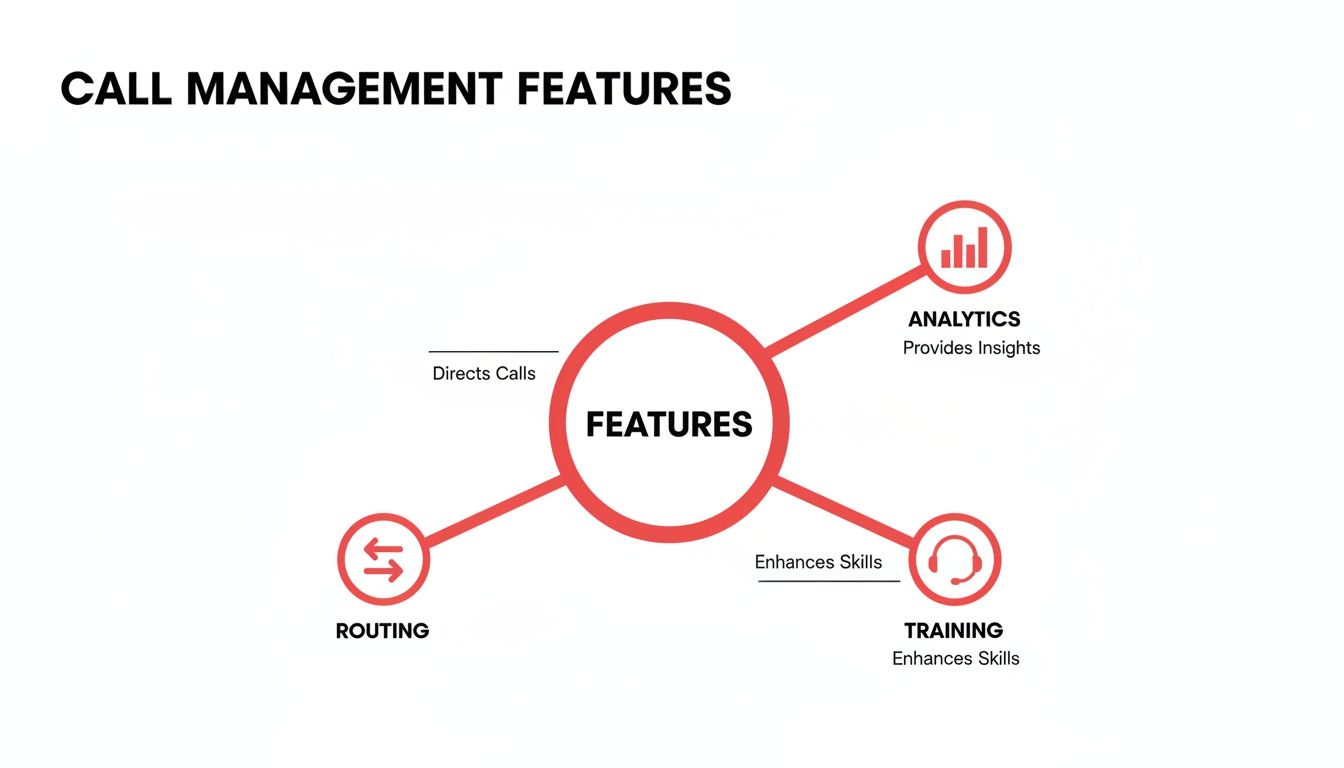
These aren't just standalone functions; they are interconnected pieces of a system.
Practical Tip: An IT manager can use the software's API to connect with their internal employee directory. When a new hire is added to the directory, a new user account and phone extension are automatically created in the call management system. This saves hours of manual setup.
# For Sales and Marketing Teams
Sales and marketing teams rely on data. They have to know which campaigns are driving business. Call management software provides the missing piece for tracking offline conversions: the phone call.
Using call tracking, a marketing manager can assign a unique phone number to each campaign. One number goes on a Google Ad, another on a billboard, and a third on a direct mail flyer. When a call comes in, the software logs which number was dialed.
The result is clear attribution. The manager can see exactly how many calls and how much revenue each campaign generated. That data is gold for optimizing the marketing budget.
The demand for this kind of data is growing. The call tracking software market grew from $1.5 billion to over $2.5 billion and is on track to hit $2.8 billion. This shows how important it is for businesses to connect phone calls to ROI. You can discover more insights about the call tracking market (opens new window) and see where it's headed.
This insight lets a sales manager spot top performers by looking at call volume and duration. The marketing director can confidently put more budget into the channels that make the phone ring. It connects marketing spend directly to sales outcomes.
# Choosing the Right Call Management Software
Picking the right call management software is a strategic move that affects your team’s workflow and your customers’ experience. The goal is to find a platform that fits your existing process, not one that forces you to build a new one.
You have to look past the sales pitch and ask practical questions. How will this work day-to-day? Is it solving a real problem, or is it just another subscription fee?
# Evaluate Core Integrations
First, check integrations. Your call management software cannot be an island. It needs to communicate with the tools your team already uses, especially your CRM or helpdesk platform.
When a call comes in, context is everything. A good integration means the customer’s entire history—past orders, support tickets—pops up on the screen instantly. This simple connection eliminates the "Can you spell your name for me again?" dance and starts the conversation on the right foot. Without it, your team is flying blind.
# Demand True Cross-Platform Support
Work happens everywhere, and your tools need to keep up. True cross-platform support is non-negotiable. This means delivering a consistent, reliable experience no matter where your team logs in.
Make sure any solution you consider offers:
- A dedicated desktop app for both Windows and macOS.
- A fully functional web client for access from any browser.
- A solid mobile app for team members on the move.
If a vendor only builds for Windows, your Mac users are left out. If the mobile app is a stripped-down version of the desktop client, it’s not a real solution. Your team needs the same core functionality, regardless of their device.
# Prioritize Security and Reliability
You're handing over sensitive customer data and private conversations. Security isn't just a feature—it's the foundation. Dig into a vendor’s security protocols. Ask them directly about data encryption for data at rest (on their servers) and in transit (during a call).
Reliability is just as important. A downed phone system means lost sales and unhappy customers. Ask potential vendors about their service uptime.
What’s your uptime guarantee, and is it backed by a Service Level Agreement (SLA)? A trustworthy provider will be transparent about their reliability and have a clear plan for when things go wrong.
Don't cut corners here. A cheap tool with spotty service will cost you more in the long run.
# Scrutinize the Pricing Model
Software pricing can be a maze, sometimes intentionally. Look for clear, straightforward pricing. Avoid vendors who sneak in costs with setup fees, confusing per-minute charges, or pricey add-ons for basic features like call recording.
A per-user, per-month subscription is usually the cleanest approach. It lets you scale as your team changes. Before you sign anything, get a straight answer on the total cost of ownership, including any hidden fees for overages or premium support.
The contact center software market, a huge part of call management, was valued at $49.64 billion and is projected to reach $342.54 billion by 2034. You're tapping into a rapidly advancing market. Find out more about the growth of contact center technology (opens new window).
# Consider the API and Customization Options
Think about the future. An Application Programming Interface (API) helps future-proof your setup. It gives you the power to build custom solutions and connect your call software to anything else in your tech stack.
Even if you don’t have a use for it today, a well-documented API provides flexibility. You could build custom dashboards, trigger alerts in other apps when a call ends, or automate user onboarding. A closed-off system boxes you in and limits your ability to adapt.
A critical point is how well the software handles voice-to-text transcription. This feature is important for accurate records and analysis, but poor quality can fill your customer records with junk data. Understanding the nuances of speech-to-text accuracy (opens new window) will help you ask vendors how well their transcription engine performs.
# Solving Universal Call Control Frustrations
Most call management software is great at routing calls and crunching data. But for the person on the call, there's a daily frustration: the controls are all over the place.
You finish a Zoom (opens new window) meeting, jump into Google Meet (opens new window), and the mute button has moved. An hour later, you're in a Microsoft Teams (opens new window) session, and that muscle memory is useless. It’s a small thing, but it’s a constant drag on focus.
The problem is the lack of a consistent bridge between apps. You’re left fumbling for the right button, leading to the classic "you're on mute" moments.
# The Need for a Unified Control Layer
What you really need is a single, reliable control panel that sits on top of all these apps. Imagine having one button for your microphone, one for your camera, and one for screen sharing that works the same way, no matter which meeting platform you’re using.
This simple idea changes everything. It separates the action (muting your mic) from the application (Zoom, Teams, or Meet). A dedicated tool can provide this universal control, giving you a consistent experience so you can focus on the conversation, not the interface.
This screenshot of MuteDeck shows what that looks like in practice—a clean, centralized dashboard for managing your call, no matter the platform.
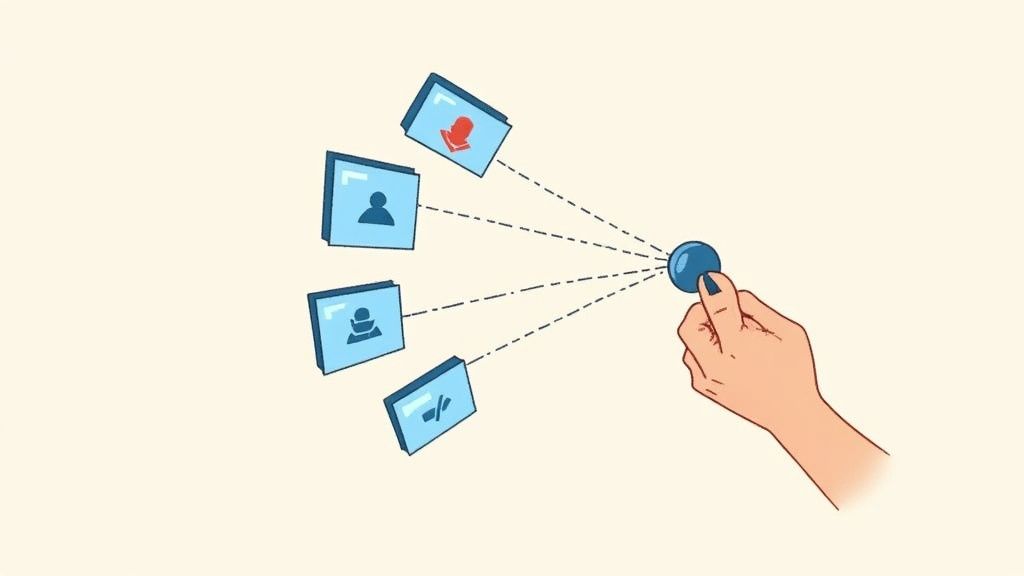
The simplicity is the point. You get immediate, predictable visual feedback on your status (mic, camera, sharing) in one place. Always.
# Practical Solutions for Consistent Control
Tools like MuteDeck (opens new window) were built to solve this universal control problem. They hook into the major conferencing platforms to give you a single point of management. They are especially good at connecting software controls to the physical world.
Here’s what that gives you:
- Hardware Integration: This is a big one. You can connect your meeting controls to physical buttons on a device like an Elgato Stream Deck (opens new window) or even a foot pedal. A single tap can mute your mic across any app. It’s tactile, reliable control without grabbing your mouse.
- Cross-Platform Consistency: The controls behave identically on Windows or macOS. This is a win for companies with mixed-device environments, ensuring everyone gets the same setup.
- Custom Workflows with a REST API: For those who like to tinker, an accessible API opens up custom automations. You could program your smart lights to turn red when your mic is live or have your music automatically pause when a call starts.
For a presenter or educator, this is a game-changer. You can mute your mic with a foot pedal while your hands are busy, or use a single button on a Stream Deck to start a recording, share your screen, and turn on your camera simultaneously.
This kind of tool doesn't replace your existing call management software. It makes it better by fixing a universal annoyance. It’s about taking back control and making online meetings smoother and less stressful.
# Putting Your Call Management Plan into Action
Choosing the right software is the first step. The real test is integrating it into your daily workflow without causing a meltdown. A smart rollout plan makes the difference, turning a disruptive change into a smooth upgrade.
Before you commit, start with a free trial or demo. This is your chance to test the software in your own environment, not just watch a sales presentation. See how it works with your CRM, get a feel for the interface, and check if the call quality holds up when things get busy.
# A Practical Rollout Strategy
Don't flip the switch for the entire company at once. A phased approach is safer and more effective. It lets you iron out wrinkles on a small scale before everyone depends on the new system.
- Start with a Pilot Group: Pick a small, tech-savvy team to be your guinea pigs. Their feedback is gold—it will help you spot potential problems and fine-tune the setup before the full launch.
- Define Call Routing Rules Upfront: Map out your ideal call flows before you touch any settings. Who gets sales calls? Where do support tickets go after 5 PM? Nailing this down simplifies the technical side.
- Train Your People: Don't just give new software to your team and hope for the best. Schedule training sessions that focus on the features they'll use every day. Keep it practical and tied to real-world scenarios.
# Measuring Your Success
Once you're live, you need to know if it's working. Tracking the right metrics gives you proof of its impact. This is what separates a perceived improvement from a measurable one. The market for related tools like call center workforce management software was valued at $6.5 billion in 2023 and is projected to hit $11.5 billion by 2030—a jump driven by the need for data-backed efficiency. To get the full picture, you can learn more about call center workforce management software (opens new window).
Keep your eye on these key performance indicators (KPIs):
- Average Wait Time: How long are customers on hold? A lower number is a direct win.
- First-Call Resolution Rate: What percentage of problems get solved on the first try? This is a huge indicator of customer happiness and agent skill.
- Call Abandonment Rate: Are fewer people hanging up in frustration? This shows your routing and queue management are improving the experience.
By focusing on a structured rollout and tracking these concrete numbers, you can turn your investment in call management software into tangible business improvements.
# A Few Lingering Questions
Still have a couple of questions? Let's clear them up.
# Is This Kind of Software Just for Big Companies?
Not at all. In the past, a sophisticated phone setup was expensive. Now, most call management software is cloud-based and sold with a simple subscription, putting it within reach for small businesses.
For a small team, it's a game-changer. You can project a more professional image with features like an auto-attendant or custom on-hold music. You can make sure every call gets to the right person with smart routing, and track which marketing efforts are making the phone ring—all without a huge upfront investment.
# What's the Difference Between Call Management and VoIP?
It's easy to mix these up. VoIP (Voice over Internet Protocol) is the technology that lets you make calls over the internet. Call management software is the set of tools that sits on top of your phone system to help you organize, track, and control those calls.
One is the plumbing; the other is the control panel. VoIP is like the pipes that carry the water, while call management software is the smart faucet, the meter, and the filtration system that gives you control over the flow.
# How Hard Is This Stuff to Set Up?
Setup can vary, but most modern cloud systems are built for people who aren't IT wizards. You'll usually find guided onboarding and a clean web dashboard that makes configuration straightforward.
The hardest part is often just mapping out how you want your calls to flow. A good tip is to start simple. Get the basics running first, then layer in more advanced rules as your team gets comfortable with it.
Tired of fumbling for the mute button across five different meeting apps? MuteDeck gives you the single, unified control you've been looking for. Take back your meetings with one consistent interface that just works. Start your free trial (opens new window) and feel the difference.