# 10 Remote Work Best Practices for Professionals in 2025
Working remotely, especially in a meeting-heavy role, requires a deliberate shift in how you manage time, space, and communication. Without an office structure, the lines between work and life blur, video calls become draining, and team connection suffers. The default state of remote work can become disorganized and inefficient.
This guide offers ten specific remote work best practices to address these problems directly. These are not theories but concrete steps for professionals who spend their days on calls. The goal is to move beyond simply functioning remotely to building a sustainable and productive career. This list covers ergonomics, security, asynchronous communication, and team culture from a distance.
You will learn how to refine your meeting etiquette, optimize your hardware and software, and build a routine that protects your focus and personal time. We will cover the tactical details that make a remote career work.
# 1. Establish a Dedicated Workspace
The line between professional and personal life disappears when your home is your office. Creating a physical boundary with a dedicated workspace is an effective remote work practice. This doesn't require a separate room. Designating a specific area, whether a corner or a separate building, exclusively for work helps your brain switch into "work mode" when you enter and switch off when you leave.

Seasoned remote professionals adopt this for a reason. Digital nomads pay for coworking memberships to maintain this separation. Tech companies like Google and Microsoft offer home office stipends because a well-equipped, dedicated space improves productivity and employee well-being. The goal is to minimize household distractions and create an environment engineered for concentration.
# How to Implement This Practice
Creating an effective workspace is more than putting a laptop on the dining table. Focus on ergonomics and organization.
- Invest in Ergonomics: A quality ergonomic chair and a desk at the proper height are non-negotiable. Your monitor should be at eye level to prevent neck strain. Your keyboard should allow your wrists to remain neutral.
- Create Physical Separation: If a separate room isn't possible, use a room divider, a bookshelf, or a large plant to visually partition your workspace. This trick reinforces the psychological boundary.
- Optimize Your Environment: Position your desk near natural light. Keep the area clean and organized, removing clutter at the end of each day. This signals the workday is over and gives you a fresh start in the morning.
For more on crafting the perfect setup, read the guide on the importance of a dedicated work-from-home space (opens new window).
# 2. Maintain Consistent Schedules and Routines
The flexibility of remote work can become chaos without structure. Sticking to a consistent schedule creates predictability. A regular routine signals to your brain when it's time to work and when it's time to rest, which helps prevent the "always-on" feeling that causes burnout. This practice builds a framework for your day and helps manage expectations for you and your team.
Productivity expert Cal Newport, author of Deep Work, argues that disciplined schedules are necessary for high-value output. Companies with a remote-first culture implement this in different ways. Automattic relies on an asynchronous-first model but uses scheduled syncs to ensure collaboration. Buffer establishes core hours where team members across time zones are expected to be available for real-time communication. The idea is to balance autonomy with structured coordination.
# How to Implement This Practice
A successful routine is personal, but the principles are universal. It's about creating clear start and end points for your day and building rituals that support focus.
- Define and Communicate Your Hours: Set specific work hours and make them visible to your team through your calendar or Slack status.
- Create a "Commute" Ritual: Since you don't have a physical commute, create a replacement. This could be a short walk, reading a chapter of a book, or making coffee. The ritual helps your mind transition into work mode.
- Block Your Calendar: Use time blocking to schedule meetings, deep work sessions, and breaks. The Pomodoro Technique, working in 25-minute focused bursts with a 5-minute break, is a popular method.
- Implement a Shutdown Routine: Create a clear "end of work" ritual. This could be reviewing your to-do list for tomorrow, organizing digital files, or tidying your desk. This act of closing down helps you mentally disconnect.
# 3. Use Reliable Technology and Tools
Technical glitches derail meetings, corrupt files, and halt productivity. A key remote work practice is investing in dependable hardware, software, and internet. This foundation minimizes disruptions and ensures you can communicate effectively without the fear of a dropped call or lagging video. Your tech stack is your virtual office; if it's unstable, your workday is unstable.
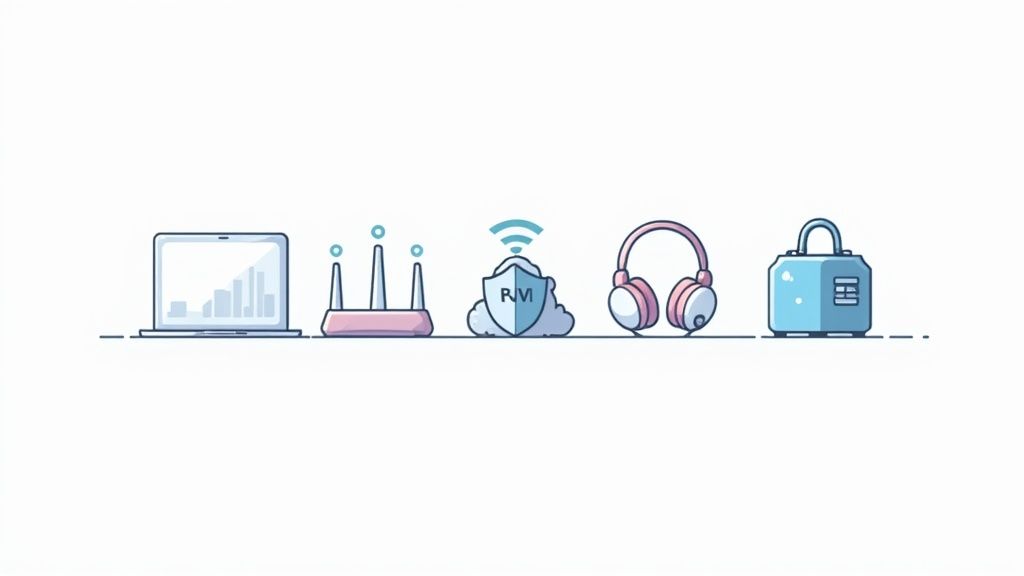
This principle is validated by the software that powers modern remote teams. Slack and Zoom built their businesses by offering reliable communication that works. Project management platforms from Atlassian (Jira, Trello) and documentation hubs like Notion have become indispensable by providing stable, shared environments. For professionals in meeting-heavy roles, reliable tech isn't a luxury; it's a prerequisite for high performance.
# How to Implement This Practice
A reliable tech setup involves proactive maintenance and smart investments. Focus on stability, security, and redundancy.
- Secure a Stable Internet Connection: Your internet is your lifeline. Regularly test your connection speed. If you face frequent outages or slow speeds, upgrade. Having the best internet for working from home (opens new window) is fundamental.
- Keep Your Tools Updated: Software and OS updates often contain security patches and performance improvements. Enable automatic updates where possible.
- Prioritize Security: Use a password manager to create and store strong, unique passwords. Enable multi-factor authentication (MFA) on all critical accounts.
- Test Before You Go Live: Before any important meeting, test your camera, microphone, and screen-sharing functions. This five-minute check can prevent technical issues when it matters.
# 4. Over-Communicate and Document Everything
In a remote setting, you lose the context from overhearing conversations. This makes deliberate communication and documentation a critical remote work practice. The goal is to create a single source of truth accessible to everyone, regardless of their time zone. This practice minimizes misunderstandings, reduces duplicate work, and helps team members find answers on their own.
This philosophy is used by companies built on remote-first principles. GitLab is known for its public handbook, a massive repository detailing everything from engineering workflows to company values. Basecamp and Automattic operate with a writing-first culture, where important discussions and decisions happen in written form, creating a searchable record. This means decisions made verbally in a Zoom call aren't lost when the meeting ends; they are captured and shared.
# How to Implement This Practice
This practice requires a cultural shift toward transparency and new habits. Information should be discoverable by default.
- Recap Every Meeting: After a call, send a brief summary to attendees and stakeholders. Outline decisions, action items with owners, and deadlines. Use a shared document or project management tool.
- Default to Asynchronous Channels: Use tools like Slack for quick queries but move important discussions to platforms like email, Asana, or a company wiki. This creates a persistent, searchable log.
- Build a Knowledge Base: Maintain a centralized wiki (using Confluence, Notion, or Guru) for standard operating procedures (SOPs), project plans, and team information. This becomes the first place to look for an answer.
- Use Visuals for Complexity: Instead of explaining a complex process in a long message, record a short screen-sharing video with a tool like Loom. It’s faster to create and easier for the recipient to understand.
# 5. Set Clear Boundaries Between Work and Personal Life
The biggest risk of remote work is the erosion of personal time. Without a physical commute, work can bleed into evenings and weekends, leading to burnout. Setting firm boundaries is one of the most important remote work practices for sustainability and mental health. It involves consciously defining when and where your professional responsibilities end each day.
This idea is gaining institutional recognition. France's "right to disconnect" law protects employees from after-hours emails. Companies like Daimler have experimented with auto-deleting emails that arrive while an employee is on vacation. These policies acknowledge that constant connectivity is unsustainable. For meeting-heavy professionals, boundaries are even more important. Back-to-back calls make it impossible to take breaks, eat lunch, or mentally reset. A clear "off" switch is necessary.
# How to Implement This Practice
Establishing boundaries requires proactive effort and clear communication. It's about creating habits and using tools to enforce your work-life separation.
- Schedule Your "Off" Time: Block out personal appointments and your end-of-day cutoff directly on your work calendar. This makes your unavailability visible to colleagues.
- Establish a Shutdown Ritual: Create a routine to signal the end of the workday. This could be closing your office door, putting your work laptop in a drawer, or taking a walk. The physical action reinforces the mental shift.
- Silence Notifications Ruthlessly: Use your phone and app settings to mute all work-related notifications after your set hours. Use features like "Focus Mode" on Microsoft Teams or "Do Not Disturb" on Slack.
# 6. Prioritize Regular Communication and Check-ins
In a remote setting, you lose spontaneous "watercooler" conversations. Prioritizing regular communication is a remote work practice designed to intentionally recreate these connections. It involves a rhythm of scheduled one-on-ones, team meetings, and informal check-ins to maintain alignment, build relationships, and prevent isolation. This structured approach ensures information flows and everyone feels part of the team.
This practice is central to successful remote-first companies. GitLab pairs structured asynchronous updates with synchronous meetings for its global team. Buffer uses a combination of weekly team calls and dedicated social channels to build its culture. The goal is to build a communication architecture that is both predictable and flexible, allowing for deep work while keeping everyone informed. Basecamp co-founder Jason Fried says intentional communication prevents the "out of sight, out of mind" problem.
# How to Implement This Practice
Effective remote communication is about quality and consistency, not just quantity. Over-scheduling meetings can be as damaging as not having enough. Create a balanced mix of formal and informal touchpoints.
- Schedule Recurring 1:1s: Set up a consistent weekly or bi-weekly 1:1 meeting with your direct manager and any direct reports. Use this time for discussing career growth, challenges, and feedback, not just project status.
- Embrace Asynchronous Updates: For global teams or to reduce meeting fatigue, use tools like Slack, Twist, or internal blogs for daily or weekly status updates. This keeps everyone informed without requiring them to be online at the same time.
- Create Spaces for Casual Connection: Designate a specific Slack or Teams channel for non-work topics like hobbies, pets, or weekend plans. Scheduling optional "virtual coffee chats" can also replicate the social fabric of an office.
To master video-based interactions, review our ultimate guide to productive Zoom meetings (opens new window).
# 7. Develop Effective Asynchronous Communication Practices
Constant real-time communication is a major pitfall of remote work. It leads to endless notifications and fragmented focus. A core remote work practice is to embrace asynchronous communication, which means sending messages without the expectation of an immediate response. This approach respects different working hours and time zones, reduces interruptions, and allows for deep, focused work. It creates a calmer environment where thoughtful responses are valued over instant reactions.
This practice is the foundation of successful distributed companies. GitLab built its operational model around an asynchronous-first mindset. Automattic and Doist have scaled globally by defaulting to asynchronous channels, reserving synchronous meetings for urgent or highly collaborative discussions. The point is not to eliminate real-time conversation but to make it intentional, freeing up the day for uninterrupted productivity.
# How to Implement This Practice
Transitioning to an async-first culture requires clear guidelines and the right tools. The key is to give your team the structure needed to communicate effectively without instant feedback.
- Default to Asynchronous First: Train your team to ask, "Could this be an email, a detailed message, or a short video instead of a meeting?" Make tools like Slack or Microsoft Teams the home for detailed, non-urgent updates.
- Establish Clear Response Times: Create and communicate expectations for response times based on message priority. For example, a 24-hour turnaround for non-urgent DMs and a 48-hour window for email can reduce anxiety.
- Use Video for Clarity: For complex explanations, record a short video using a tool like Loom. This provides the context of a conversation without a live call.
- Organize and Document Information: Use shared documents, wikis, or project management tools to create a single source of truth. This prevents repetitive questions and allows everyone to find answers on their own.
# 8. Manage Distractions and Practice Deep Work
Remote work offers autonomy, but it also opens the door to distractions like household chores and notifications. A critical remote work practice is consciously managing these interruptions to enable "deep work." Coined by author Cal Newport, deep work is a professional activity performed in a state of distraction-free concentration. These efforts create new value, improve your skill, and are hard to replicate.

This principle is common in results-oriented remote cultures. Basecamp is known for championing asynchronous communication and "quiet days" to protect employee focus. Microsoft has integrated "Focus Time" into its Teams and Viva platforms, allowing users to automatically block their calendars and silence notifications. Adopting this mindset is necessary for meeting-heavy roles, as it carves out time for preparation, follow-up, and problem-solving that happens outside of calls.
# How to Implement This Practice
Integrating deep work requires deliberate action. The goal is to build a repeatable system that protects your attention.
- Time Block Your Calendar: Schedule non-negotiable "focus time" blocks on your calendar. Treat these appointments with the same importance as a client meeting. This makes your unavailability visible and prevents your day from being fragmented.
- Create a Distraction-Free Environment: Silence all non-essential notifications on your computer and phone during focus sessions. Use apps like Freedom or Cold Turkey to temporarily block distracting websites. If possible, keep your phone in another room.
- Use a Structured Focus Method: The Pomodoro Technique is a popular method where you work in focused 25-minute intervals separated by short breaks. This structure helps maintain high concentration.
- Communicate Your Availability: Set a status message in your communication tools (e.g., Slack or Teams) indicating you are in a focus session and will respond to messages later. This manages team expectations.
# 9. Invest in Professional Development and Training
Remote work can isolate employees from the informal learning that happens in an office. A key remote work practice is to intentionally support professional growth through continuous learning, structured training, and mentorship. By investing in your team's development, you keep them engaged, equip them with new skills, and show a commitment to their career progression.
This approach is used by forward-thinking companies that understand talent development is not location-dependent. Salesforce offers employees extensive learning resources through its Trailhead platform. Google’s "20% time" encourages employees to work on side projects that often lead to new skills. The goal is to build a culture where learning is an integrated part of the work, ensuring your team remains competitive.
# How to Implement This Practice
A successful professional development program needs structure, support, and a connection to an employee's career goals.
- Allocate a Learning Budget: Provide each employee with an annual budget for courses, books, conferences, and certifications. This lets them take ownership of their growth.
- Establish Mentorship Programs: Pair junior team members with senior colleagues for regular guidance. This helps transfer institutional knowledge and builds stronger team connections.
- Create Peer Learning Groups: Organize "lunch and learns" or dedicated Slack channels where team members can share takeaways from conferences, discuss articles, or present new tools.
- Offer Flexible Learning Formats: Support different learning styles by providing a mix of resources, including asynchronous video courses (like LinkedIn Learning), subscriptions to industry publications, and access to virtual workshops.
# 10. Create Inclusive Culture and Social Connection
Remote work can lead to isolation, where team members feel disconnected from the company and their colleagues. A vital remote work practice is to intentionally build a culture of inclusivity and social connection. This means actively creating opportunities for non-work interactions and ensuring every team member feels valued and seen. This psychological safety is the bedrock of high-performing distributed teams.
This practice is used by remote-first pioneers like Buffer and GitLab, who have built their operational models around a strong, distributed culture. They show that culture isn't about office perks but about shared values and deliberate human connection. Zapier uses virtual retreats to build team bonds, while HubSpot's culture code is a guiding document for its global workforce. These efforts ensure that even in an asynchronous environment, team members feel part of a cohesive unit.
# How to Implement This Practice
Building connection requires deliberate, consistent effort. It's about integrating social rituals into the team's routines.
- Create Dedicated Social Spaces: Launch non-work-related Slack or Teams channels like
#pets,#cooking, or#random-chatter. These spaces give team members a low-pressure environment to share parts of their personal lives. - Schedule Intentional Social Time: Block out time for virtual coffee chats, team lunches, or structured social events like online game sessions. Using a tool like Donut for Slack can automate random pairings for 1-on-1 chats, helping relationships grow across the company.
- Celebrate Wins and Milestones: Publicly acknowledge birthdays, work anniversaries, and project successes in a company-wide channel. This visibility ensures everyone's contributions are recognized and celebrated.
For more strategies on combating workplace isolation, explore our guide on how to feel less lonely when working from home (opens new window).
# 10-Point Remote Work Best Practices Comparison
| Practice | Implementation Complexity 🔄 | Resource Requirements ⚡ | Expected Outcomes 📊 | Ideal Use Cases 💡 | Key Advantages ⭐ |
|---|---|---|---|---|---|
| Establish a Dedicated Workspace | Moderate — physical setup & ergonomics | Furniture, space, peripherals, initial cost | Improved focus, posture, professional presence | Remote workers with available home space; video-heavy roles | Clear boundaries; fewer distractions; better health |
| Maintain Consistent Schedules and Routines | Low — habit change and scheduling | Calendars, discipline, team coordination | Stable productivity; better sleep and balance | Teams needing overlap; individuals who benefit from structure | Predictability; reduced burnout; easier collaboration |
| Use Reliable Technology and Tools | Medium — procurement & integration | Hardware, subscriptions, IT support, backups | Fewer disruptions; secure, seamless collaboration | Remote-first orgs; heavy digital collaboration | Better communication quality; security; efficiency |
| Over‑Communicate and Document Everything | Medium — process adoption & discipline | Documentation platforms, time for writing | Transparency; accountability; faster onboarding | Distributed teams; complex projects; onboarding | Reduces misunderstandings; searchable records |
| Set Clear Boundaries Between Work and Personal Life | Low — policy + personal discipline | Policies, notifications controls, separate devices | Reduced burnout; improved wellbeing and relationships | High-demand roles; hybrid workers | Sustainable productivity; prevents "always on" culture |
| Prioritize Regular Communication and Check‑ins | Medium — scheduling & facilitation | Meeting tools, time allocation, agendas | Stronger alignment; early issue detection | Teams needing engagement, mentorship, alignment | Improves cohesion; timely feedback; morale boost |
| Develop Effective Asynchronous Communication Practices | Medium — cultural change & tooling | Docs, recorded messages, clear guidelines | Flexible collaboration; deeper focus time | Global teams across time zones; async-first orgs | Fewer interruptions; thoughtful responses; searchable history |
| Manage Distractions and Practice Deep Work | Medium — habit formation & controls | Blocking tools, calendar blocks, environment tweaks | Higher-quality focused output; fewer errors | Knowledge work, developers, creative tasks | Improved problem-solving; sustained concentration |
| Invest in Professional Development and Training | Medium — program design & commitment | Learning budgets, platforms, mentors, time | Skill growth; higher retention; career progression | Growth-oriented companies; roles needing upskilling | Increases engagement; builds internal expertise |
| Create Inclusive Culture and Social Connection | Medium — continuous effort & facilitation | Event budgets, facilitators, time, platforms | Higher engagement; lower turnover; trust building | Distributed teams at scale; onboarding cohorts | Stronger cohesion; improved wellbeing; collaboration |
# Putting These Practices to Work
The transition from theory to practice is where the real work begins. The goal isn't to implement all ten ideas overnight. That leads to burnout.
The path to a sustainable and productive remote career is built on small, intentional adjustments. Find one or two areas causing the most friction in your day and focus your energy there.
# Start Small, Build Momentum
Don't overhaul your entire workflow. Pick one thing. If back-to-back meetings leave you feeling drained, your starting point is a simple, concrete change.
For example, you could:
- Block 15 minutes of "no-meeting" time on your calendar after every long call to decompress.
- Commit to a hard stop at 5:00 PM for one week. Close the laptop and walk away. No exceptions.
- Use a tool for one specific job. Instead of fumbling for the mute button in three different apps, a hardware controller like a Stream Deck paired with MuteDeck gives you a physical, reliable button. This single change reduces cognitive load.
These small wins create momentum. Mastering your mute button makes you feel more in command, which makes it easier to tackle bigger challenges like setting clearer boundaries.
# From Individual Habits to Team Culture
While many of these practices start with individual habits, their real power is unlocked when they become part of the team's culture. An individual's commitment to clear documentation is good. A team-wide agreement to prioritize detailed asynchronous updates over status meetings is transformative. This shift requires conscious effort from everyone, especially leaders. For leaders aiming to optimize their virtual workforce, it is helpful to explore comprehensive strategies to manage remote teams effectively (opens new window) to build a culture of trust and autonomy.
Mastering these remote work practices is not about finding a secret formula. It's about building a personalized system that supports your well-being and effectiveness. It’s a continuous process of observation and experimentation. You test a new routine, keep what works, and discard what doesn’t. Over time, these small actions compound, creating a work life that is not only productive but also sustainable. The key is to start now, start small, and be consistent.
Ready to take instant control of your meetings? MuteDeck gives you a physical, one-press button to mute your mic, turn off your camera, and manage your calls across Zoom, Teams, and Google Meet. Stop hunting for controls and stay focused on the conversation with MuteDeck (opens new window).