# A Practical Guide on How to Create Webinars That Convert
Long before you even think about opening a slide deck, the real work of creating a great webinar begins. It all comes down to getting three things right: your business goal, who you're talking to, and a topic that connects the two. Nailing this foundation is what separates a webinar that people forget in five minutes from one that actually grows your business.
# Building Your Webinar Foundation for Success
Before you get lost in content creation, stop and ask the most important question: Why am I doing this? The answer will drive every single decision you make, from the title you pick to the metrics you obsess over later. Without a clear "why," a webinar is just noise. With one, it's a precision tool.
This isn't just about feeling organized; it's about getting real results. The data backs this up. A massive 95% of marketers now see webinars as a critical part of their strategy. And for B2B folks, it's even more potent—a whopping 73% rate webinars as their top source for high-quality leads. If you want a deeper dive, these compelling webinar statistics show just how much is on the line.
# Define Your Primary Business Goal
Your webinar needs a job to do. Is its purpose to generate leads? Educate new customers? Or are you trying to plant a flag and claim your spot as an industry expert? Each goal requires a completely different playbook.
Here's a quick reference I use to keep things straight. It helps align the "why" with the "what" and the "how-to-measure-it."
# Webinar Goal and Content Alignment Framework
| Primary Goal | Recommended Topic Type | Key Performance Indicator (KPI) |
|---|---|---|
| Lead Generation | Problem-solving workshops, "How-To" guides | Number of qualified leads, conversion rate |
| Customer Onboarding | Product deep-dives, best-practice tutorials | Product adoption rate, reduced support tickets |
| Brand Awareness | Industry trend reports, expert panel discussions | Social media mentions, press coverage, attendance |
A simple framework like this prevents you from trying to do too much at once, which is a common mistake.
My Two Cents: Don't try to make one webinar do everything. A webinar built for lead gen will feel way too salesy for a new customer trying to learn your product. And a technical deep-dive won't attract a big, top-of-funnel audience. Pick one primary goal and commit to it.
# Get to Know Your Ideal Attendee
Once your "why" is locked in, it's time to figure out your "who." Who is the perfect person to be sitting on the other side of the screen? Forget basic demographics. You need to build a real persona.
What's their job title? What keeps them up at night professionally? What are they Googling at 11 p.m. to solve a problem?
Knowing their pain points is your secret weapon. A generic topic gets you a generic crowd. A hyper-specific topic that speaks directly to their struggles will attract the exact people you want to talk to. Practical Tip: Check the comments section on popular industry blogs or look at relevant questions on Quora and Reddit. The exact language people use to describe their problems is pure gold for your webinar title and content.
# Pick a Topic That Actually Solves a Problem
Okay, you have your goal and your audience. Now you can finally land on a topic. The sweet spot is right where your audience's biggest problem meets your company's expertise.
Let’s run through a quick example. Imagine a B2B SaaS company wants to generate leads from marketing managers. A generic title like "An Introduction to SEO" is going to fall flat. It’s been done a million times.
A much stronger angle? "How to Use AI to Find Untapped SEO Keywords for Your Niche."
Let's break down why this works so well:
- It targets a specific person: marketing managers.
- It solves a real problem: the constant need for fresh, valuable keywords.
- It offers a modern hook: using AI, which immediately grabs attention.
- It aligns with the goal: attracting people who are serious about SEO (and likely in the market for their software).
This kind of strategic thinking is the first, most critical step in learning how to create webinars that don't just happen—they make an impact.
# Crafting Content That Captivates and Educates
Okay, you’ve got your goals and you know who you’re talking to. Now for the fun part: building the actual content for your webinar. This is where you move from strategy to a real, tangible experience that keeps people glued to their screens and delivers genuine value.
The first big decision you need to make is your delivery format. This choice sets the tone for the entire session and dramatically impacts the energy of the event.
# Choosing the Right Webinar Format
There’s no single “best” format. The right one really depends on what you’re trying to achieve, who you’re talking to, and the story you want to tell.
Let’s break down a few popular options:
The Solo Deep-Dive: This is the classic one-person show where you, the expert, guide the audience through a specific topic. It’s perfect for detailed tutorials, product demos, or when you’re sharing a unique framework. Think of a webinar like "How to Set Up Your First Google Ads Campaign"—it works perfectly as a solo act.
The Expert Interview: Instead of slides, this format is all about a dynamic conversation with another industry pro. It’s a fantastic way to bring in fresh perspectives (and borrow a bit of their audience and credibility). A good example would be interviewing a CFO on "Financial Planning for Startups."
The Panel Discussion: This is where you bring multiple experts together to discuss a topic from different angles. It’s a great format for exploring broad industry trends or tackling controversial subjects. Imagine a lively panel on "The Future of Remote Work" with experts from HR, tech, and wellness. The insights would be incredible.
A Quick Tip from Experience: If this is your first webinar, I’d strongly suggest the solo deep-dive. It’s the most straightforward to manage. Juggling multiple speakers on a panel requires a skilled moderator to keep things on track, which adds a whole layer of complexity you don't need on your first go-around.
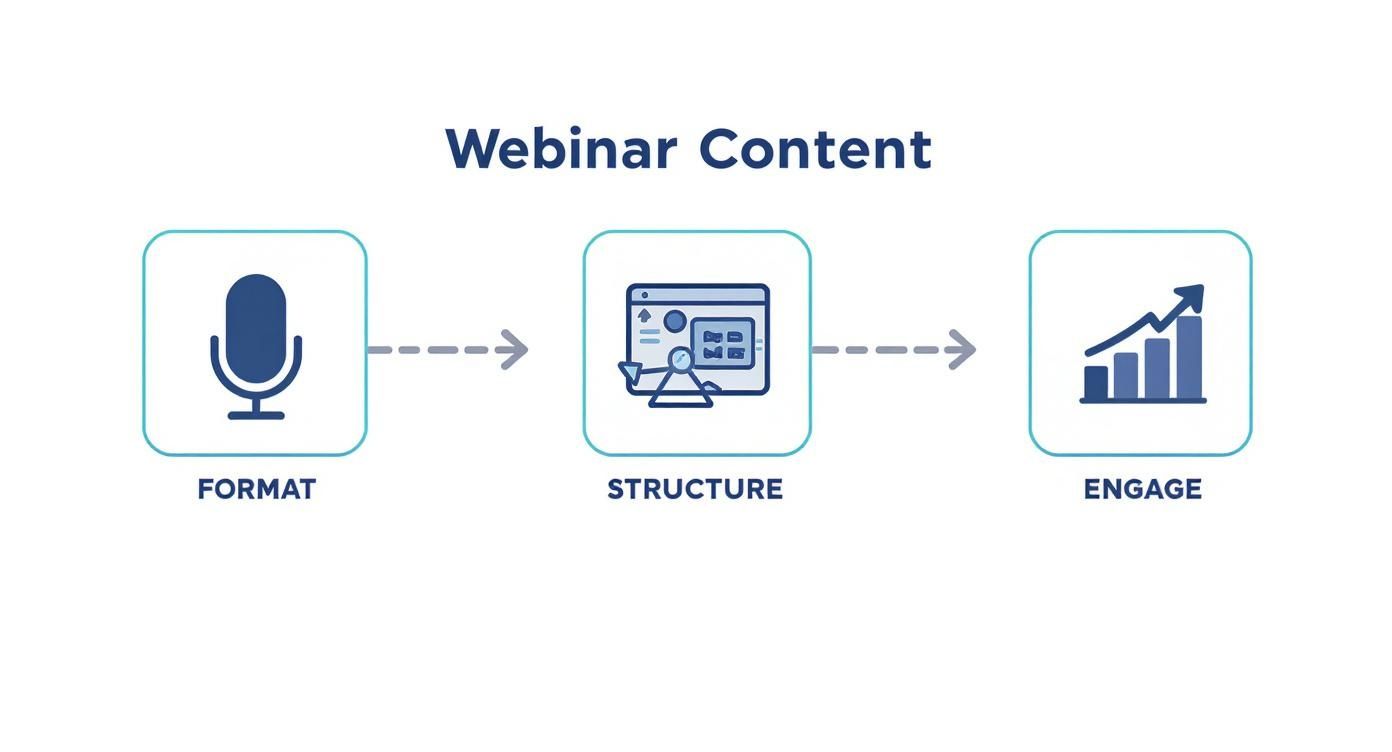
# Building Your Webinar's Narrative Structure
Once you’ve settled on a format, you need a rock-solid structure. A good webinar isn't just a list of facts; it's a journey. You need a narrative that guides your audience from start to finish, making the information stick.
Here’s a simple but powerful blueprint I use for almost every presentation:
- The Hook (First 5 Minutes): Your opening is everything. Kick things off with a bold statement, a surprising statistic, or a relatable story that hits on a major pain point. Something like, "Did you know that 50% of small businesses fail to track their marketing ROI? Today, we're going to fix that."
- The "Why" (Next 5-10 Minutes): Quickly lay out the agenda, but more importantly, tell them why this matters to them right now. This creates buy-in and makes your audience lean in, ready to learn. Practical Tip: Frame your agenda as outcomes. Instead of saying "We'll cover topic A, B, and C," say "You're going to walk away knowing how to A, how to implement B, and how to avoid C."
- The Core Content (30-35 Minutes): This is the meat of your presentation. I recommend breaking it down into three or four key sections. Use real-world stories, data, and practical examples to make your points hit home.
- The "What Now" and Q&A (10-15 Minutes): Don't just end it. Summarize the key takeaways and give people clear, actionable next steps. Then, open it up for a live Q&A to tackle their specific questions and prove you know your stuff.
# Designing Visually Engaging Slides
Remember, your slides are the visual backdrop to your story, not the story itself. If there’s one golden rule here, it's less is more.
Never, ever cram paragraphs of text onto a slide. When you do that, you force your audience to choose between reading your slide and listening to you. Guess what? They can't do both well.
Instead, stick to these practices for clean, effective slides:
- One Idea Per Slide: Seriously. Focus each slide on a single, powerful concept.
- Use High-Quality Visuals: Compelling images, simple charts, or even a well-placed GIF can do more to illustrate a point than a wall of text ever could.
- Prioritize Readability: Stick with large, clean fonts and high-contrast colors. If it's hard to read, it won't get read.
- Plan Interactive Moments: Engagement isn’t just for the end. Plan specific points in your presentation to launch a poll, ask a question in the chat, or run a quick quiz. For instance, after talking about a common industry challenge, launch a poll asking, "Which of these challenges resonates most with you?" It keeps the energy high and gives you valuable real-time feedback.
# Choosing Your Tech Stack and Setting Up Your Studio
Alright, you've nailed down your webinar's content and structure. Now it’s time to get the tech right. The gear and software you choose aren't just background details; they are the stage your entire event is built on. A glitchy platform or fuzzy audio can sink even the best presentation.
Let's walk through how to build a reliable setup—from the platform that hosts your audience to the hardware that makes you look and sound like a pro.
# Selecting the Right Webinar Platform
Think of your webinar platform as the virtual venue. The market is flooded with options, but don't get lost in a sea of features. Focus on what actually matters for your webinar.
Are you running a sales webinar where passing leads directly to your CRM is a must-have? Or is this more of an educational session where simple polls and a solid Q&A function are all you really need?
Cut through the noise by asking these questions:
- Audience Size: Are you expecting 50 people or 500? Most platforms price their tiers based on attendee capacity.
- Interactive Tools: Do you need breakout rooms for workshops, advanced polling, or on-screen whiteboards to keep things lively?
- Integrations: How well does it play with the tools you already use, like your email marketing software or CRM?
- Recording and Analytics: Can it record in high quality? And more importantly, does it give you useful data on who attended and how engaged they were?
Picking the right platform is your first step toward a webinar that feels professional and runs without a hitch. My advice? Always take advantage of free trials to get a feel for the interface before you commit.
# Essential Hardware for a Professional Broadcast
You don't need a Hollywood budget, but investing in a few key pieces of gear will make a massive difference in your production quality. Let’s be real: no one wants to watch a grainy presenter with muffled audio.
Here’s where to spend your money for the biggest impact:
- A Quality USB Microphone: Your laptop's built-in mic just won't cut it. Seriously. A dedicated USB microphone is the single biggest upgrade you can make. Clear audio makes you sound credible and keeps your audience tuned in. For a few solid options, check out this guide on the best microphones you can buy in 2024 (opens new window).
- A Full HD Webcam: A good 1080p webcam delivers a sharp, clear picture that helps you connect with your audience. It’s a small investment that pays off big in perceived professionalism.
- Basic Lighting: Good lighting isn't optional. You can get a fantastic look for under $100 with a simple ring light or a couple of small LED panels. Your goal is just to light your face clearly and kill any weird shadows.
Pro Tip: Always place your main light in front of you, just a bit above eye level. The absolute worst thing you can do is sit with a bright window behind you—you'll end up as a silhouette.
# Streamlining Your Workflow with Advanced Tools
Once you have the basics down, you can add tools that give you effortless control while you're live. This is where you go from just presenting to truly running the show.
My own secret weapon for flawless meetings is MuteDeck. It’s a simple app that gives you universal mute, camera, and recording controls that work across Zoom (opens new window), Teams (opens new window), and Google Meet (opens new window). No more frantically searching for the right button in a different app every time. You get one, consistent control panel.
For a truly next-level experience, pair MuteDeck with a physical device like an Elgato Stream Deck (opens new window) or a Loupedeck (opens new window) console. This setup lets you manage your entire webinar with push-button simplicity.
Mute your mic, toggle your camera, start recording, or share your screen—all with a single tap. It feels like you're running a professional broadcast, which frees you up to focus on what really matters: your content and your audience.
# Getting People to Actually Show Up: Promoting Your Webinar
You can build the most amazing webinar in the world, but it's all for nothing if nobody's there to see it. Getting an audience in the door is just as important as the content itself. This isn't a "send one email and hope" situation; you need a real promotional strategy to fill those virtual seats.
The sweet spot for starting your promotion is about three weeks before you go live. This gives you enough time to build some serious momentum without spamming your audience into oblivion. Everything starts with a single, crucial asset: your registration page.
# Your Landing Page: The Front Door to Your Webinar
Think of your registration page as having one job and one job only: get people to sign up. Every single element needs to be pulling in that same direction. Keep it clean, simple, and persuasive.
Here’s what every great webinar landing page needs:
- A Headline That Sells the Outcome: Ditch the boring "Webinar on SEO." Go for something that promises a result, like "Double Your Organic Traffic in 30 Days."
- Quick, Scannable Benefits: Use bullet points to highlight the top 3-5 things attendees will walk away with. Don't list features; frame them as direct benefits. What problem are you solving for them?
- A Human Face: Add a professional headshot and a short bio for your speaker. It builds instant credibility and helps people connect with who they'll be learning from.
- A Stupidly Simple Form: Ask for the absolute minimum. Name and email. That’s it. Every extra field you add is another reason for someone to give up and leave.
# The Power of the Email Sequence
When it comes to driving sign-ups, email is still king. But you can't just send one blast. You need to tell a story over a few weeks to build anticipation and keep your event top-of-mind.
Here’s a simple timeline that works wonders:
- 3 Weeks Out (The Big Announce): This is your launch. Tell everyone the topic, who's speaking, and when it's happening. Focus on the core problem you're solving.
- 2 Weeks Out (The Value Tease): Follow up with a deeper dive. Share a surprising statistic or a quick, actionable tip related to your topic. Give them a little taste of the value they'll get. Practical Tip: Embed a 15-second "teaser" video from the speaker in this email. A short, personal invitation can significantly boost click-through rates.
- 1 Week Out (The Urgency Nudge): Time to create a little FOMO. A simple "Only one week left to register!" can get fence-sitters to finally click that button.
- The Day Before & Day Of (The Final Push): These are critical. A "See you tomorrow" email and a "We're live in one hour!" reminder are non-negotiable for getting registrants to actually attend.
My two cents: Segment your email list. If you have data on past attendees, use it. A simple touch like, "Since you loved our last session on marketing, we figured this one was right up your alley," can make a huge difference in your open rates. It feels personal because it is.
# Beyond Email: Social Media and Paid Ads
While email is your workhorse, you need to reach people who aren't on your list. Social media and a small, targeted ad spend can work magic here.
Create a handful of eye-catching graphics or short video clips of your speaker teasing the content. Make them super shareable. If you've got a guest speaker, create co-branded graphics they can easily share with their own network—it’s free cross-promotion that taps into a perfectly aligned audience.
And if you have a budget, a small, tightly-focused campaign on a platform like LinkedIn can deliver incredible results. Target specific job titles or industries that match your ideal attendee, and you'll attract high-quality leads.
If you're looking for more ways to pack the house, it's worth checking out some proven strategies to increase event attendance (opens new window) to make sure you're not leaving any registrations on the table.
# Mastering the Live Event and Engaging Your Audience
https://www.youtube.com/embed/8_dz40aaAiE
This is it. The moment all your planning, prep, and promotion has been leading up to. Your success now comes down to delivering with confidence and making a real connection with your audience through the screen. You want your message to land, not just be broadcast.
The final few minutes before you go live are your best opportunity to set the right tone. I’ve found a simple pre-show routine is a game-changer for calming nerves and starting strong.
# The Final 15-Minute Countdown
Hop into your webinar platform at least 15 minutes before the official start time. This isn't just about double-checking your tech; it's about owning the virtual space before anyone else arrives.
- Last-Minute Tech Check: Give your mic, camera, and screen share one final test. Have your presentation files open and ready.
- Warm Up the Chat: As the first attendees start trickling in, greet them by name. Ask a simple question like, "Where are you all tuning in from today?" This small gesture transforms a sterile waiting room into a welcoming, human space.
This pre-show interaction builds immediate rapport. It signals to everyone that this is a conversation, not just another boring lecture.
# Projecting Energy Through the Camera
Presenting to a camera in an otherwise empty room can easily suck the life out of your delivery. You have to consciously project more energy than you think you need. Your audience can't feel your physical presence, so your voice and body language have to do all the heavy lifting.
Make a point to vary your vocal tone. Use strategic pauses for effect, especially right before you reveal a key insight or a surprising statistic.
My Go-To Tip: Even if you're sitting down, use hand gestures like you would in a normal conversation. It animates your delivery and makes you come across as more dynamic and invested. It might feel a little weird at first, but trust me, it makes a huge difference on screen.
# Gracefully Managing Interactive Segments
Interaction is what separates a great webinar from a forgettable one. But juggling polls, Q&A, and a lively chat requires a steady hand. The goal is to make it feel seamless, not chaotic.
When you launch a poll, don't just go silent. Talk through the options as people are voting, and then spend a minute or two actually discussing the results. For example, you could say, "Wow, it looks like 60% of you are finding X to be your biggest challenge. That's fascinating, and we're going to dig into a solution for that in the very next section."
For Q&A, I always recommend sprinkling it throughout the session instead of saving it all for the end. It keeps the energy up. If a really tough or off-topic question pops up, it’s perfectly fine to acknowledge it and promise to follow up with an answer after the webinar.
These moments get even more powerful when you can split your audience into smaller groups for focused discussions. You can learn more about how to use breakout rooms in Zoom (opens new window) to create seriously engaging workshops and training sessions.
To keep your audience hooked, it helps to have a few different engagement tricks up your sleeve.
# Live Webinar Engagement Techniques
| Technique | Best For | Implementation Tip |
|---|---|---|
| Live Polls | Gauging audience knowledge or opinion quickly. | Keep polls simple (2-4 options) and always discuss the results to make them feel meaningful. |
| Q&A Sessions | Answering specific questions and clearing up confusion. | Designate specific Q&A breaks rather than waiting until the end. It keeps the session dynamic. |
| Chat Prompts | Sparking conversation and collecting real-time feedback. | Ask open-ended questions like, "What's one thing you hope to learn today?" or "Share your biggest takeaway so far." |
| Breakout Rooms | Facilitating small-group discussions and networking. | Give each group a clear, time-boxed task to complete, like brainstorming a solution to a problem. |
| Gamification | Increasing participation and making learning fun. | Use a simple quiz or challenge with a small prize (like a discount or resource) for the winner. |
Mixing and matching these techniques based on your content and audience is the key to keeping people tuned in from start to finish.
# Handling Unexpected Technical Glitches
No matter how much you prepare, tech issues are a fact of life. Your internet could drop, a slide might freeze, your audio could cut out. The most important thing is not to panic.
Audiences are incredibly forgiving if you handle hiccups with grace. Just calmly acknowledge the issue, let them know you’re on it, and have a backup plan ready. If you have a co-host or moderator, they can keep the chat lively while you troubleshoot. Staying cool and in control is far more impressive than a technically flawless event.
# Turning Attendees into Leads After the Webinar Ends
The live event might be over, but the most important work is just getting started. The real magic of a webinar isn't just the live session; it’s what you do afterward to build on that initial spark of interest.
This is where you turn curious attendees into real opportunities. On average, a solid 20% to 40% of webinar attendees become qualified leads. But they don't just fall into your sales pipeline by accident. You need a smart, structured follow-up plan to get them there.
# Craft a Segmented Follow-Up Sequence
The biggest rookie mistake? Sending the exact same "thanks for coming" email to everyone. Think about it: the person who showed up live and asked questions is in a completely different headspace than the one who registered but got pulled into another meeting. They need different messages.
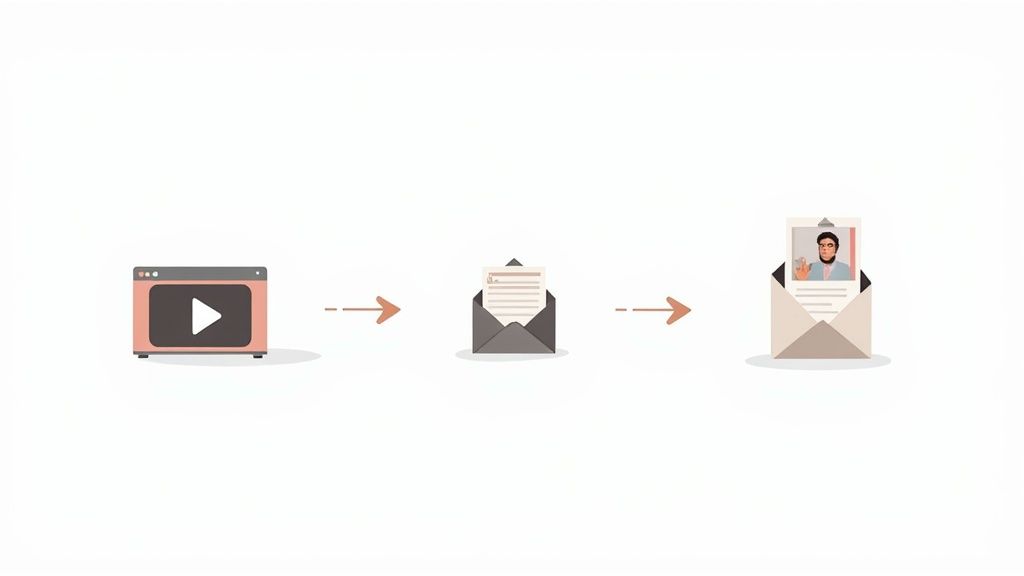
- For Attendees: Get this email out within a few hours. Thank them for their time, give them the recording link, and attach the slide deck or any other resources you promised. This is also the perfect time to drop in a simple one-question survey to get some quick feedback.
- For No-Shows: Send this one the next day. Keep the tone light and friendly, like "Sorry we missed you!" Give them the recording link, but also pull out one or two of the most valuable takeaways from the session to pique their interest and give them a reason to watch the replay.
No matter the segment, your follow-through makes all the difference. For a deeper dive into making your communication count, check out our guide on https://mutedeck.com/meeting-masters-playbook/post-meeting-follow-through.
# Analyze Your Webinar's Performance
Once your follow-up emails are in motion, it’s time to dig into the analytics. Your webinar platform is sitting on a goldmine of data that can help you pinpoint your most engaged (and most promising) leads.
Go beyond the vanity metric of total attendees. The real story is in the engagement data:
- Attendance Rate: What percentage of registrants actually showed up? Anything over 40% is a pretty strong signal that your topic and promotion hit the mark.
- Viewing Duration: Who stuck around for the whole thing versus who bailed after 10 minutes? Long watch times are a huge indicator of interest.
- Poll Responses & Q&A: Who was actually participating? The people who asked thoughtful questions or answered every poll are often your most qualified leads.
This data is your ticket to a simple lead scoring system. Someone who attended live, watched 90% of the session, and asked a great question is a much hotter lead than someone who just watched the first five minutes of the replay. Your sales team will thank you for making this distinction.
# Repurpose Content to Extend Its Value
Your webinar shouldn't be a one-and-done event. It's a chunky, valuable piece of content that you can slice and dice for weeks, or even months, to maximize the return on your effort. This is how you make your webinar work for you long after it’s over.
Here are a few practical ways to give your content a second life:
- Create a Blog Post Series: Get the webinar transcribed and turn the key sections into a series of detailed blog posts. This is fantastic for SEO and great for people who prefer to read rather than watch.
- Design Social Media Snippets: Cut the recording into punchy 30-60 second video clips. Pull out your best tips, a surprising statistic, or a key "aha!" moment. These are perfect for sharing on LinkedIn, X, or Instagram.
- Develop a Lead Magnet: Package the slide deck, a checklist, or a resource guide from the webinar into a neat, downloadable PDF. You can pop this on your website to capture new leads who missed the original event.
To really make sure your efforts translate into growth, you need a system. An automated lead nurturing blueprint (opens new window) can help you systematically turn that initial interest into a steady stream of opportunities.