# How to Write Meeting Agenda: A Practical Guide
To get a meeting agenda right, you really only need to nail three things: a crystal-clear purpose, realistic time slots for each topic, and a sharp focus on action-oriented outcomes. Get those down, and you transform a wandering chat into a session where real work gets done.
# Why a Great Agenda Is Your Secret to Better Meetings
We've all been there. Trapped in a meeting that drifts aimlessly, lacks any obvious point, and ends with everyone just sort of... stopping. Nine times out of ten, that frustrating waste of time is missing one simple thing: a solid agenda.
A good agenda isn't just a list of things to talk about. It’s a roadmap. It tells everyone where you're going, how you'll get there, and what the destination looks like. Think of it as the script for a play—everyone knows their part, and you're all working toward the same final scene.
# The Power of a Purpose-Driven Agenda
The difference between a vague topic and a purpose-driven one is everything. An agenda item like "Discuss Q4 marketing" is basically an open invitation for an hour of unstructured brainstorming that goes nowhere.
A powerful agenda flips the script. It reframes that topic with a specific goal:
- Vague Topic: "Discuss Q4 marketing."
- Practical Example: "Decide on the top 3 marketing channels for the Q4 campaign (20 mins)"
That tiny change makes a world of difference. Now, participants know exactly what decision is on the table, how much time they have to make it, and what they need to think about beforehand. This is how you turn talk into action.
Here’s a quick breakdown of what every good agenda needs.
# The Anatomy of an Effective Agenda
This table covers the non-negotiable parts of any agenda. Miss one, and you're leaving the door open for confusion and wasted time.
| Component | Purpose and Key Details | Practical Tip |
|---|---|---|
| Meeting Goal | The one-sentence "why" we're meeting. Is it to decide, inform, or brainstorm? State it clearly at the top. | Example: "Goal: Approve the final Q1 budget for submission." |
| Date, Time, Location | The basics. Include the calendar link and dial-in info so nobody has an excuse for being late. | Double-check time zones for remote teams. |
| Attendees & Roles | List who is expected to attend and, if needed, their role (e.g., "Sarah - decision maker," "Tom - note-taker"). | Before adding someone, ask: "Is their input essential for this meeting's goal?" |
| Timed Agenda Items | Each topic gets a specific time block. This keeps the conversation moving and respects everyone's schedule. | Be realistic. A complex decision likely needs more than 10 minutes. |
| Action-Oriented Topics | Phrase topics as questions or decisions (e.g., "Approve final design mockups," not "Design discussion"). | Start your agenda items with verbs like "Decide," "Approve," "Finalize," "Brainstorm," or "Review." |
| Preparation Materials | Link to any documents, reports, or data participants need to review before the meeting starts. | Call out exactly what to review. Example: "Please review pages 3-5 of the linked report." |
Having these elements in place is your first line of defense against unproductive meetings.
A well-planned meeting agenda is the single best predictor of a successful meeting. It provides the structure necessary to keep conversations focused, productive, and respectful of everyone's time.
The frustrating part? People know this, but don't always do it. A study from Asana found that while 67% of professionals agree a clear agenda is critical for a good meeting, only 37% of meetings actually have one. That’s a huge gap, and it directly leads to unproductive time.
Ultimately, a great agenda is what allows your team to write effective meeting notes and action items (opens new window) that turn discussion into real progress. Let's dig into how you can master this essential skill.
# The Building Blocks of a Powerful Meeting Agenda
Alright, let's move past the theory and get practical. A great meeting agenda isn't just a list of topics; it’s a blueprint for success. Get the foundational pieces right, and your entire meeting will feel more solid, focused, and purposeful from the very start.
It all boils down to a single, clear objective. What is the one thing this meeting absolutely must accomplish? Don't settle for vague goals. Nail down a specific, tangible outcome.
- Vague goal: "Discuss the new marketing campaign."
- Practical Example: "Decide on the final tagline for the Q3 marketing campaign."
That simple shift changes everything. It turns a wandering discussion into a mission with a clear finish line.
# Define Who and What Is Needed
Once your objective is locked in, figure out who actually needs to be there and what their roles are. Resist the urge to invite the whole team—a bloated attendee list is one of the fastest ways to kill productivity.
Instead, ask yourself: who is essential to achieving our objective?
A great way to think about this is by assigning roles:
- The Decider: Who has the final say? (e.g., Jane, Head of Product)
- The Contributor: Who has the key information or expertise we need? (e.g., David, Lead Engineer)
- The Stakeholder: Who needs to be kept in the loop but doesn't need to contribute directly? (Maybe they can get the meeting notes instead.)
This brings a ton of clarity and helps keep the meeting lean. You'll also want to nail down the logistics—date, time, and location are obvious, but linking to pre-reading materials is just as important. For a deeper dive, check out our guide on pre-meeting success strategies (opens new window) to really master this part of the process.
The biggest change you can make to your agendas is shifting from topic-based items to outcome-oriented ones. This isn't just about wording; it’s about fundamentally changing how people prepare for and participate in the meeting.
# Craft Outcome-Oriented Agenda Items
This brings us to the most impactful part: framing your agenda items as actions or questions, not just topics. A weak agenda item is a noun, like "Project Update." A strong agenda item is a verb, totally focused on a result.
Let's see it in action. A vague item like "Review beta feature feedback" just invites a passive, one-way presentation. Yawn.
Now, let's reframe it with an outcome in mind:
- Weak Agenda Item: "Beta feature feedback"
- Practical Example: "Review user feedback on the beta feature and approve the final design mockups (25 mins)."
See the difference? This version is specific, goal-oriented, and time-bound. It tells everyone exactly what's expected of them and what "done" looks like. It’s a strategic shift that ensures people show up prepared and ready to contribute from the moment the meeting begins. For more on this, you can discover more insights on creating specific, timed agenda items at sjsu.edu (opens new window).
# Structuring Your Agenda for Maximum Flow and Focus
The order of your agenda items is more than just a list—it's a narrative. A good structure guides the energy of the meeting, builds momentum, and makes sure you end on a productive note. Think of it like a three-act play for your meeting.
The first act is all about getting everyone aligned and feeling positive. Kick things off with quick, easy wins. This could be a 5-minute round of "Wins of the Week" or a brief update on a project that's crushing its goals. Starting with good news builds psychological safety and gets people engaged from the jump.
This initial energy is crucial before you dive into the heavy lifting. The middle section is reserved for your most demanding topics—the ones that need deep discussion, debate, and big decisions.
# Sequencing Your Core Topics
Once you've set a positive tone, it's time for the main event. Put your most important and complex topic right after the warm-up. This is when your team is most alert and has the most mental fuel to contribute. A classic mistake is saving the biggest decision for last, which almost always leads to rushed, half-baked conclusions when everyone's already checked out.
A simple way to think about this is moving from big-picture decisions to smaller, tactical ones.
- Practical Tip: For a project review meeting, the core topics could flow like this:
- 25-Minute Block: "Roadblock Resolution" – Start by tackling the single biggest thing holding the project back.
- 15-Minute Block: "Resource Allocation" – Based on that discussion, decide on any budget or team adjustments needed.
- 10-Minute Block: "Next Sprint Priorities" – Finish by aligning on the immediate next steps.
This simple flow—quick updates, main objective, then key discussion points—is a powerful framework for just about any meeting agenda.
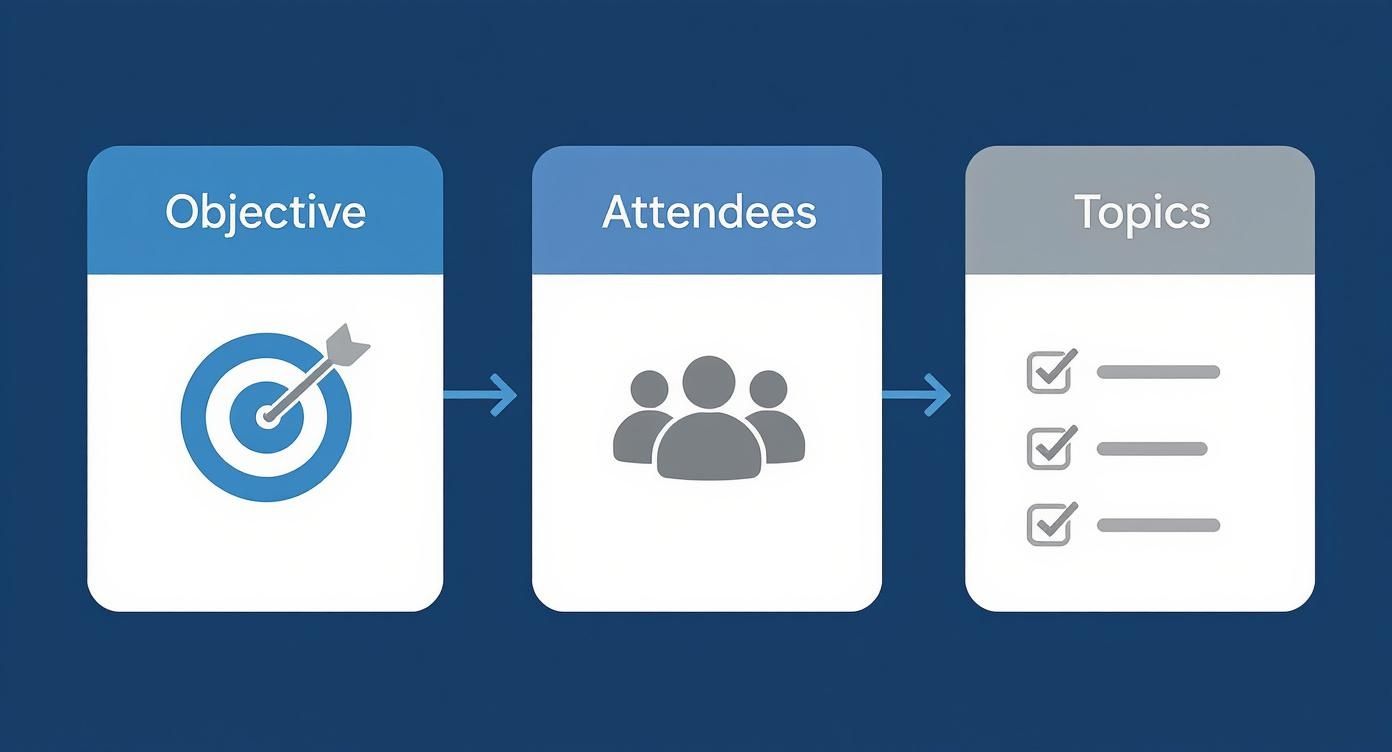
As you can see, a logical progression from defining the what to the who and then the how is the bedrock of solid agenda planning.
# The Power of Timeboxing and Discussion Leads
Structuring your topics is only half the battle; you also have to own the clock. Timeboxing is the non-negotiable practice of assigning a realistic time limit to every single agenda item. It creates a healthy sense of urgency and forces the conversation to stay on track.
Without time constraints, discussions naturally expand to fill the entire meeting duration—a phenomenon known as Parkinson's Law. Timeboxing is your most effective defense against this productivity killer.
To make timeboxing stick, assign a discussion lead for each major topic. This isn't always the meeting host. It's the person most qualified to steer that specific conversation. Their job is to introduce the topic, clarify the desired outcome, and keep things moving toward a decision within the time you've set.
Here's a practical example for a marketing team meeting:
| Agenda Item | Time Allotted | Discussion Lead |
|---|---|---|
| Finalize Q4 Budget Proposal | 20 minutes | Sarah (Finance Lead) |
| Review and Approve New Ad Copy | 15 minutes | Mark (Marketing Manager) |
| Brainstorm Launch Event Themes | 15 minutes | Chloe (Creative Director) |
This approach distributes responsibility and empowers your team to take real ownership over the meeting's success. If you're looking for a head start, exploring different meeting templates (opens new window) can give you a solid foundation for everything from one-on-ones to project kickoffs.
Finally, always end with a dedicated slot to review action items. This is your third act. It ensures that all the talk translates into tangible next steps, with clear owners and deadlines. It’s the perfect way to wrap things up, leaving everyone on the same page about what happens next.
# Tailoring Your Agenda for Different Meeting Types
https://www.youtube.com/embed/XELRvXCoKxU
Ever been in a meeting where the agenda felt… off? Like using a project kickoff checklist for a creative brainstorm? It just doesn’t work. A generic, one-size-fits-all agenda is a surefire way to waste everyone's time.
The secret to a great meeting is simple: the agenda has to match the goal. A weekly sync is all about quick alignment, while a project kickoff is about building a rock-solid foundation. This difference needs to be baked right into the agenda's DNA.
# Agenda Focus by Meeting Type
Before diving into specifics, it's helpful to see how the focus shifts from one meeting to another. A quick glance shows you that what's critical for one meeting is completely irrelevant for another.
| Meeting Type | Primary Focus | Practical Example of a Key Agenda Item |
|---|---|---|
| Weekly Team Sync | Alignment & Coordination | "Identify and assign owners for any cross-functional roadblocks." |
| Project Kickoff | Clarity & Expectation Setting | "Confirm project scope, deliverables, and out-of-scope items." |
| Brainstorming Session | Idea Generation | "Generate 20+ potential names for the new product (no bad ideas)." |
As you can see, the verbs say it all: identify versus confirm versus generate. Each one drives a completely different kind of conversation and requires a unique agenda structure to succeed.
# The Weekly Team Sync Agenda
The whole point of a weekly sync is to get everyone aligned and moving forward, fast. This isn’t the time for deep, philosophical problem-solving. It’s a pulse check to maintain momentum.
Too many teams let these meetings turn into a round-robin of status updates that belong in an email. To avoid that trap, keep your agenda focused on coordination and looking ahead.
- Practical Tip: Use a shared document where team members add their roadblocks before the meeting. This saves time and lets you jump right into problem-solving.
- Quick Wins & Shout-outs (5 mins): Kick things off with good energy. Celebrate what went right last week.
- Priorities for the Week (10 mins): Each person shares their single biggest priority. Not a laundry list—just the one thing that matters most.
- Roadblocks & Asks for Help (10 mins): This is the most valuable part. The goal isn't to solve the problem right then and there, but to flag it and connect the right people to tackle it offline.
- Action Item Review (5 mins): A quick recap to make sure everyone knows who’s doing what before the next sync.
# The Project Kickoff Agenda
A project kickoff is where you set the tone for everything that follows. Its success is often determined in that first hour. Getting this right means front-loading all the important conversations to prevent scope creep and confusion later.
A detailed kickoff agenda ensures that first hour is spent building a solid foundation of understanding and agreement, not creating ambiguity.
Your agenda should guide the team from the big-picture "why" down to the nitty-gritty "who" and "what."
- Project Vision & Goals (15 mins): Start with the destination. What does success look like? Get everyone aligned and excited about the outcome.
- Scope & Deliverables (20 mins): Be painfully clear about what’s in scope and, just as crucial, what’s out of scope. Practical Tip: Create a two-column list on a slide: "In Scope" and "Out of Scope." Review it line-by-line and get verbal agreement.
- Roles & Responsibilities (15 mins): Go around the room and have each person explicitly state their role. This simple step kills assumptions dead.
- Timeline & Milestones (10 mins): Walk through the high-level timeline and call out the key dates everyone needs to know.
- Next Steps (5 mins): End with crystal-clear, immediate actions for the first week. No one should leave wondering, "What do I do now?"
# The Brainstorming Session Agenda
Brainstorming meetings are a different beast entirely. Unlike a decision-focused meeting, the goal here is to generate ideas, not shut them down. A rigid, topic-by-topic agenda will crush creativity before it even starts.
Instead, think of your agenda as a series of creative prompts. Your job is to create a structure that feels open and unconstrained, guiding the conversation with open-ended questions that spark new thinking.
- Practical Tip: Frame agenda items as "How might we...?" questions. For example, instead of "New product ideas," use "How might we make our onboarding process 10x easier for new users?" This invites solutions, not just suggestions.
# Using Modern Tools to Bring Your Agendas to Life
Let’s be honest: a static Word doc emailed out an hour before the meeting just doesn't cut it anymore. Today’s best agendas are living, interactive hubs that pull people in and get them engaged long before the call even starts.
Think of platforms like Notion (opens new window), Asana (opens new window), or even a well-organized Google Doc. They let your team co-create the agenda. People can add their own discussion points, attach files, and drop comments right where they’re relevant. When everyone has a hand in building it, they show up with context and a sense of ownership.
This isn't just a "nice to have" anymore, especially with remote and hybrid work. The shift to virtual meetings has been staggering. Since 2020, one-on-one sessions alone shot up by a wild 1,230%. That explosion created a huge need for better-structured conversations, all propped up by clear, easy-to-access agendas.
# Weave Your Agenda Into Your Workflow
The real magic happens when your agenda tool talks to your calendar and project management software. It stops being an afterthought and becomes the command center for everything related to that meeting.
- Practical Tip: In your calendar invite, instead of attaching a file, link directly to the collaborative agenda doc. In the doc itself, @-mention team members on items they need to prepare for. This simple habit dramatically increases pre-meeting engagement.
For example, you can link an agenda item directly to a task in Asana or a card in Trello (opens new window). When the meeting is over, any action items you captured can be assigned and tracked automatically. It’s a simple way to close the loop between talking about the work and actually doing it.
Your agenda should be a command center, not a historical document. Link out to reports, embed design mockups, and connect tasks so that all pre-reading and follow-up lives in one place.
And for teams spread across the globe? A dedicated meeting planner for time zones (opens new window) is a lifesaver. It takes the guesswork out of scheduling and makes sure nobody has to join a critical call at 3 AM.
# Tools for Keeping the Meeting on Track
Great agenda creation is half the battle. The other half is actually sticking to it. This is where in-meeting tools come in handy.
Some software can pop up a timer for each agenda item, giving everyone a visual cue to stay on pace. But you can get even more direct control.
Utilities like MuteDeck provide a physical, universal remote for your mic, camera, and other meeting controls. Instead of frantically searching for the mute button in Zoom or Teams, you can just tap a key. This frees up the facilitator to actually facilitate—guiding the conversation and keeping an eye on the clock, not fumbling with UI.
Pairing a dynamic digital agenda with smart in-meeting controls creates an environment where every minute counts. To see just how much of a difference it can make, check out our comparison of MuteDeck vs native meeting controls (opens new window).
# Got Questions About Agendas? We’ve Got Answers.
Even with the perfect template, you’ll hit a few snags when you start writing agendas for real-world meetings. This is the part where we tackle the common "what ifs" and "how to's" that always seem to crop up.
Think of this as your quick-reference guide. Getting these little details right is what separates a decent agenda from a truly great one.
# How Far in Advance Should I Send the Agenda?
The sweet spot is 24 to 48 hours before the meeting.
This gives everyone just enough time to read it, gather their thoughts, and do any prep work without it getting buried under a week's worth of emails. Send it too early, and it's forgotten. Send it an hour before, and you might as well not have sent it at all.
- Practical Tip: Schedule the agenda to be sent automatically. Most calendar tools allow you to set an email reminder 24 hours in advance—paste the agenda link and a short prep note into that reminder.
# What Should I Do If the Meeting Goes Off-Topic?
It happens. A great discussion sparks a new idea, and suddenly you're miles away from your agenda. As the facilitator, your job is to gently reel things back in.
Here’s how you can do it without shutting down the conversation:
- Use a "Parking Lot": This is a classic for a reason. Politely jump in with, "That's a fantastic point, but it's a bit outside our scope for today. Let's add it to the 'parking lot' so we don't lose it and can circle back later." It shows you're listening without letting the meeting get derailed.
- Point to the Clock: A simple time-check works wonders. "Great discussion, but I'm just keeping an eye on the clock. We've got 10 minutes left for this topic and still need to land on a decision."
The trick is to be firm but respectful. You’re guiding the conversation, not policing it.
One of the most common mistakes is trying to solve every problem that comes up. A great agenda helps you distinguish between what needs to be solved now versus what needs to be flagged for later.
# How Detailed Should Agenda Items Be?
You're aiming for the "just right" zone—specific enough to provide clarity, but not so long that it looks like a legal document.
Focus on the outcome you want from each discussion point. Here’s a quick comparison:
- Too Vague: "Marketing Update"
- Too Detailed: "Sarah will present a 15-slide deck covering the week-over-week performance metrics for the social media campaign, including click-through rates, engagement percentages, and cost-per-acquisition data, followed by a Q&A."
- Just Right (Practical Example): "Review Q3 social media campaign performance and decide on budget for Q4 (20 mins)."
This gives people enough context to prepare without overwhelming them with unnecessary detail. Nailing this balance is a core skill for writing effective meeting agendas.
Tired of fumbling for the mute button while trying to keep your meeting on track? MuteDeck gives you a universal, physical controller for all your meeting apps, so you can focus on the conversation, not the controls. Learn more and start your free trial at https://mutedeck.com (opens new window).